
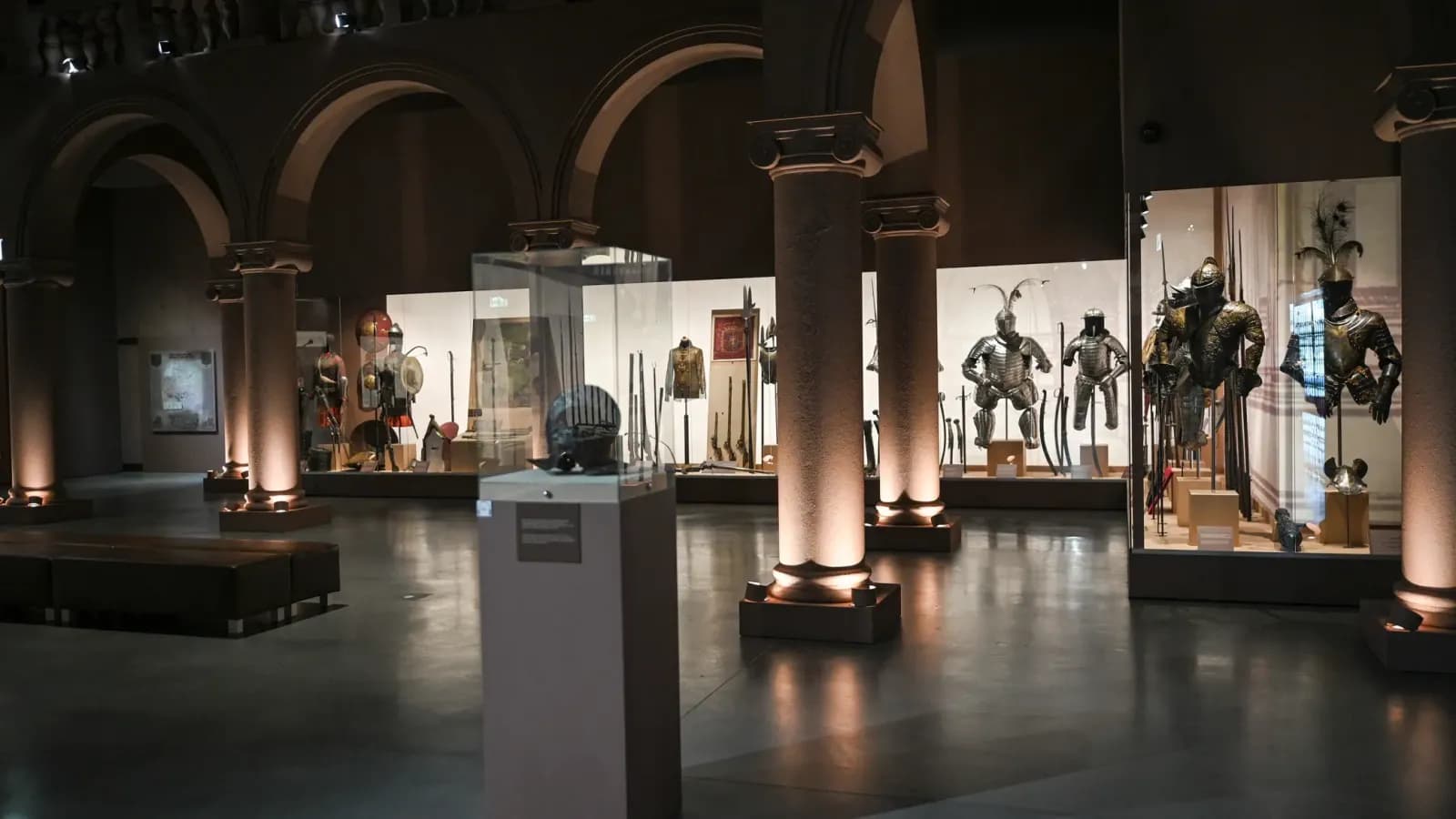
A museum hall — the world Museo was built for
Museo

Case study · Museo × Codigee

An AI audio guide system for museums

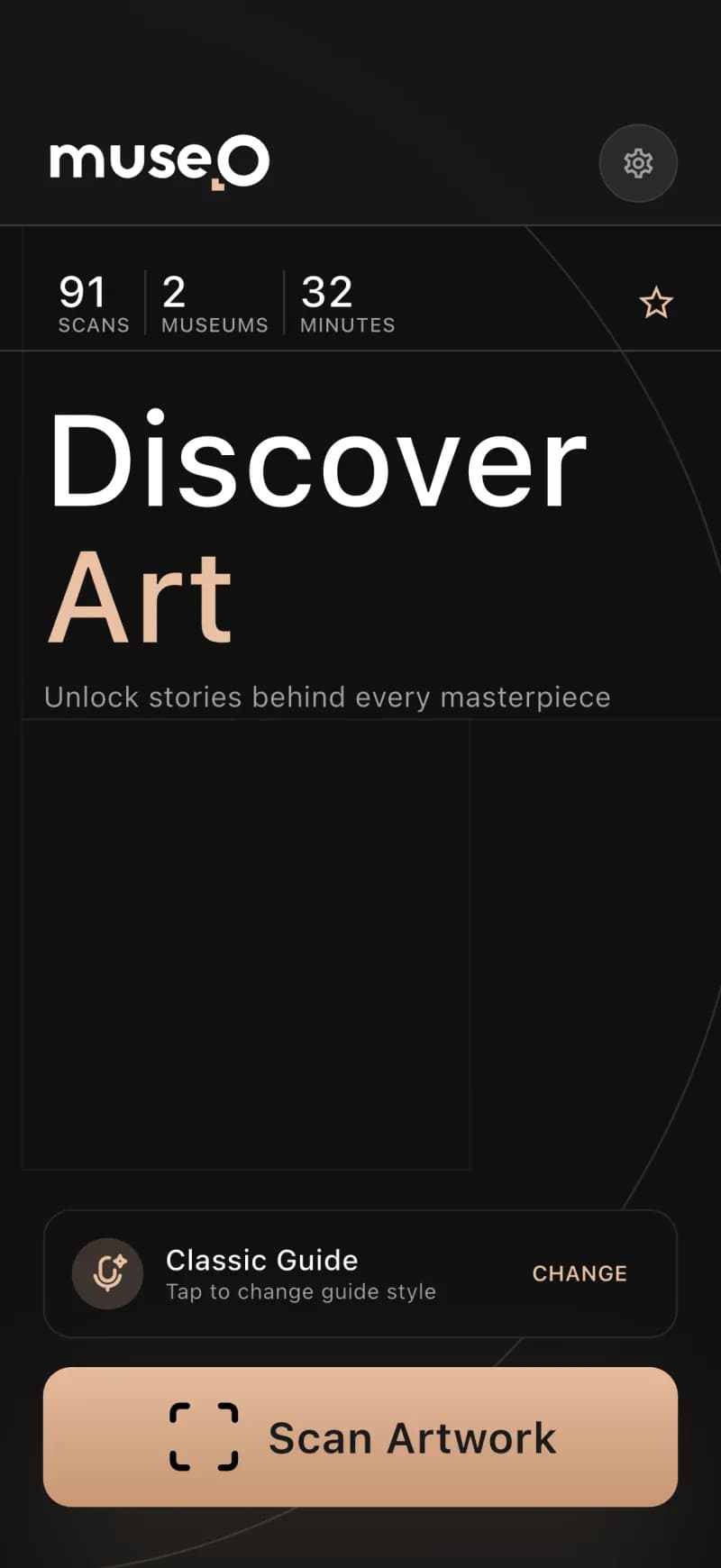
Scan an artwork. Hear its story in a second.
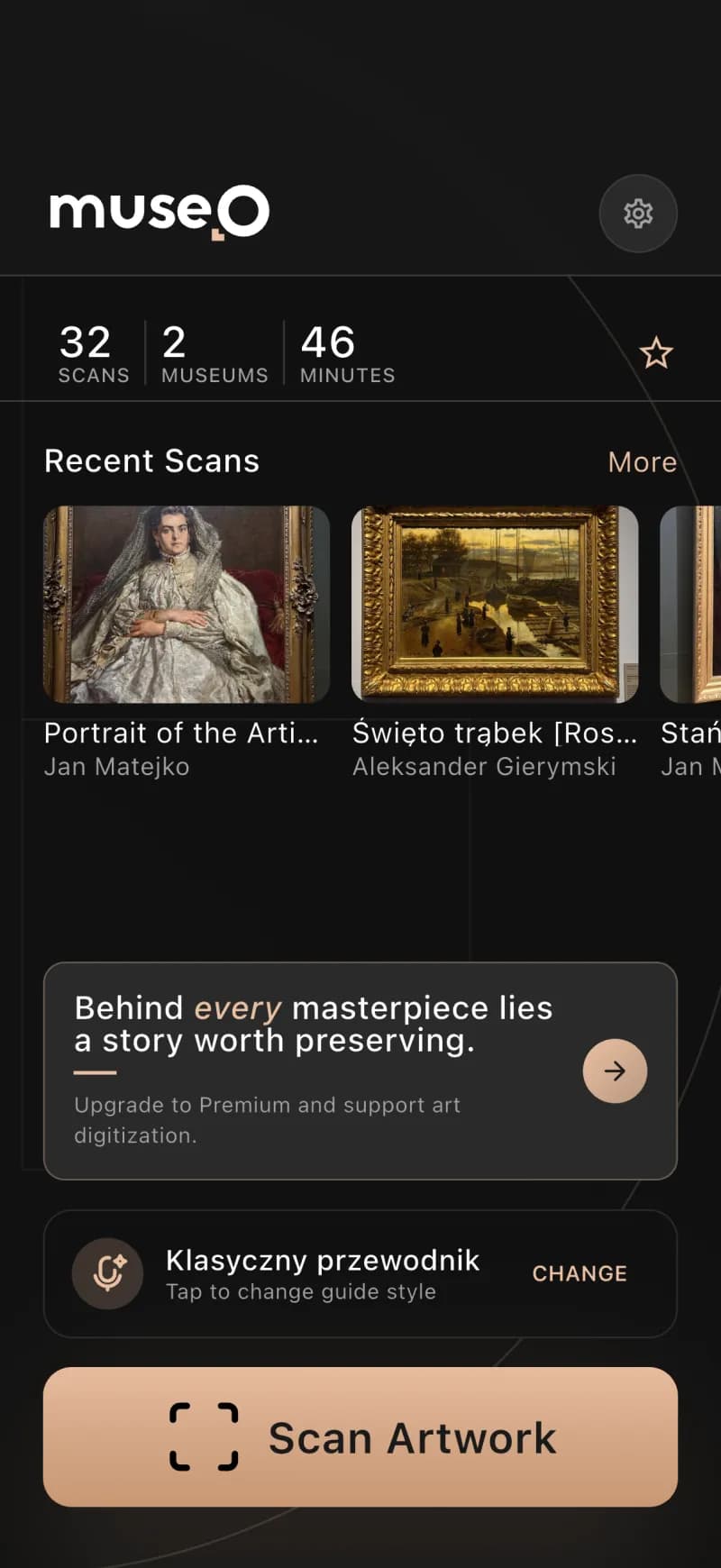
Museo is an AI audio guide system for museums — a museum audio guide app that turns any visitor's phone into a personal, multilingual guide. Point the camera at any artwork and an AI narration plays in the visitor's language, with no rental hardware. Codigee designed, built and verified the whole platform in ~3 months.

See how we prototyped it with AI — 49 screens in days →

The build, by the numbers

~3 mo

concept → product

6

components, one ecosystem

20+

languages of AI narration

28

app interface languages

Built with

Mobile
Flutter / Dartflutter_blocgo_routerdio + retrofitjust_audioFirebase + Sentry
Backend + web
Bun + ElysiaPostgreSQL + PostGISDrizzle ORMRedis + BullMQBetter AuthNext.js
AI / ML + infra
Custom-trained vision modelPyTorchWhisperServerless GPUDocker

For museums

Looking for an audio guide system for your museum?

If you want a museum audio guide app that drops the rental hardware, speaks 20+ languages and is quick to set up, here is how Museo does it. No QR codes, no number keypads, no devices to charge — your whole collection becomes a guided, multilingual experience on every visitor's own phone, and you build it yourself in an afternoon.

How a museum builds its guide

  1. 1

    A phone and your panel

    All you need is a phone and a login to the Museo admin panel — no hardware to buy, no integration project.

  2. 2

    Photograph the art & labels

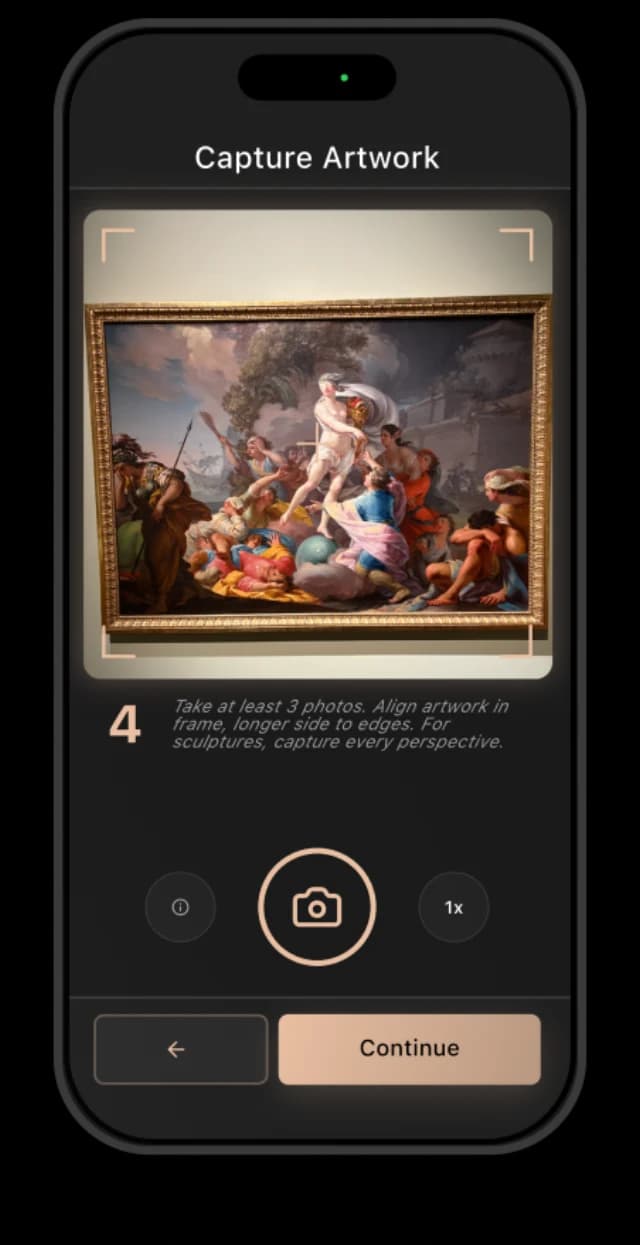
    Walk the gallery and snap each artwork and its wall label. That is the entire capture step.

  3. 3

    Content writes itself, in every language

    Museo turns each photo into a rich, narrated description and auto-translates it into 20+ languages.

  4. 4

    Review, refine, publish

    Every description lands in the panel ready to approve, tweak or rewrite before it goes live for visitors.

See it in action

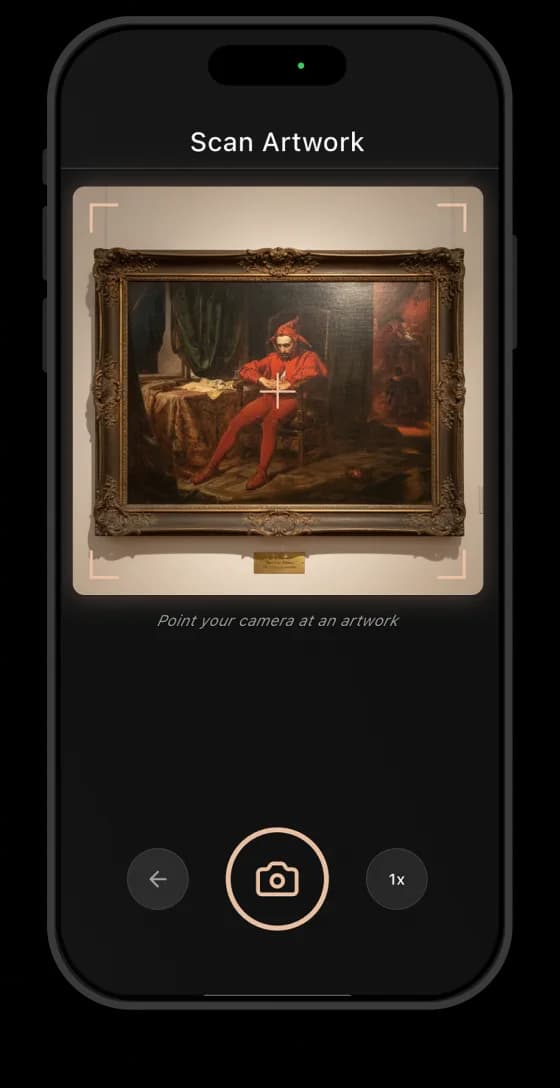
Point. Recognize. Listen.
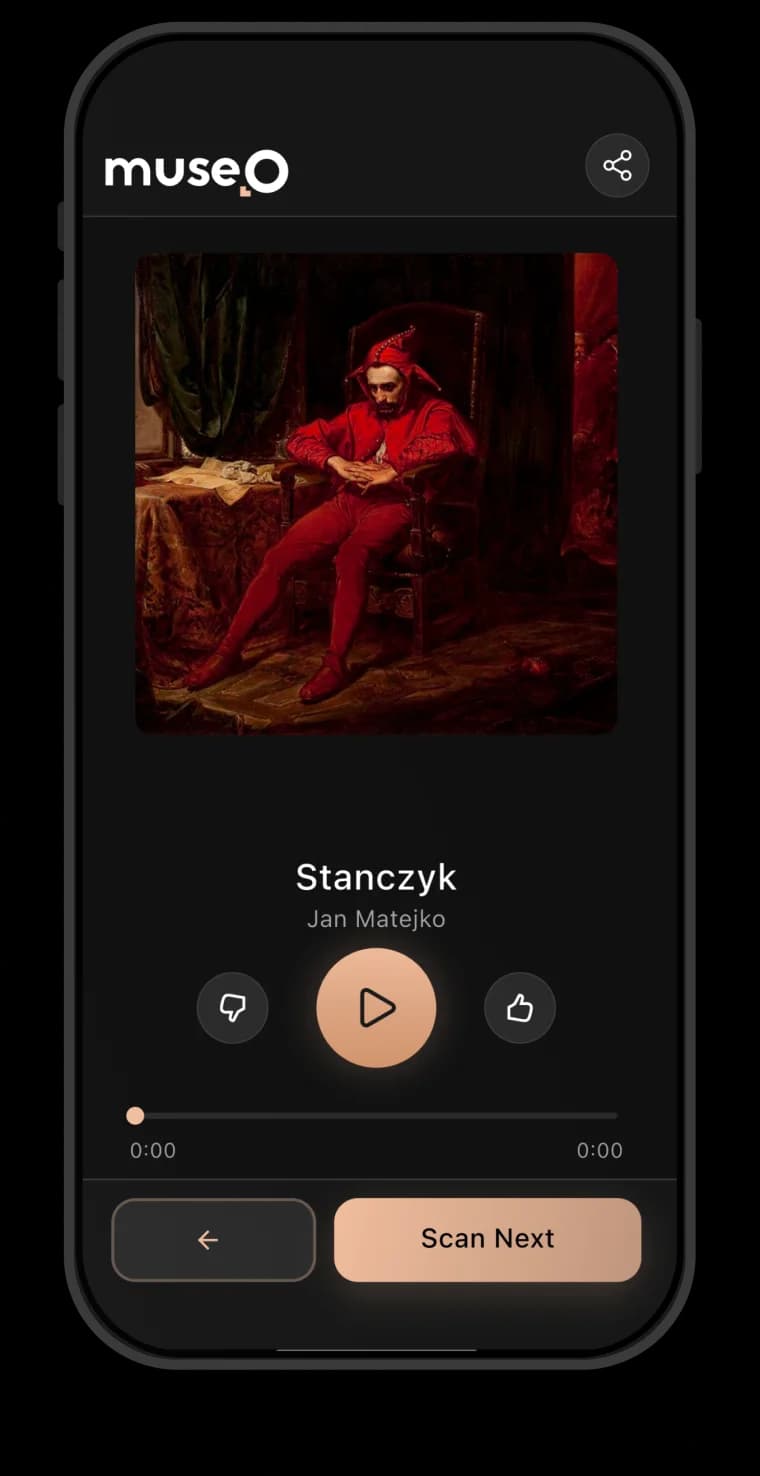
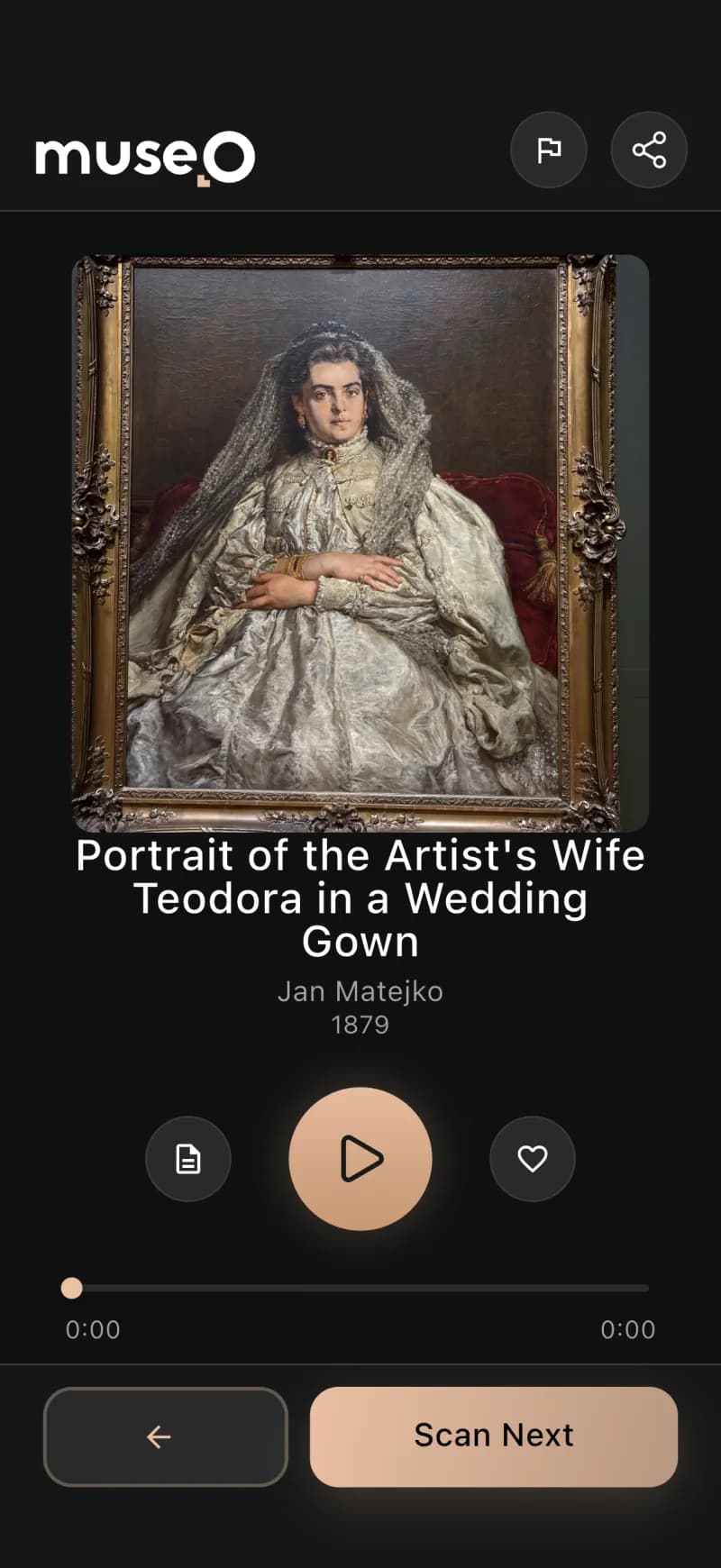
▶ Tap the artwork to play the narration

✓ Recognized in ~100 ms

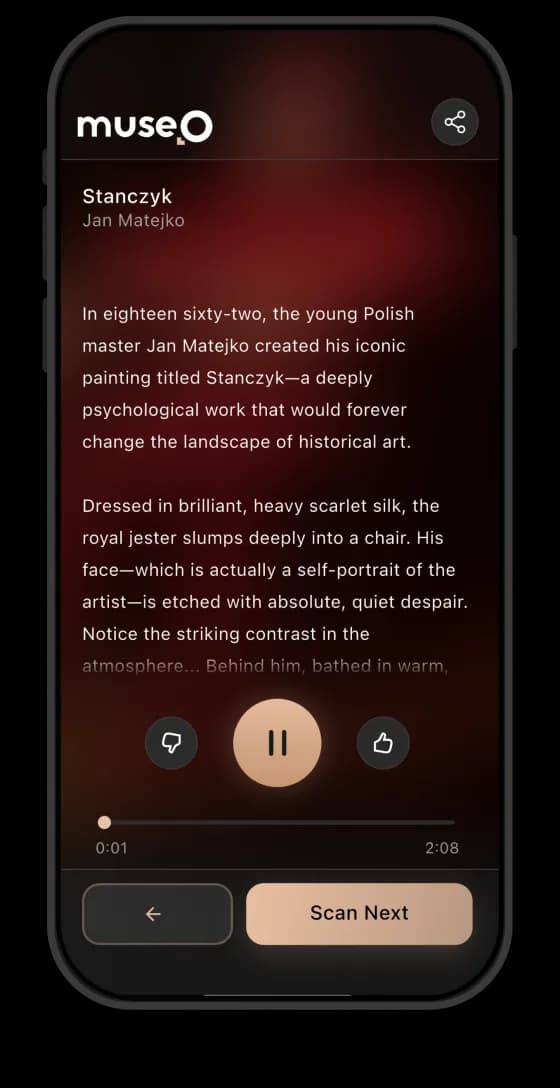
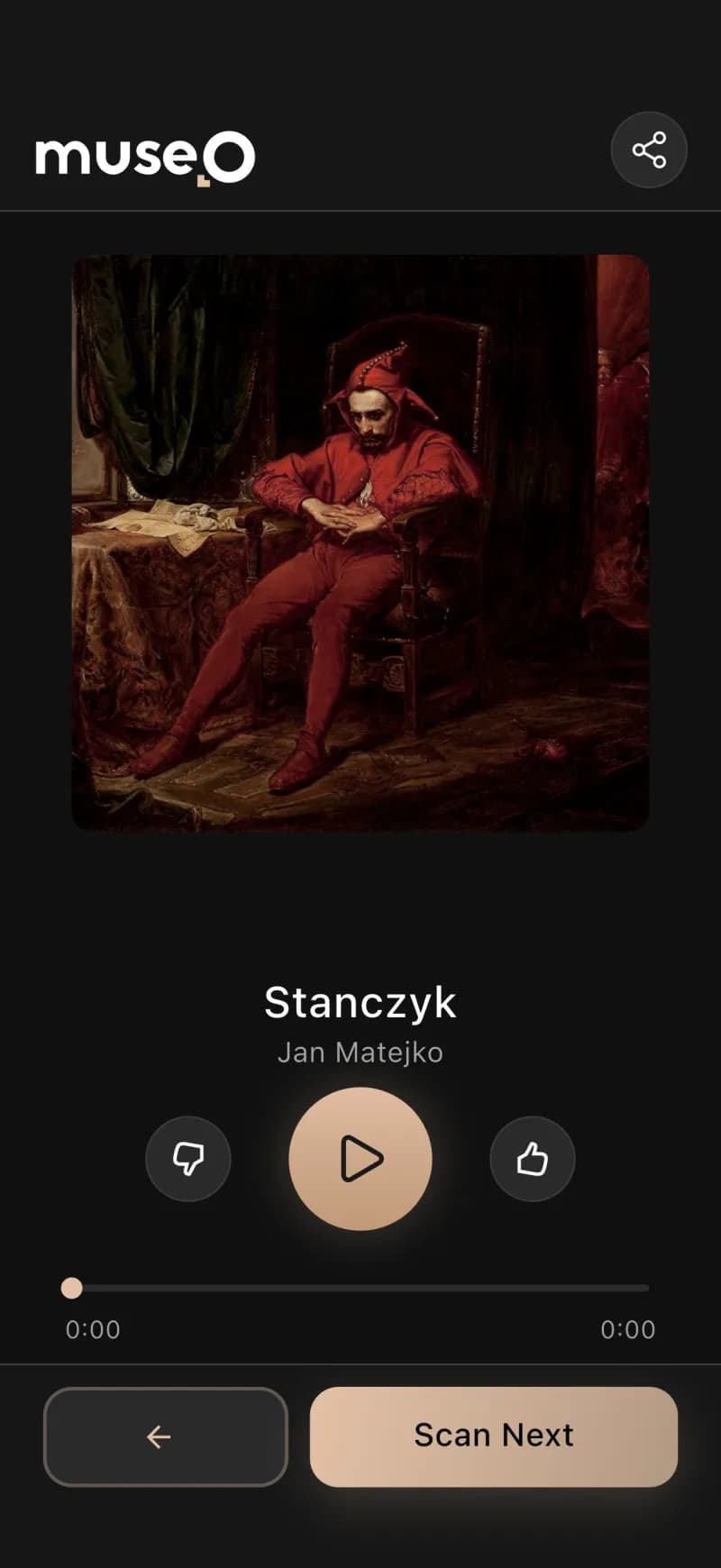
Stańczyk

Jan Matejko · 1862 · National Museum, Warsaw

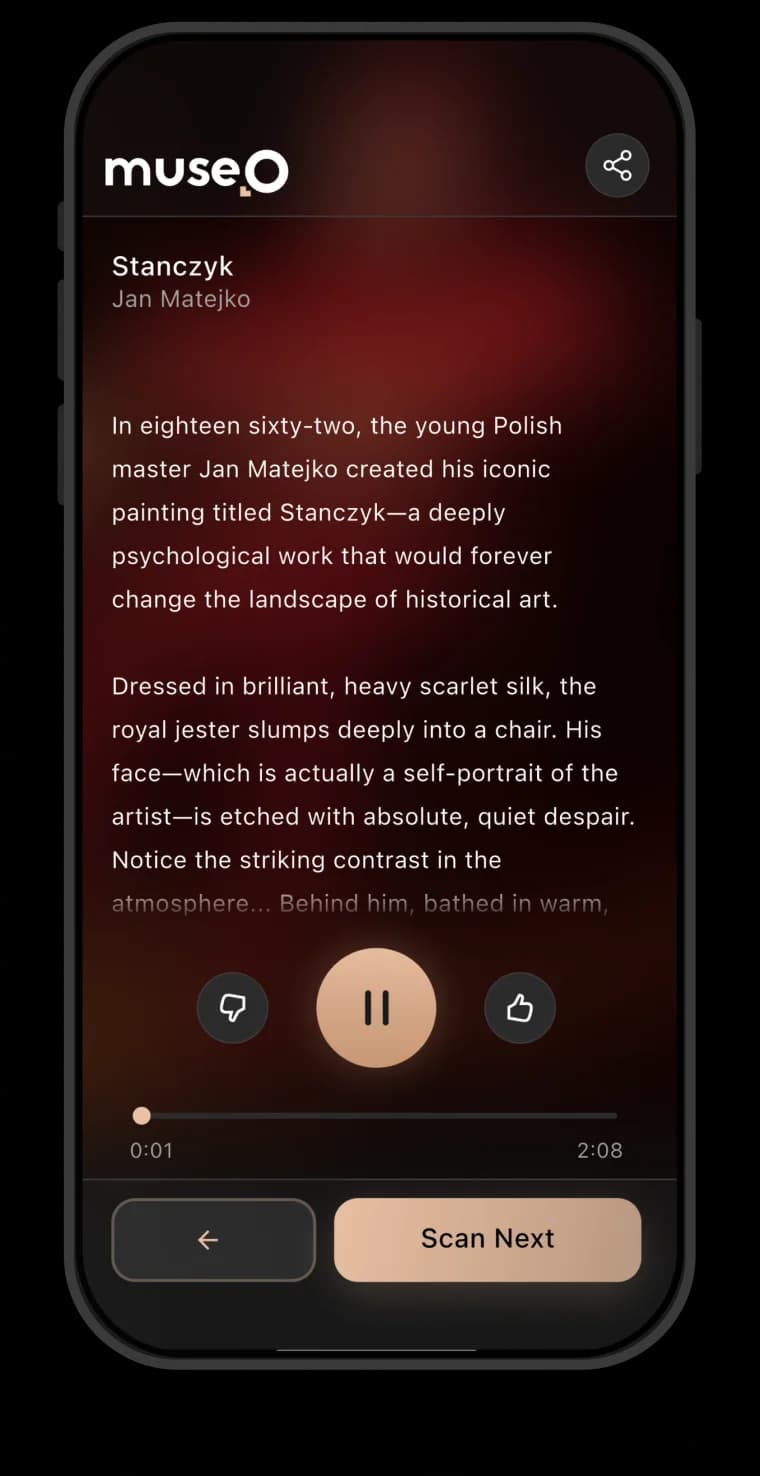
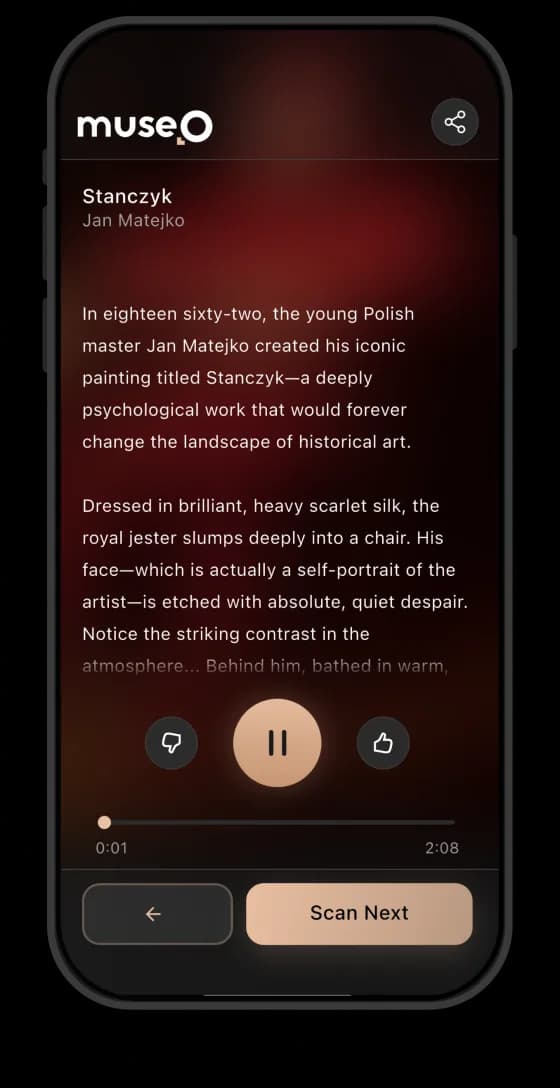
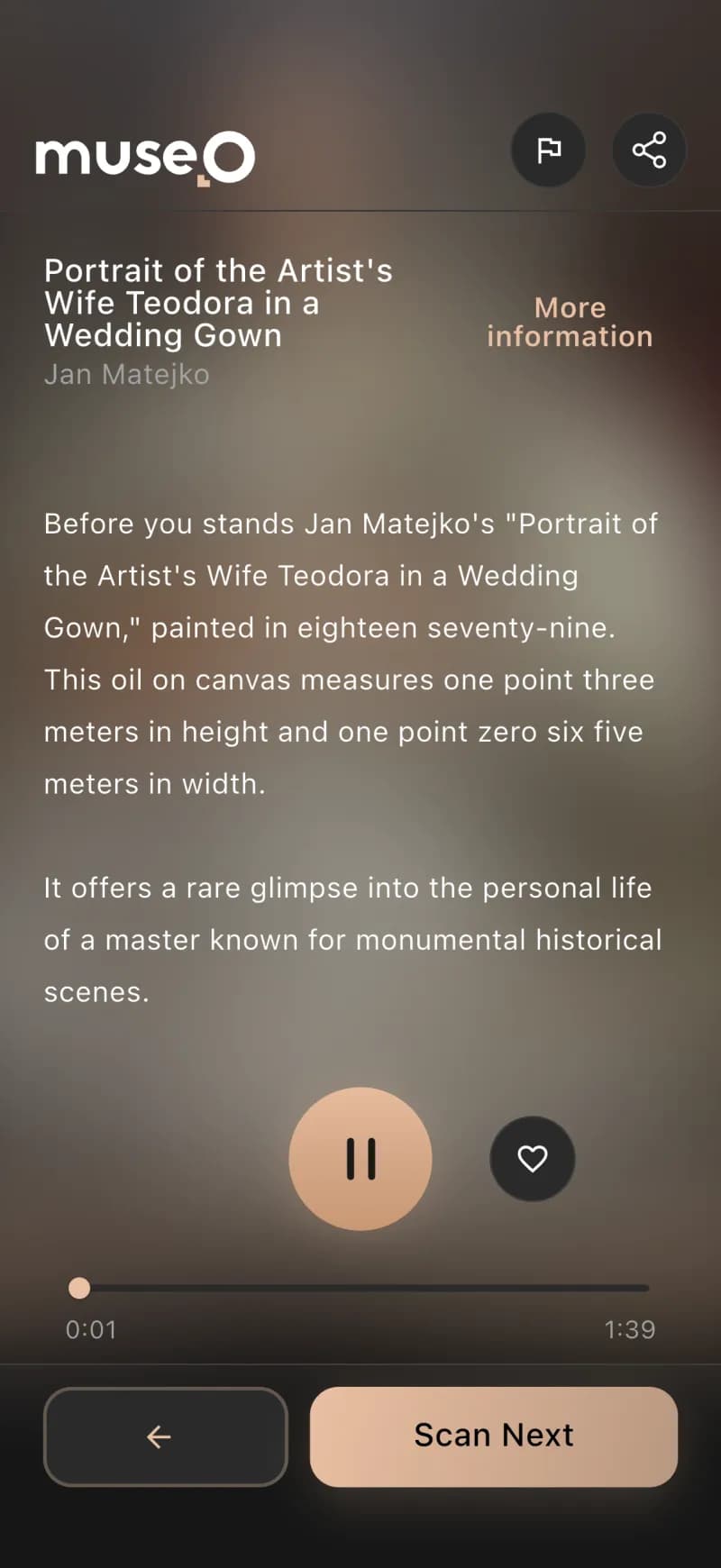
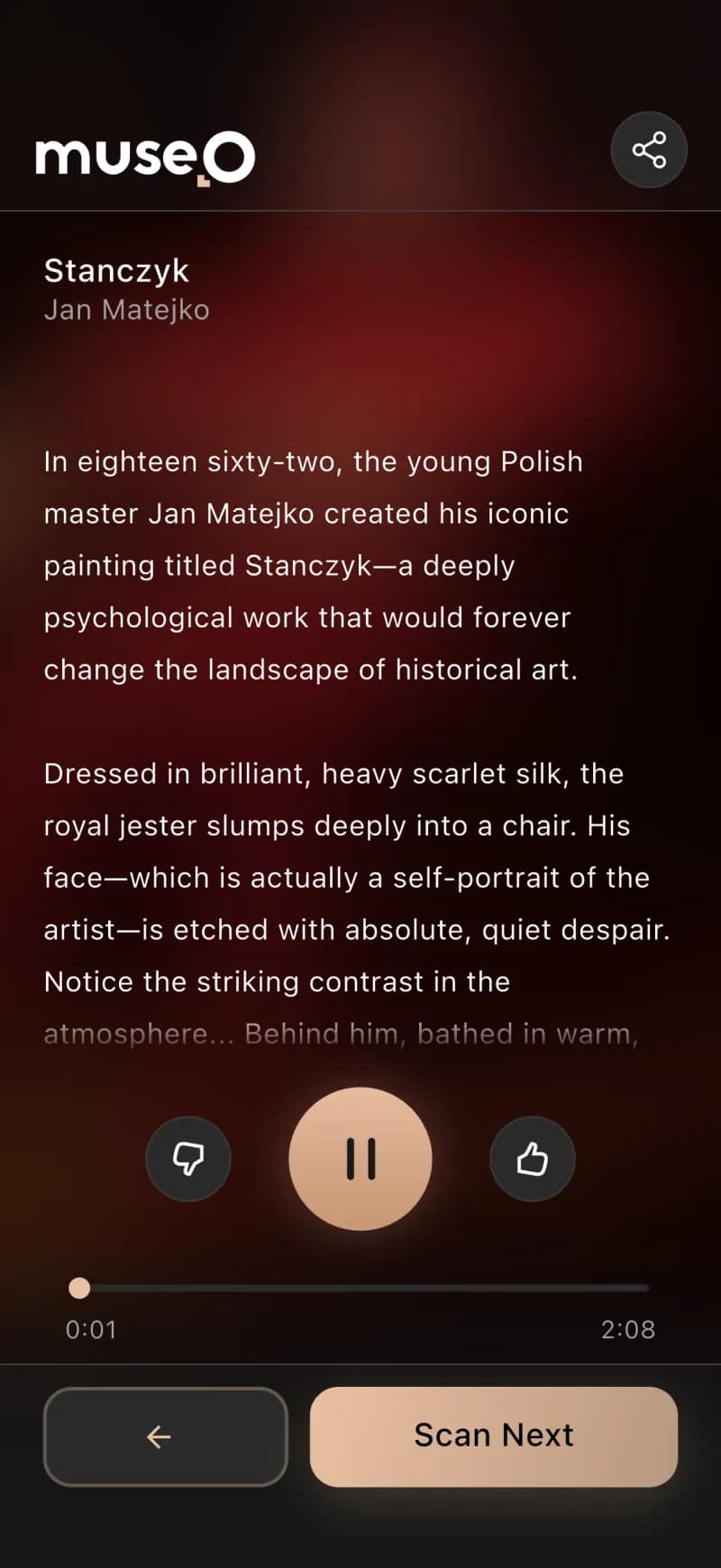
Tap play on the phone — Museo speaks this AI-generated, Whisper-verified narration, the exact experience a visitor gets in the gallery:

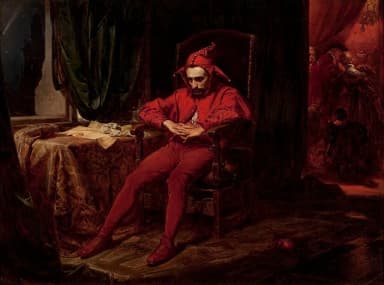
Before you stands "Stańczyk," a profound oil on canvas by Jan Matejko from 1862. It depicts the court jester Stańczyk in a dark, secluded room — slumped, lost in thought, his marotte abandoned on the floor. Through the window, Kraków's Wawel Cathedral stands under a comet, a symbol of ill omen, while a lively court ball unfolds behind him. Matejko, only 24, painted his own face onto the jester. The work symbolizes Poland's despair under the partitions — Stańczyk as the conscience of a nation, foreseeing doom while others celebrate.
Get the app

Download on the App StoreGet it on Google Play

How fast it works

~100 msartwork recognized
1 tapscan → narration
1 clickdescription + audio
20+languages, instantly
Offlineworks in thick walls
WCAG AAaccessible to everyone

How we developed it

Concept to product, in stages

01

Prototype & design

AI prototyping

We explored the whole product with AI first — 49 home variations, the scan flow, a living brand book and the logo, as a clickable prototype.

See the prototyping case →
02

MVP — the Ambassador app

Validate

Shipped the Ambassador app first to prove the AI content loop — recognize → describe → narrate → verify — against a real collection.

03

The platform brain

Backend + AI

Built the Bun/Elysia backend (multi-tenant, job queues) and two custom GPU services: a vision model we trained to recognize artworks fast, and verified triple-engine TTS.

04

Visitor app & admin

Scale

The consumer Flutter app (offline, 28 languages, subscriptions) plus the self-service admin panel museums run themselves.

05

Website & launch

Go live

We also designed and built the Museo marketing site, themuseo.ai, and took the whole platform live.

Visit themuseo.ai →

The museum problem, and how we solved it

Going digital meant cost, months of work, no IT team, and zero visitor data — Codigee fixed it in ~3 months.

museo.orchestrate()6 services · 1 brain
User appFlutter · visitorsAmbassador appFlutter · contentAdmin panelSelf-service · Next.jsWebsitethemuseo.aiRecognition AICustom-trained modelVerified TTSGPU · 20+ languagesTHE BRAINBackend · Bun + Elysia · queues

// one backend brain, six services, talking in real time

Recognition in ~100ms

A recognition model we trained and tuned identifies each artwork in ~100ms, scoped to that museum — it understands the image itself, not a QR code.

Studio narration, no voice actors

A triple-engine TTS stack produces studio-grade audio in 20+ languages, with every clip auto-verified by a Whisper round-trip before it ships.

Always-ready AI, no cold starts

The GPU recognition service is always ready, so identification feels instant the moment a visitor lifts their phone — no lag in front of the painting.

One connected ecosystem

Visitor app, Ambassador app, admin panel, backend brain, and two GPU AI services were designed to act as a single product, not five disconnected tools.

Concept to product in ~3 months

One Flutter codebase ships both flavors, and the Ambassador MVP validated the full recognize-describe-narrate loop fast enough to deliver the whole platform in roughly three months.

More information — how it works+

For most museums, going digital has always meant a brutal trade-off. Hardware audio guides are expensive to rent, service, and restock, and they ship in a handful of languages with no personalization. Actually digitizing a collection is worse: writing descriptions and recording voice-overs across every language a museum's visitors might speak is months of curator and voice-actor work that smaller institutions simply can't staff or fund. So foreign visitors stand in front of labels they can't read, and the museum walks away with no idea how anyone actually moved through the exhibition.

Codigee's insight was to knock out both bottlenecks at once: let AI do the production work that used to take months, and let each visitor's own phone be the guide instead of a rental device. A visitor snaps a photo of any artwork, computer vision recognizes it in roughly 100 milliseconds, and AI-generated narration plays in their language — no QR codes, no hardware, no per-language recording sessions. To prove the loop before scaling it, we shipped the Ambassador app first as the MVP: the tool a museum's own staff use to photograph works and trigger AI description and narration generation, validating the entire pipeline against real objects fast.

What we delivered is one connected ecosystem, not a single app. A Flutter visitor app (iOS and Android, offline-capable for thick museum walls, UI in 28 languages) and the Ambassador app build from a single codebase as two flavors, while a self-service Next.js admin panel lets curators add a work, generate its description and narration in one click, translate, publish, and read analytics like scans, most-viewed works, and visit heatmaps. Underneath sits the brain: a Bun and Elysia backend on PostgreSQL with multi-tenant isolation per museum and Redis/BullMQ queues orchestrating the AI work. That brain feeds two custom GPU services we built from scratch — a fast artwork-recognition model we trained and tuned ourselves, and a triple-engine, Whisper-verified text-to-speech system — taking the platform from concept to a working product in about three months.

The visitor app: your phone is the guide

No rental hardware, no language barrier, no curator backlog. A visitor snaps a photo of any artwork and hears a personal narration in their own language — that is the entire interaction.

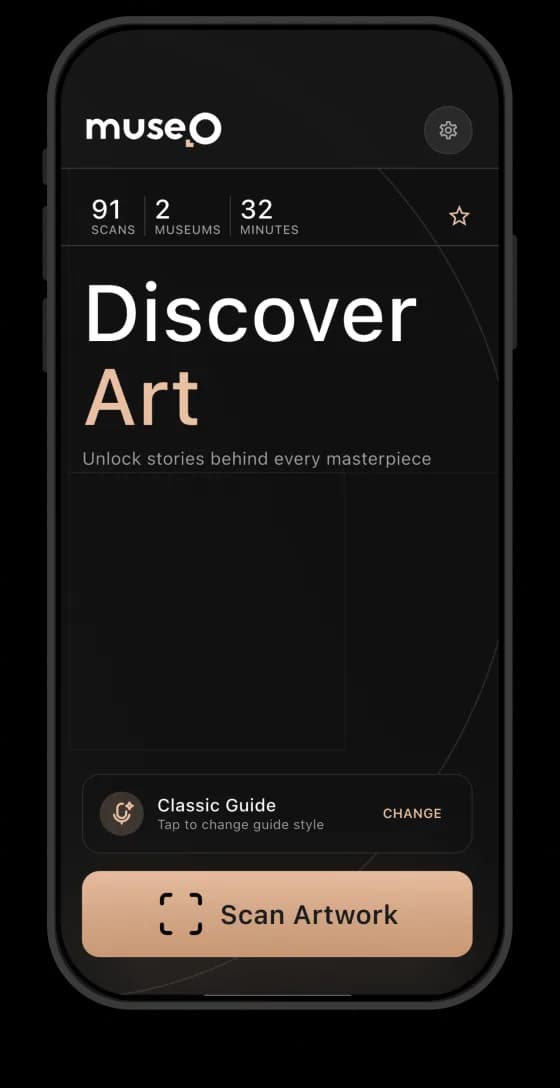
Scan, don't type

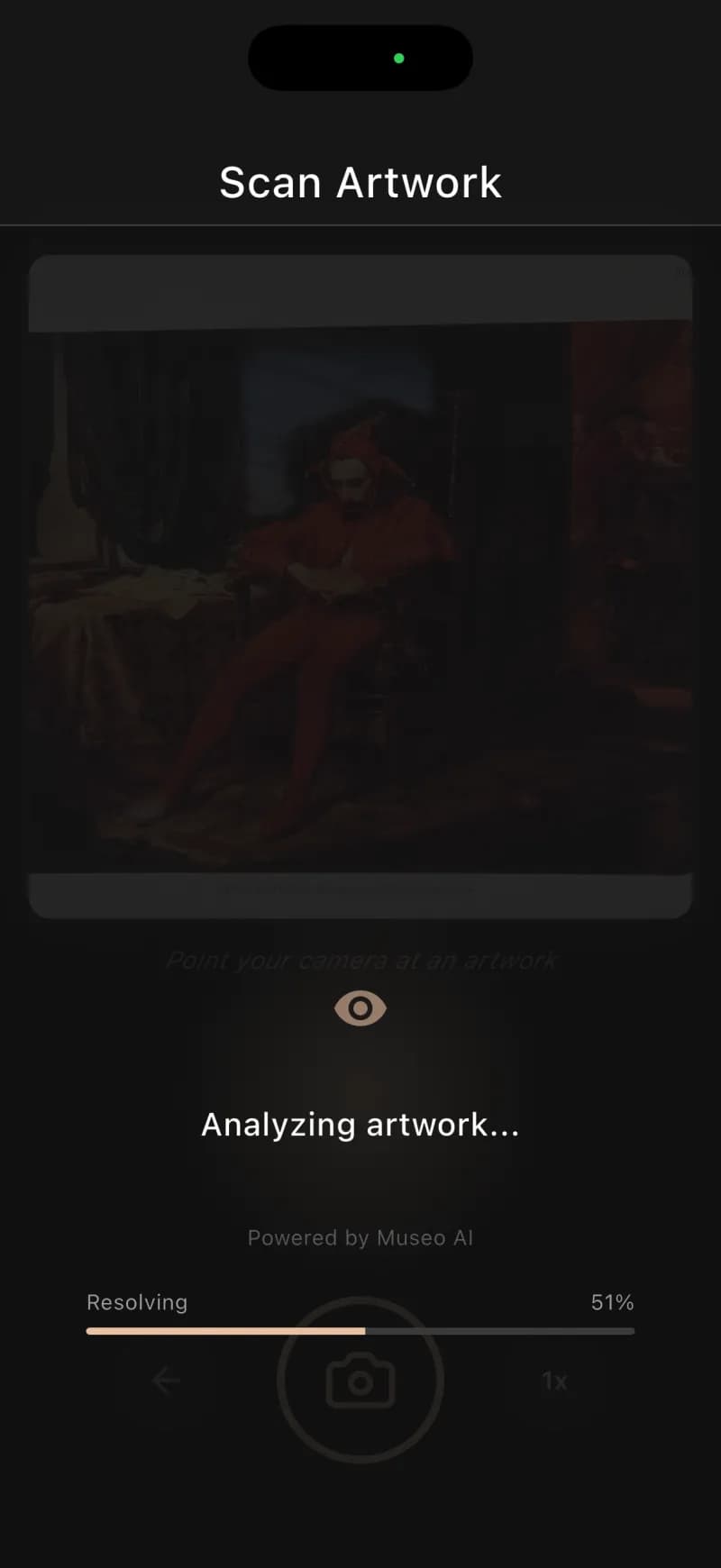
Point the camera at any artwork and our trained recognition model matches it against the museum's catalog in ~100ms, at any angle and in any light — no QR codes.

Narration in your language

AI-generated, studio-grade narration in the visitor's own language across 20+ languages, wrapped in a 28-language app interface.

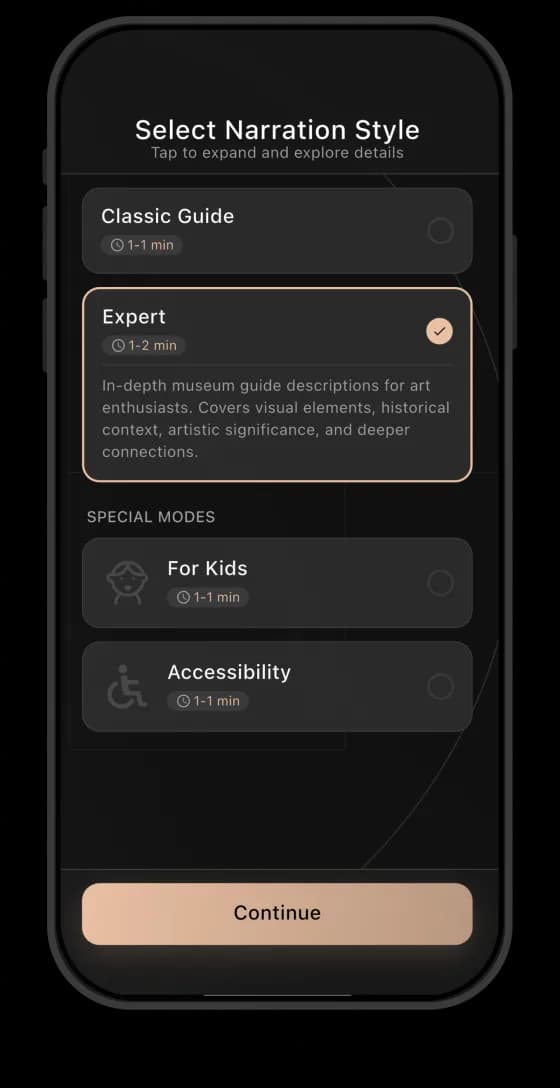
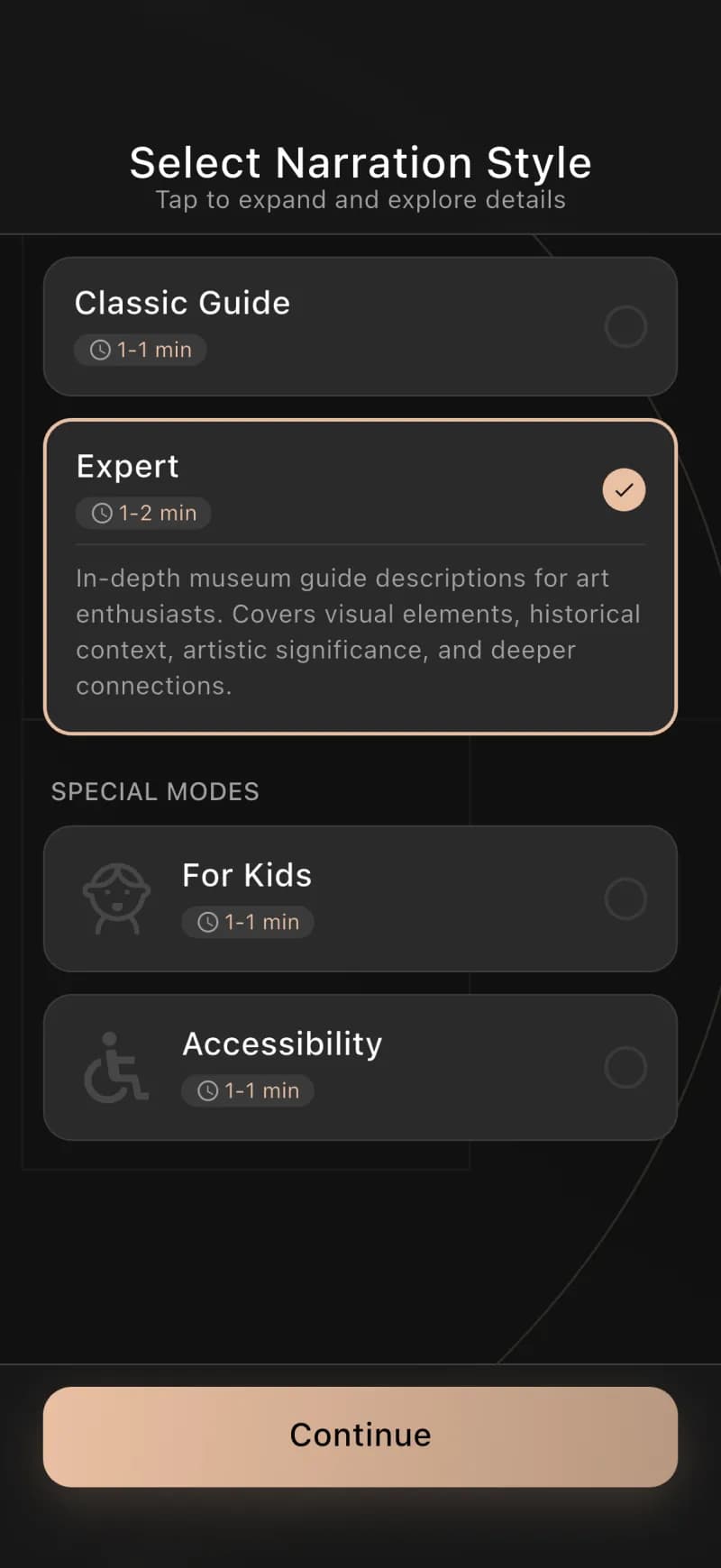
Voices for everyone, incl. kids

Multiple voice profiles, including a dedicated children's variant, plus full WCAG 2.1 AA accessibility.

Works offline, inside thick walls

Local caching and connectivity detection keep scanning and narration running deep inside the museum where signal drops out.

Login, premium, museums nearby

One-tap Google/Apple/OTP login, free and premium subscriptions with promo codes, and PostGIS geolocation that surfaces nearby museums to visit next.

More information — how it works+

The experience is deliberately frictionless: point the camera at a painting, sculpture, or artifact and the app recognizes it. Behind that single tap, a recognition model we trained and tuned identifies the artwork against that museum's catalog in roughly 100 milliseconds — recognition that works at an angle, in changing gallery light, across thousands of objects, with no QR codes or numbered keypads. The narration that plays is AI-generated, studio-grade, and spoken in the visitor's language. For the museum, this quietly retires a whole category of cost: rental devices, charging racks, servicing, and the handful of languages those devices ever supported.

Language is the headline feature for foreign visitors who could never read the local labels. The app interface ships in 28 languages, narration is available in 20+, and visitors choose a voice profile that fits them — including a dedicated kids variant that reframes the same artwork for younger audiences. The whole app is built to WCAG 2.1 AA, so it works for visitors using screen readers, larger text, and assistive navigation. And because museum walls are thick and signal is unreliable, the Flutter app caches content locally and detects connectivity, so scanning and narration keep working offline, deep inside the building.

Getting in is one tap — Google, Apple, or a one-time code — and from there the visitor can browse the full collection, not just the piece in front of them. A B2C subscription layer (free and premium tiers, plus promo codes) turns the guide into a product visitors carry between institutions, and PostGIS-backed geolocation surfaces "museums nearby" so the app keeps working the moment they walk out one door and into the next gallery. The result is a guide that travels with the visitor instead of being handed back at the exit.

How a museum creates its audio guide

Creating a complete audio guide takes a phone and a login to the panel — nothing else. A museum's ambassador walks the gallery photographing each artwork and its label; from those photos the content writes and voices itself in 20+ languages, and every description and recording comes back ready to review, refine, and reword before it ever reaches a visitor.

The Museo Ambassador app — App Store screens

Just a phone and a login

No special equipment or IT team: a staff member needs only a phone and access to the panel to start building the collection.

Photograph the work and its label

Snap each artwork and its wall label — that single photo is everything the AI needs to identify the piece and draft its story.

Content writes itself in 20+ languages

From the photo, the AI generates the description and studio-grade narration and fans it out across 20+ languages automatically.

Review, refine, reword

Every AI draft lands in a queue to read, retune, and approve — humans stay in control before anything ever reaches a visitor.

Built MVP-first

We shipped this creation tool first to prove Museo's hardest mechanics — recognition, AI descriptions, verified TTS — against a real collection before scaling.

More information — how it works+

Before a single visitor scans a painting, someone has to populate the collection — and that someone is the museum's ambassador. The Ambassador app puts the entire content-creation loop in one hand: walk the gallery, photograph each work, trigger AI generation of its description and multilingual narration, then review and approve the result before it goes live. There's no curator writing catalog essays for months and no voice actor booking studio time — the ambassador captures the artwork, the backend's AI job queues do the heavy lifting, and a draft description plus studio-grade audio come back for a quick human check. It collapses weeks of digitization labor into a photograph-and-approve workflow.

We shipped the Ambassador app as the MVP on purpose, because it sits exactly where the technical risk lives. A polished consumer app is worthless if the AI pipeline behind it can't produce content a museum trusts — so we proved that loop end-to-end first: photo in, our trained recognition model finds the artwork, an LLM writes the description, triple-engine TTS renders the narration, Whisper verifies it, human approval out. Putting that pipeline in a real ambassador's hands let us validate Museo's most uncertain mechanics against an actual collection before investing in B2C subscriptions, geolocation, and offline polish. It's de-risking by sequencing: prove the engine, then build the car around it.

The MVP was never throwaway code. The Ambassador app is a second flavor of the exact same Flutter codebase that becomes the visitor app — one project, two build flavors, with shared auth, networking, and architecture. That means everything we built to validate the content loop carried straight into the production user experience instead of being rebuilt, and it keeps two distinct apps in sync from a single source of truth. For the client, MVP-first cost almost nothing in wasted effort and bought a fully de-risked AI pipeline before the consumer app even existed.

The admin panel: run the museum yourself

A Next.js control center that hands the entire content operation back to the museum — no IT team, no Codigee on call, no vendor in the loop on every change.

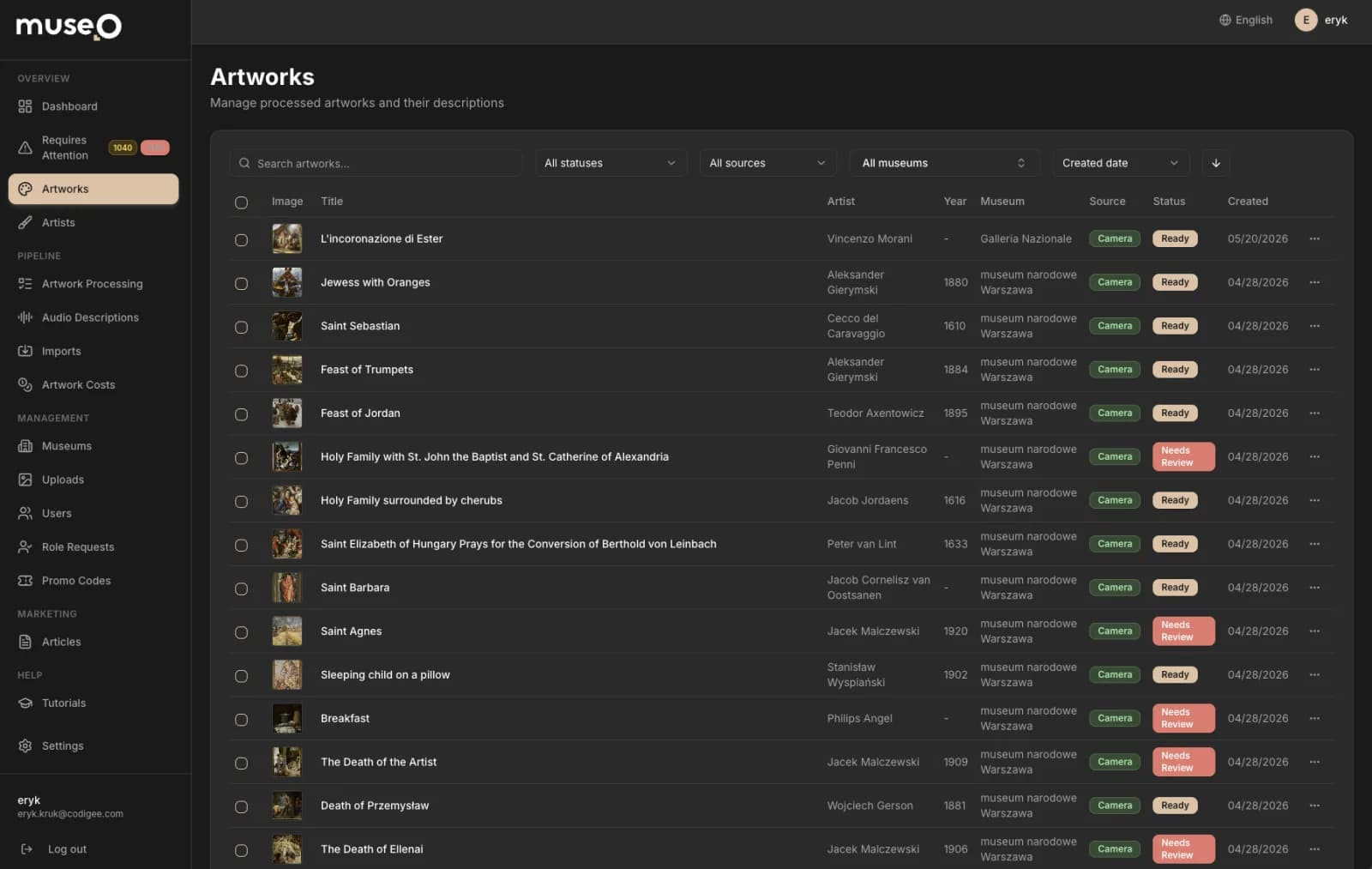
Museo admin panel — artworks management dashboard

One-click content generation

A single click turns an uploaded photo into a written description and a verified, studio-grade narration through the full AI pipeline.

Curator-owned edit & publish

Curators edit copy, refine translations, and approve audio directly in the panel, then publish straight to visitors' phones.

Versioning catches stale content

A built-in versioning system flags descriptions and recordings that went stale after a prompt change and queues them for regeneration.

Analytics museums never had

Scan counts, most-viewed works, and visit heatmaps show exactly how visitors move through the exhibition.

Completeness & translation matrix

A completeness view plus a language-by-language translation matrix make missing descriptions, audio, and locales obvious at a glance.

More information — how it works+

Digitizing a collection has always meant months of curator writing and voice-actor sessions, repeated language by language — work most museums can't staff, never mind the IT team needed to run the software around it. The admin panel collapses that into a self-service workflow a single curator can drive from a browser. Adding a work, generating its description and narration, translating it, and publishing it to every visitor's phone are all point-and-click operations. The museum holds the keys: we built it specifically so they operate it without us, and the interface itself ships in 20 languages because the people running the institution aren't always English speakers either.

Each artwork begins with a photo and one click that fires the full AI content pipeline — an LLM drafts the description, a web-scraper enriches the metadata, auto-translation fans it out across languages, and the triple-engine TTS system returns studio-grade narration, every clip auto-verified by a Whisper speech-to-text round-trip before it can ship. Curators stay firmly in control: they edit copy, retune individual translations, and approve audio inside the panel, then publish when it's right. A versioning system tracks which descriptions and recordings have gone stale after a prompt change and flags them for regeneration — version control for museum content, so a growing collection never silently drifts out of date.

For the first time, the museum can see how people actually move through the exhibition. The panel surfaces scan counts, most-viewed works, and visit heatmaps that reveal which rooms pull crowds and which get skipped — the behavioral data hardware audio guides never captured. A collection-completeness view shows exactly which works still lack a description or audio, while a translation matrix maps coverage language by language so gaps are obvious at a glance rather than discovered by a confused visitor. Underneath, the backend's multi-tenant isolation keeps each museum's content and analytics strictly its own, so the same self-service panel scales cleanly from a single gallery to a national institution.

The brain: one backend, every moving part

Two Flutter apps, a Next.js admin panel, and a stack of GPU-hosted AI services don't add up to a product on their own — something has to make them act as one system. That conductor is the Museo backend: a single orchestration layer, built on Bun and Elysia, that every other piece talks to.

museo.enqueue(job)4 steps
01

AI request

app · panel

02

Job queue

Redis · BullMQ

03

GPU worker

async · retries

04result

Result

type-safe API

// the apps and AI services never block on each other

Bun + Elysia core

A fast, strict TypeScript backend that stays out of the hot path while every app and AI service routes through it.

Type-safe end to end

Eden Treaty and OpenAPI give the Flutter apps and Next.js panel the exact contracts the server defines, catching breakage at compile time.

Multi-tenant by design

Every query is scoped per museum at the data layer, so one tenant can never reach another's collection, scans, or analytics.

AI orchestration via queues

Redis + BullMQ broker recognition, description, and TTS jobs to GPU workers asynchronously, so slow AI never blocks a request.

Auth, geo, and storage in one place

Better Auth (Google/Apple/OTP), PostGIS geolocation, and S3 media are owned centrally so no client has to reinvent them.

More information — how it works+

Museo has a lot of surfaces that all need the same source of truth: the visitor app scanning artwork, the ambassador app populating content, the self-service admin panel, and the recognition, description, and text-to-speech pipelines running on GPU servers. We built the backend on Bun and Elysia precisely because it sits in the hot path of all of them — fast enough to stay out of the way of a ~100ms recognition response, and strict enough to keep a fast-moving multi-client product honest. Drizzle ORM models the data over PostgreSQL 18, and the API is fully type-safe end to end via Eden Treaty and OpenAPI, so the Flutter clients and the Next.js panel consume the exact same contracts the server defines. When a field changes on the backend, the clients know at compile time — not in a bug report from production.

Because Museo is a SaaS platform, the hardest invariant is that no museum can ever see another museum's data. Multi-tenant isolation is enforced at the data layer: every query is scoped to its museum, so a scan, an analytics heatmap, or a content edit only ever resolves inside the right tenant's boundary. On top of that, the backend owns the cross-cutting concerns the rest of the system shouldn't reinvent — Better Auth handles accounts and sessions across Google, Apple, and OTP with bearer tokens for the apps; PostGIS powers the geolocation queries behind the visitor app's "museums nearby"; and S3 holds every photo and audio clip the platform generates. One place to authenticate, one place to locate, one place to store.

The AI is the part that can't be synchronous, and the backend is what makes that invisible. Recognizing an artwork, writing a description, translating it, and rendering studio-grade narration on GPU workers are slow, bursty, failure-prone jobs — so the backend runs them through Redis-backed BullMQ queues instead of blocking a request. It enqueues work, brokers it to the recognition, description, and TTS pipelines, tracks state, retries, and hands results back when they're ready — exactly what lets a curator click "generate" once and walk away. That same queue layer drives the content versioning system: when a prompt changes and descriptions or audio go stale, the backend knows what to regenerate and schedules it. The apps and the AI services never talk to each other directly — they talk to the brain, and the brain keeps them in sync.

Verified TTS — studio narration, zero voice actors

Digitizing a collection used to mean months of voice-actor sessions in every language. We replaced that with our own text-to-speech stack on GPU servers — and made it trustworthy by checking every single clip before it ships.

museo.synthesize(text)4 steps
01

Description

text in

02

Triple-engine TTS

per-language routing

03

Whisper QA

STT · verify vs script

04result

Verified audio

20+ languages

// every clip checked against its script before it ever ships

Triple-engine smart routing

Chatterbox Turbo for English, Chatterbox Multilingual for 20+ European languages, and Qwen3-TTS for CJK, selected per language automatically.

Every clip verified

A Whisper speech-to-text round-trip compares each clip against its script and flags any drift for human review before it ships.

Built around failure modes

Text chunking prevents model hallucinations on long passages, while a noise gate and silence trimming clean every chunk.

Our code, on GPU

PyTorch models on serverless GPU orchestrated by our own backend — not a resold third-party TTS API.

No human voice actors

Studio-grade narration in 20+ languages with zero recording booths or months-long localization work.

More information — how it works+

No single model speaks every language well, so we don't pretend one does. Our text-to-speech runs as a triple-engine system with smart per-language routing: Chatterbox Turbo handles English at the lowest latency, Chatterbox Multilingual covers 20+ European languages, and Qwen3-TTS takes Chinese, Japanese, and Korean. The router picks the right engine per language automatically, so a curator clicks "generate" once and the backend chooses the best voice path under the hood — no model juggling, no per-language setup on the museum's side.

Raw model output isn't shippable, so we engineered the pipeline around its failure modes. Long passages are chunked before synthesis to stop the models from hallucinating or drifting on extended text, and every chunk is cleaned with audio post-processing — a noise gate and silence trimming — so the narration sounds deliberate, not machine-stitched. Then comes the part most TTS pipelines skip: verification. Every clip is fed back through Whisper in a speech-to-text round-trip, the transcription is compared against the original script, and any clip that drifts is flagged for a human to listen before it ever reaches a visitor. Generation is automated; correctness is never assumed.

All of this is our own code on serverless GPU — PyTorch models orchestrated by the backend's job queues, not a third-party TTS API we resell. The result is studio-grade narration in 20+ languages with no human voice actors, no recording booths, and no months-long localization project. A museum can populate an entire multilingual collection in the time it once took to schedule a single recording session — and every minute of audio that ships has already been checked against its script.

Recognition that works on any artwork

A visitor raises their phone toward a painting — maybe slightly off-angle, maybe in dim gallery light — and expects the right work to be identified instantly. The hard part isn't taking the photo; it's matching that one imperfect snapshot against thousands of objects, in the right museum, in the time it takes to lift the phone to your ear.

museo.recognize(photo)4 steps
01

Visitor photo

1 tap · any angle

02

Vision model

→ recognizes the work

03

Scoped lookup

this museum only

04result

Matched artwork

~100 ms

// recognition that works at an angle, in any light — no QR codes

A model trained on the collection

Our trained model learns each artwork in the museum's collection, so it recognizes the piece itself — not a fragile exact-code lookup.

Recognized in ~100ms

The model identifies the artwork against the museum's catalog and returns it in roughly 100 milliseconds.

Museum-scoped, not cross-contaminated

Every search is isolated to the right museum, so similar works in different collections never get confused for one another.

Works where QR codes can't

Because it recognizes the artwork itself, it works on pieces shot at an angle, in changing light, and across thousands of objects — no plaques or stickers.

Instant, always-ready

The GPU recognition service is always ready, so identification feels immediate to the visitor — no cold-start delay at the artwork.

More information — how it works+

We solved it the way human recognition actually works: by understanding what is in the image, not by reading a code off the wall. Every artwork in a museum's collection is learned by a vision model we trained and tuned on that museum's own pieces. When a visitor takes a photo, the same model recognizes the work on the fly — it answers "which artwork is this?" from the image itself, so a bad angle, a glare, or a partly cut-off frame does not break it the way a barcode or QR code would.

Doing it at speed is exactly what the model is tuned for: it returns the right artwork in roughly 100ms, scoped strictly to that museum so two galleries with similar pieces never bleed into each other. Because it recognizes the artwork itself rather than a rigid code, it holds up in the real world: a canvas shot from the side, a sculpture under warm spotlights, a frame partly cut off, a collection of thousands. The same robustness that makes it forgiving for visitors is what makes it deployable — no curator has to print, stick, and maintain a tag on every wall.

The last challenge is making real-time computer vision feel instant in a live gallery. The recognition model runs on GPU and is kept ready ahead of demand, so it responds the moment a visitor lifts their phone — no cold-start lag, no spinner in front of the painting. The result is studio-quality AI recognition that feels immediate to the visitor and runs efficiently enough for any institution, from a single gallery to a national museum, to rely on every day.

Seen in the wild

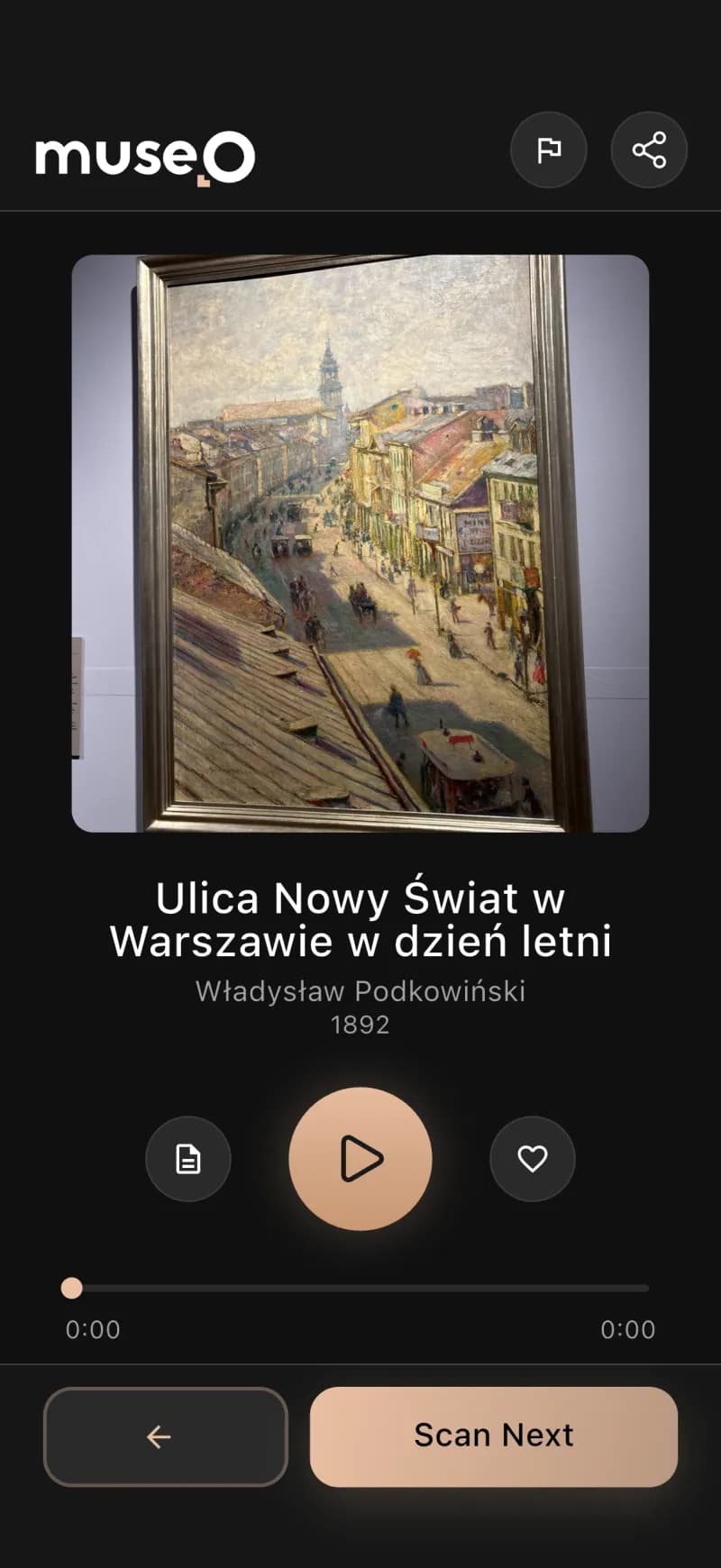
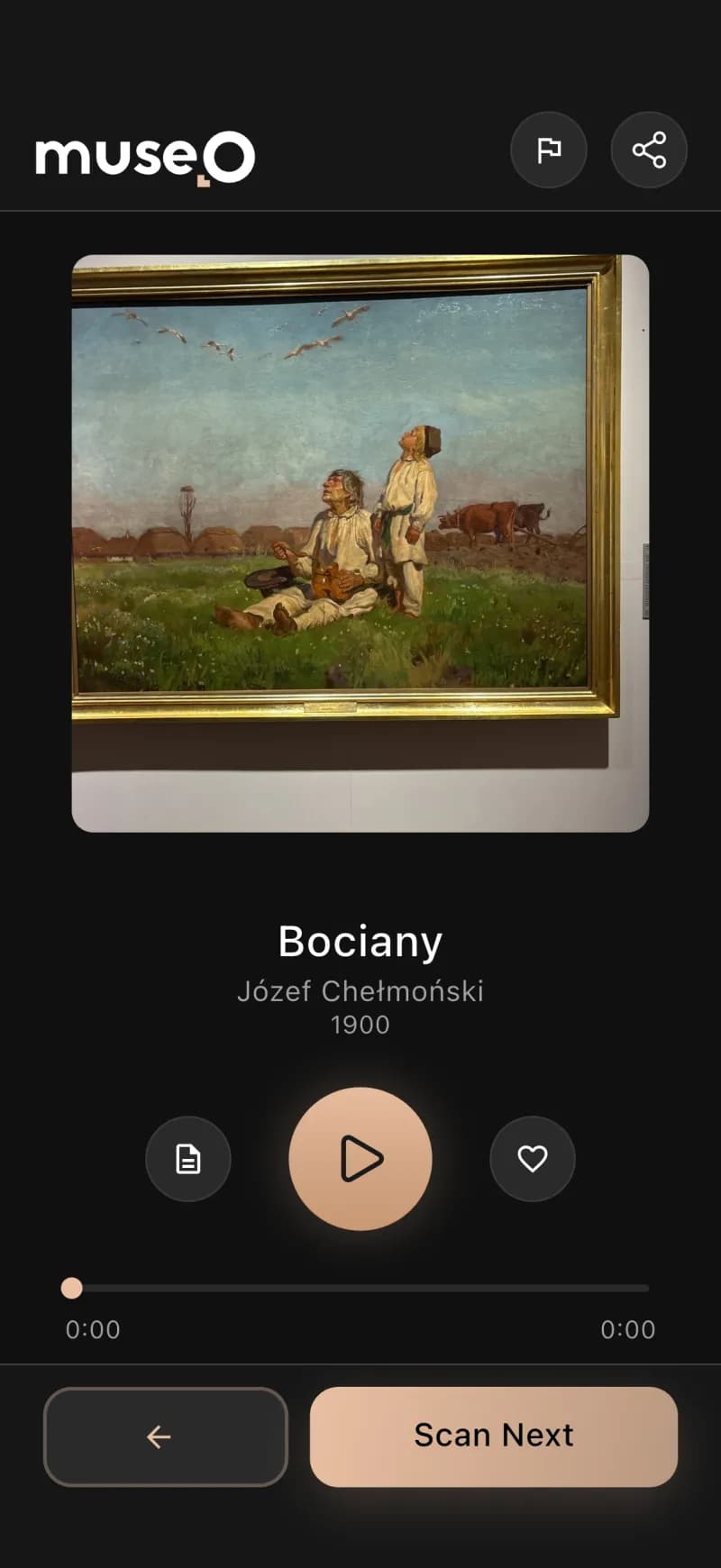
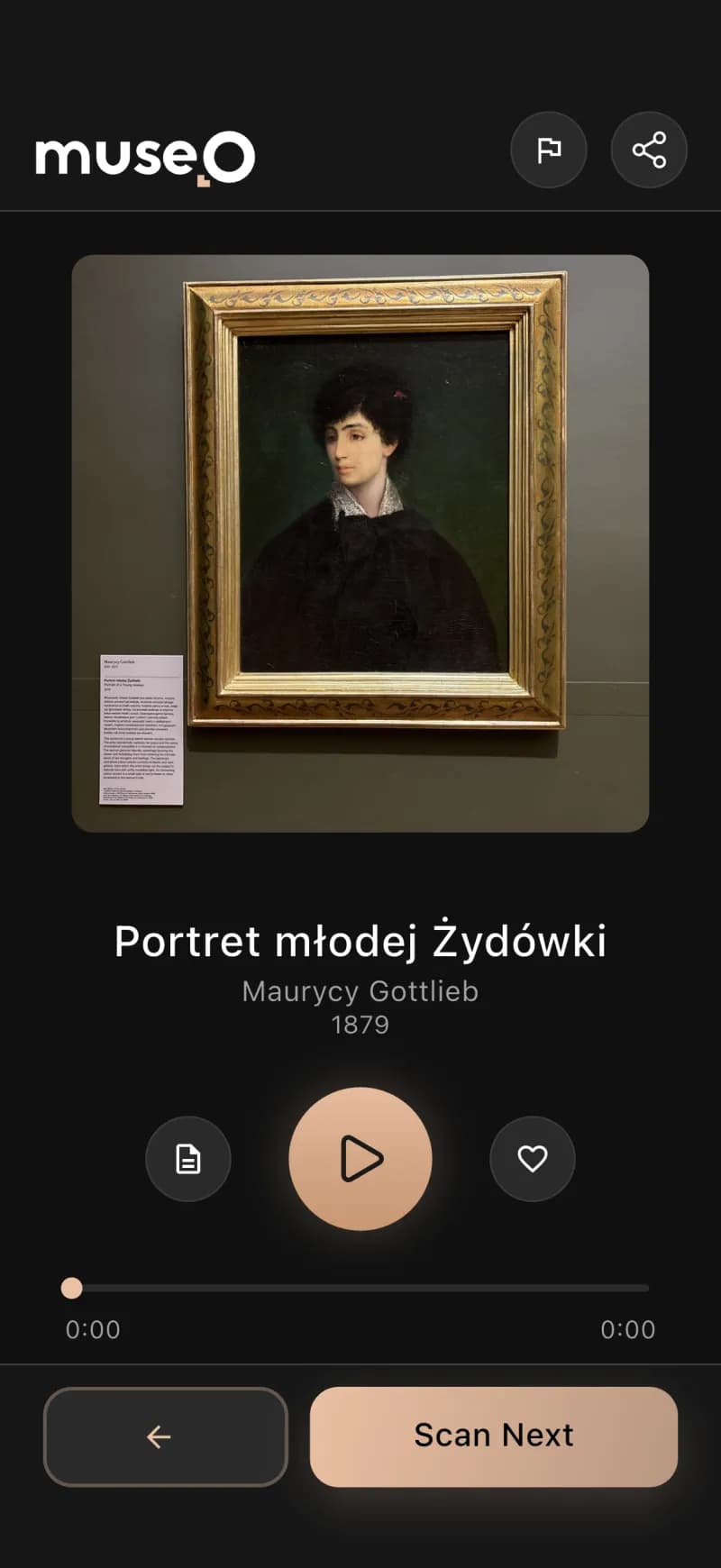
Real artworks, recognized in ~100ms
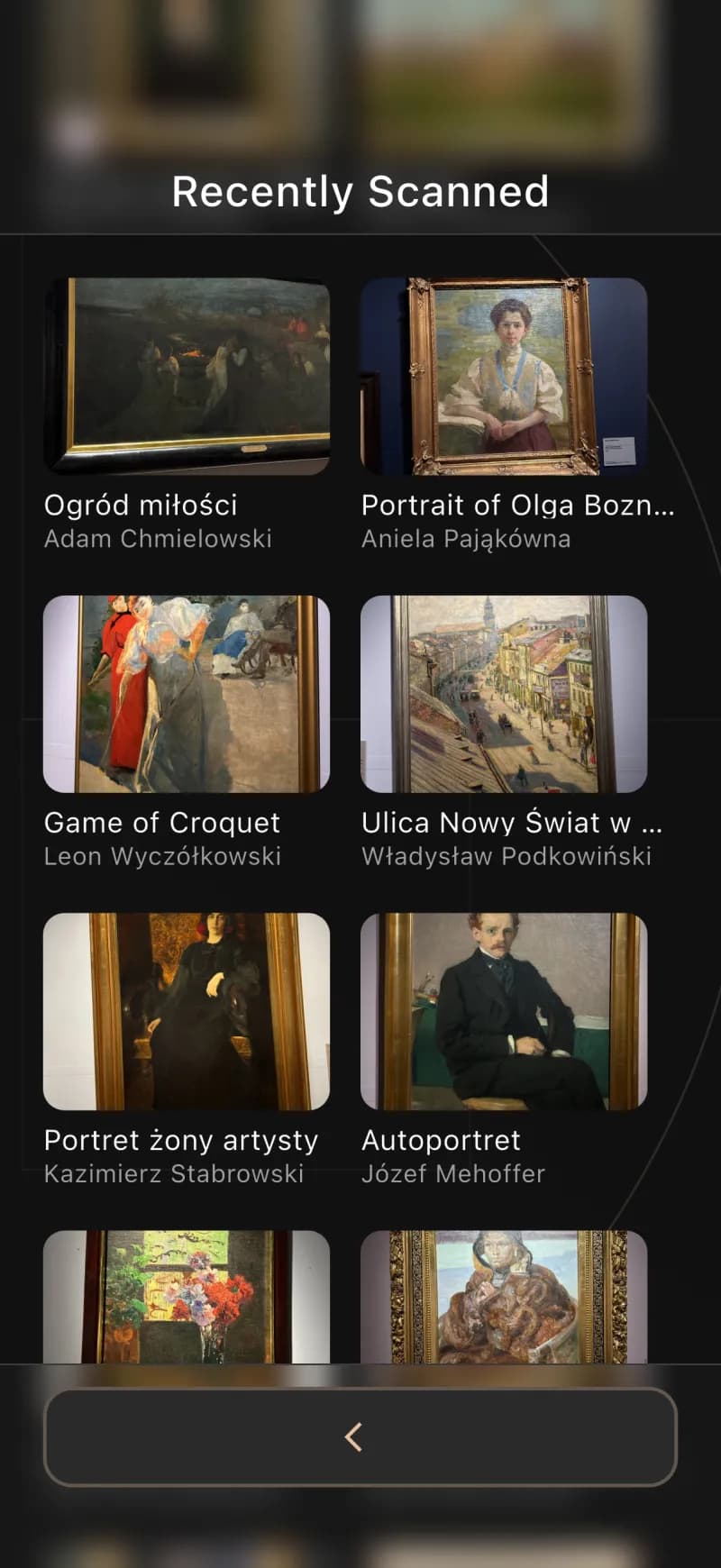
Every screen below is a real Museo scan — point, recognize, and the narration is ready. Swipe through the gallery.

A real artwork scanned and recognized in the Museo appA real artwork scanned and recognized in the Museo appA real artwork scanned and recognized in the Museo appA real artwork scanned and recognized in the Museo appA real artwork scanned and recognized in the Museo appA real artwork scanned and recognized in the Museo appA real artwork scanned and recognized in the Museo appA real artwork scanned and recognized in the Museo appA real artwork scanned and recognized in the Museo appA real artwork scanned and recognized in the Museo appA real artwork scanned and recognized in the Museo app

Results

What we delivered

Hard delivery facts you can show today — visitor/museum numbers go here once confirmed with the client.

~3 mo

to a working product

6

integrated components

2×2

iOS/Android × User/Ambassador

WCAG 2.1 AA

accessibility

Museum audio guide app — FAQ

What is a museum audio guide app?

A museum audio guide app turns a visitor's own smartphone into a personal guide, replacing rented hardware devices. Museo is an AI audio guide system for museums: the visitor scans any artwork and a multilingual narration plays automatically, so a museum can offer a premium guided experience without buying or maintaining any hardware.

How does an AI audio guide for museums work?

With Museo, a visitor points their phone camera at an artwork. AI computer vision recognizes the piece in about 100 milliseconds and plays an AI-generated narration in the visitor's language — no QR codes, no number keypads and no rental device.

Does the museum audio guide app support multiple languages and work offline?

Yes. Museo is a multilingual museum guide app with AI narration in 20+ languages and an interface in 28, and it works offline inside thick museum walls thanks to local caching — so the audio guide keeps working even where mobile signal drops.

How long does it take to build an audio guide system for a museum?

Codigee built the full Museo platform — visitor app, ambassador app, admin panel, backend and AI services — from concept to a working product in about 3 months, by letting AI generate the descriptions, translations and narration instead of months of manual curator and voice-actor work.

How much does it cost to run an AI museum audio guide?

Museo replaces expensive rental audio-guide hardware with software that runs on each visitor's own phone — no devices to buy, charge, service, or restock. The AI is engineered to run efficiently, so even a small museum can comfortably operate a full multilingual AI audio guide system.

Have an AI product in mind? Let's build it.

Let's make something together.


At Codigee, we value transparency, efficiency, and simplicity. No overengineering. No wasted time.
Just straight-up execution.

We are
obsessed.

Every billion-dollar company started with one decision, one step, one iteration. The key? Taking action and executing fast.

We are using cookies. Learn more