
Museum indoor navigation app: beacons, QR codes, NFC or Wi-Fi?
An indoor navigation app tells a museum guide where the visitor is or which work they are looking at, and most museums need no hardware on the walls for it: camera recognition identifies the work, and BLE beacons are the realistic choice only when the guide must know the room on both iPhone and Android. We compare QR codes, NFC tags, BLE beacons, Wi-Fi RTT, UWB, GPS and camera recognition on accuracy, real hardware prices, upkeep and phone support, with a cost example for a 20-room museum.
 By Eryk Kruk, CEO
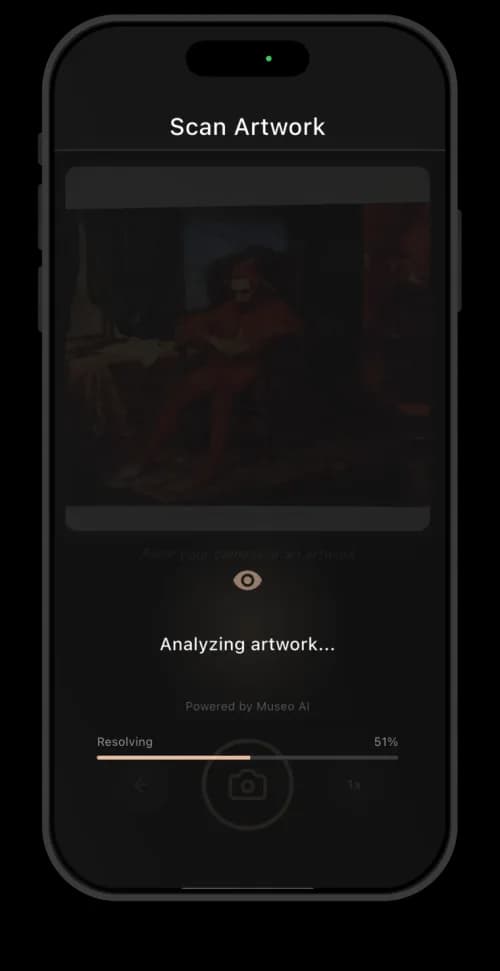
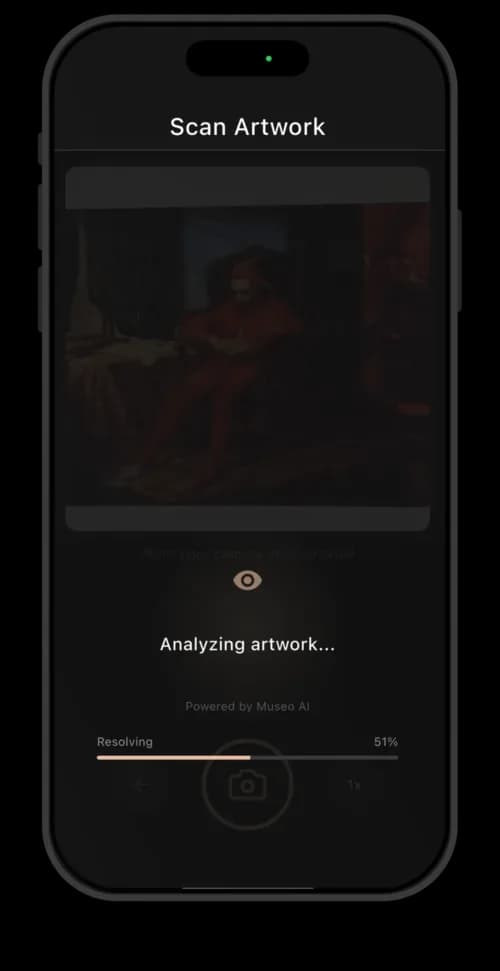 Museo: analyzing
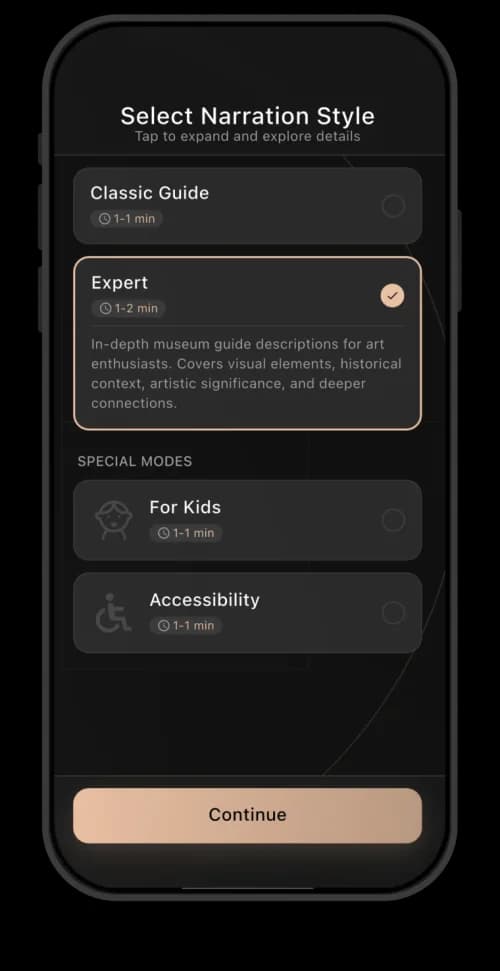
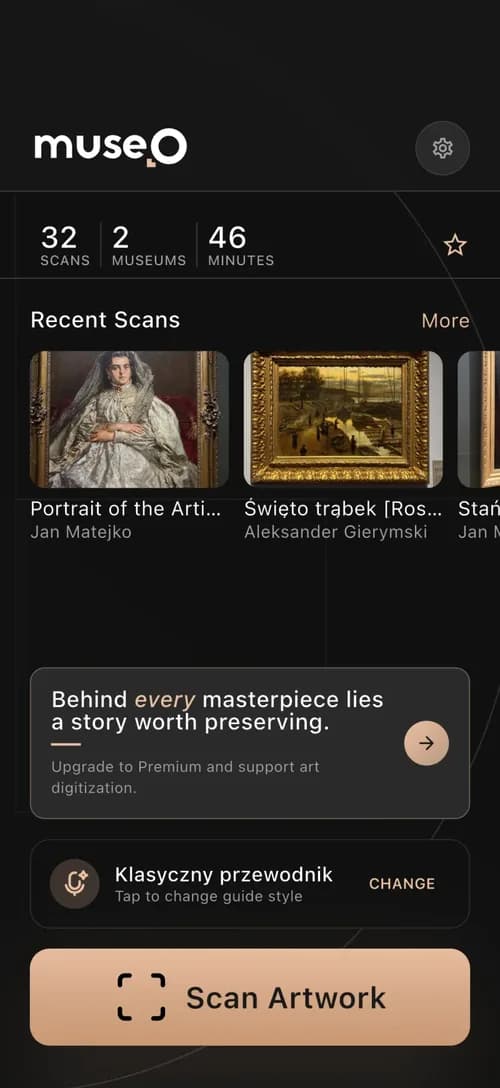 Museo: recognized
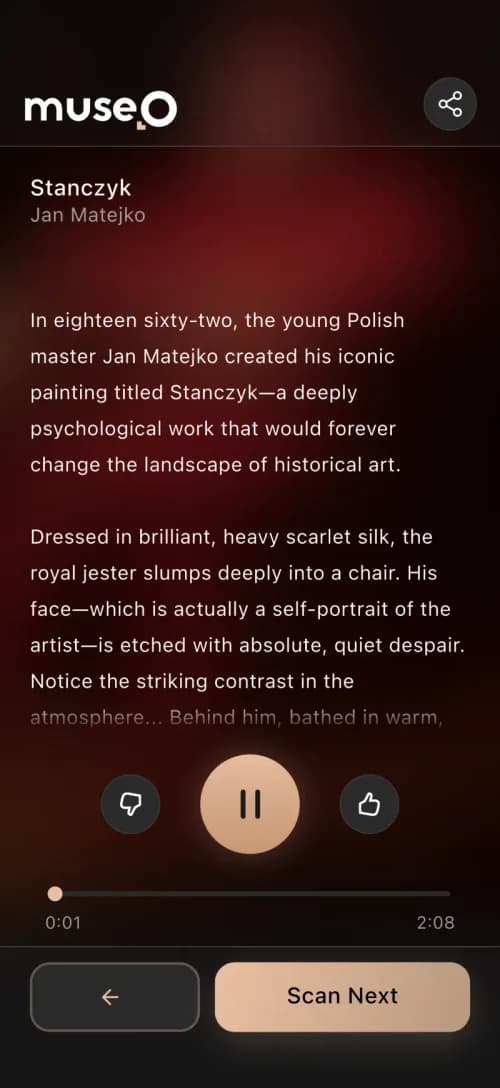
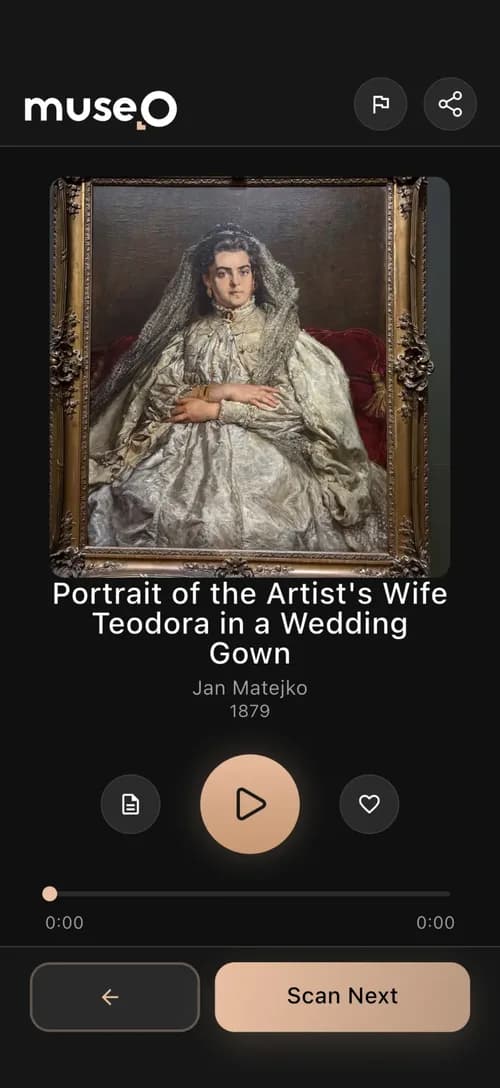 Museo: recent scans
Short answer: most museums do not need hardware on the walls for an indoor navigation app. If the guide only has to know which artwork the visitor is looking at, camera recognition does it with nothing to install. If you need to know which room the visitor is in, for a live map or room-by-room tours, BLE beacons are the realistic choice for both iPhone and Android. QR codes and NFC tags are the low-cost fallback. Wi-Fi RTT and UWB are precise, but they leave out iPhones or most phones.
Your problem, in short: visitors stop in front of a painting, look for a number to type into a rented audio guide, give up and walk on. You want the guide to know where they are and start the right story by itself, and someone told you that means beacons on every wall. This article shows what each method really does, what it costs for a 20-room museum and which hardware you can skip.
We say this from a live product, not a datasheet. We built Museo, an AI museum guide app that is live in the App Store and Google Play. It recognizes artworks from a photo in about 100 ms and uses no beacons. Below we compare seven methods with real hardware prices, as of November 2026, show what a 20-room museum would pay for each and what your own guide on Museo includes.
Room or artwork: which question must your guide answer?
In short: decide first whether the guide must know which room the visitor is in or which work is in front of them, because most methods answer only one of the two. Indoor positioning is what lets a museum guide app start the right story without anyone typing a number.
- Where am I? Room or zone level. You need it for an indoor map with a dot, a route to the exit, a tour that unlocks room by room or a heatmap of how people move.
- What am I looking at? Object level. You need it for the story of one painting. A signal from two metres away cannot tell two paintings on the same wall apart.
- Who has to act? Some methods work on their own while the app is open. Others need the visitor to scan, tap or point the camera. Visitor effort decides more than the accuracy line on a datasheet.
An indoor positioning system (IPS) is the general name for all of this. Think of it as GPS for the inside of a building, built from radio signals, printed markers or images instead of satellites. GPS itself does not help indoors. Smartphones are typically accurate to within 4.9 m under open sky, and walls and roofs make it worse (GPS.gov). Use GPS only for gardens, courtyards and open-air parts of a museum.
Why it matters for your budget: if your guide is about the works, you may not need to pay for positioning hardware at all. If it is about routes through a large building, you pay for hardware, installation and upkeep. Getting this one decision right saves money before the project starts.
Seven methods side by side: accuracy, hardware, upkeep and phones
In short: only two methods work on almost every visitor's phone without a sticker next to each work: camera recognition, which answers "what am I looking at", and BLE beacons, which answer "where am I". The table compares all seven on what a museum actually pays for: accuracy, hardware, installation, upkeep, visitor effort and which phones work. Prices are per unit, as of November 2026, from the sources linked in the sections below.
Read the "Visitor effort" column as closely as the accuracy column. A method that is precise on paper but asks every visitor to find a code at every work gets used less than a method that simply works while the app is open.
QR codes: almost free to print, but every visitor has to scan
In short: QR codes cost almost nothing and work on every phone, but they make the visitor do the work at every single object. The iPhone and Android cameras read them without an extra app. A code tells the guide exactly which object it is, but nothing about where the visitor stands between scans.
- Cost. Printing is close to zero per label. A dynamic QR code points to a short link you can change later, so the printed label never has to change. Services that host such links charge a subscription and their plans vary, so compare them yourself, or point the codes at your own app links and skip the service.
- Design. A code on every label changes how a gallery looks. Curators and exhibition designers often push back.
- Accessibility. Codes hung too high, on glossy labels or in dim light are hard to scan, and blind visitors cannot find them at all.
- Where it fits. A temporary exhibition, a small museum, a pilot, and a fallback for any visitor whose phone or connection fails.
NFC tags: one tap per work, no batteries to change
In short: NFC tags identify one object exactly, cost from cents to about a dollar each and need no battery, but the visitor still has to walk up and tap. NFC (near-field communication) is the same short-range radio that makes contactless card payments work: a sticker with a tiny chip that a phone reads when it touches it, at a few centimetres. The phrase "NFC museum" in search mostly brings up exactly this: museums that tagged their labels.
- Price. Blank paper stickers with the NTAG213 chip, the most common NFC chip type, cost EUR 0.49 each at 100 and EUR 0.25 at 1,000 (rfid.it). Printed NTAG213 stickers cost $1.25 each at 50 and $0.58 at 1,000 (GoToTags). Prices as of November 2026, without VAT and shipping.
- iPhone. iPhone XS and later read NFC tags in the background, without opening an app, while the phone is in use. Apple still asks apps to offer a scan button, because not every device supports background reading (Apple Core NFC).
- Android. Most Android phones have NFC, but not all, and some people switch it off.
- Visitor effort. The visitor has to know the tag is there. Put an NFC icon on the label and say it in the app.
- Upkeep. Stickers peel, get scratched or go home in a pocket. Metal surfaces need special on-metal tags.
BLE beacons: the only hands-free way to know the room on every phone
In short: BLE beacons tell the app which room or zone the visitor is in, with nothing for the visitor to do, on both iPhone and Android, but they bring batteries, calibration and upkeep. BLE (Bluetooth Low Energy) is the power-saving kind of Bluetooth that phones and wireless earbuds use. A beacon is a small battery-powered radio that broadcasts an ID several times a second.
Think of beacons as lighthouses in fog. Each one keeps flashing its name, and the phone guesses which one is closest by how strong the signal is. That gives you room or zone level, a few metres, with nothing for the visitor to do once they allow Bluetooth. It does not tell you which painting on the wall they are looking at.
What beacons cost, as of November 2026
Sources: distributor list price of a coin-cell beacon, specialist reseller list price, datasheet of a long-life beacon, datasheet of a CR2477 beacon, maker of AA-cell beacons. Battery figures are the makers' own and depend on transmit power and how often the beacon broadcasts.
What the datasheet will not tell you
- Accuracy. Bluetooth signal strength jumps when people walk between the phone and the beacon, and a full gallery absorbs signal. Plan for "which room or zone", not "which painting".
- Calibration. Someone walks every room with several phones, sets the transmit power (how loudly each beacon "shouts") and checks that the app picks the right zone. Do it again when walls move for a new exhibition.
- Batteries. Long battery life comes from low power and slow broadcasting, which also makes positioning slower to react. 40 beacons on a 1-year coin cell means 40 battery swaps a year and a list of which ones died.
- Theft and placement. Beacons within reach disappear. Hidden behind metal, they get weaker.
- Phone limits. iPhone apps detect beacons through iBeacon, Apple's built-in beacon support in Core Location, the iPhone's location framework. On Android 12 and later the app needs the Bluetooth scan permission, plus precise location if it works out the visitor's position from beacons (Android Bluetooth permissions). Every permission prompt is a moment where a visitor can say no.
What it means for you: budget for the beacons, and also for a site survey, a calibration round after every exhibition change and one person who owns the battery list. Without that owner, dead batteries show up as a guide that stops reacting in some rooms.
Wi-Fi RTT and UWB: metre or centimetre precision, but not on every phone
In short: both are more precise than beacons, but Wi-Fi RTT works only on Android and UWB only on premium phones, so neither fits a guide meant for every visitor. Wi-Fi RTT (round-trip time) measures how long a signal takes to travel between the phone and the museum's Wi-Fi access points, the boxes on the ceiling that broadcast the network. It works like counting the seconds between lightning and thunder to tell how far away a storm is. With three or more access points it typically places the phone within 1-2 metres. UWB (ultra-wideband) is a different short-range radio that reaches about 10 cm.
Wi-Fi RTT
- Android 9 or later. The phone and the access points must support IEEE 802.11mc (FTM), the Wi-Fi standard that adds distance measuring. Android 15 adds 802.11az ranging (Android Wi-Fi RTT).
- Three or more access points in range at each spot for a position within 1-2 m, which often means more access points than a museum has today.
- App in the foreground. Background apps are throttled, and location and Wi-Fi scanning must be switched on.
- No iPhone. Google's API is Android only, and we know of no public Wi-Fi RTT API for iPhone apps. A guide that relies on Wi-Fi positioning alone leaves every iPhone visitor out.
- Signal-strength Wi-Fi positioning works without RTT, but it needs a survey of every room and gives coarser results.
UWB
- Accuracy. About 10 cm, according to Google's UWB documentation (Android UWB).
- Android phones. Android 12 or later with UWB hardware. Google's list (as of January 2025) names Pixel Pro models from 6 Pro, Pixel Fold, Galaxy Note 20, Galaxy Plus and Ultra from S21 and Galaxy Z Fold from Fold2.
- iPhones. iPhone 11 and later models carry Apple's UWB chip (Apple), but not the SE models.
- Anchors. Anchors are fixed UWB radios on the walls that the phone measures its distance to. We could not verify a typical price. Vendor blogs quote about $200-500 per anchor, and one retail listing for a UWB anchor shows $579 (RobotShop). Treat these as unverified and ask for a quote. Every anchor needs power and careful placement.
- Where it fits. A single interactive installation where centimetres matter, or lent devices you choose yourself. Rarely a guide for every visitor.
What it means for you: a guide built on either one would leave many visitors without the feature you paid for. Keep Wi-Fi RTT and UWB for a single installation or for devices you lend yourself.
Camera recognition: the guide knows the work, with nothing on the walls
In short: camera recognition identifies the artwork from a photo the visitor takes, so it needs no hardware in the rooms and answers "what am I looking at" exactly, on any phone with a camera. In Museo, the app finds the work in the museum's collection in about 100 ms, a tenth of a second.
It works like a guide who knows your collection by heart and recognizes a painting at a glance, but only in your museum. The phone sends the photo to an image model, software trained to describe what is in a picture, which compares it with photos of your collection only, so a similar work in another museum never gets mixed in. A new work needs photos and an update of the search index, not a new sticker or beacon. Once the visitor scans a work, the guide also knows which room they are in, because it knows where the work hangs.
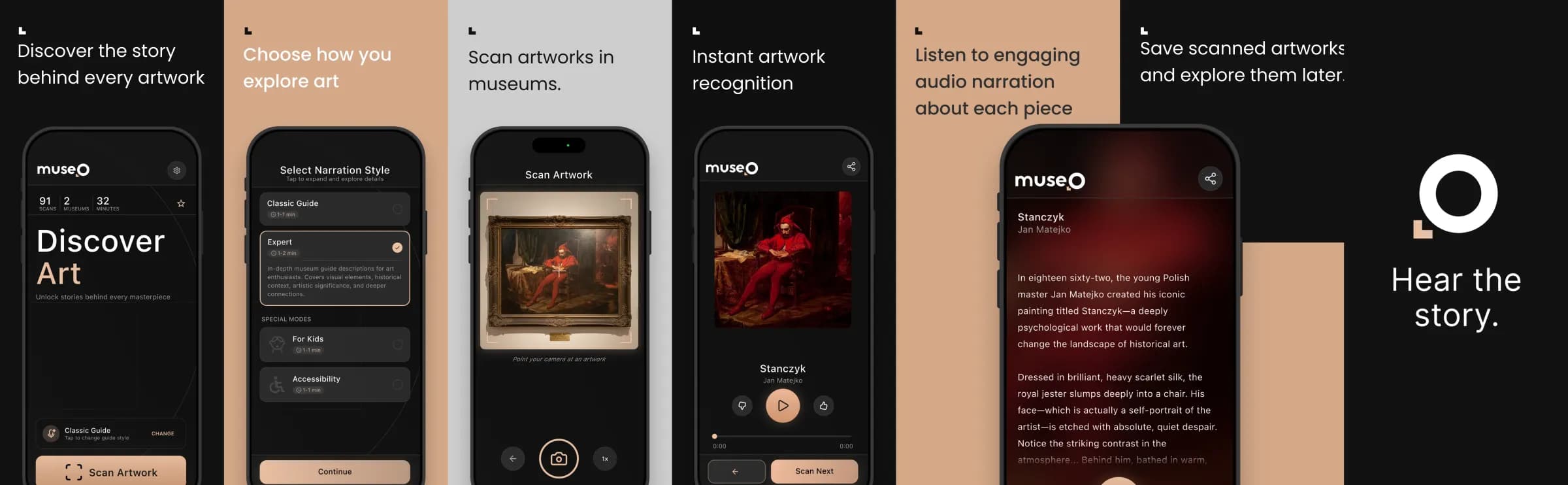
The Museo case: from a museum's problem to a live guide
- ProblemGoing digital meant a hard trade-off. Rented audio guides are expensive to service and speak only a few languages. Writing and recording content takes months and needs an IT team most museums do not have. And nobody knew which works visitors actually stopped at.
- What we builtOne connected product, not one app. Flutter apps for iPhone and Android (Flutter is Google's toolkit for building both from one code base), an admin panel for curators and an AI pipeline that recognizes works, drafts descriptions and voices them. Recognition replaces numbers, QR codes and beacons.
- ResultLive in about 3 months. Recognition in about 100 ms, AI narration in 20+ languages, an app interface in 28 languages and WCAG 2.1 AA accessibility, the international standard for accessible apps and websites. Scan counts, most-viewed works and visit heatmaps sit in the admin panel, and a staff member needs only a phone and a login to add a work.
Where recognition needs care
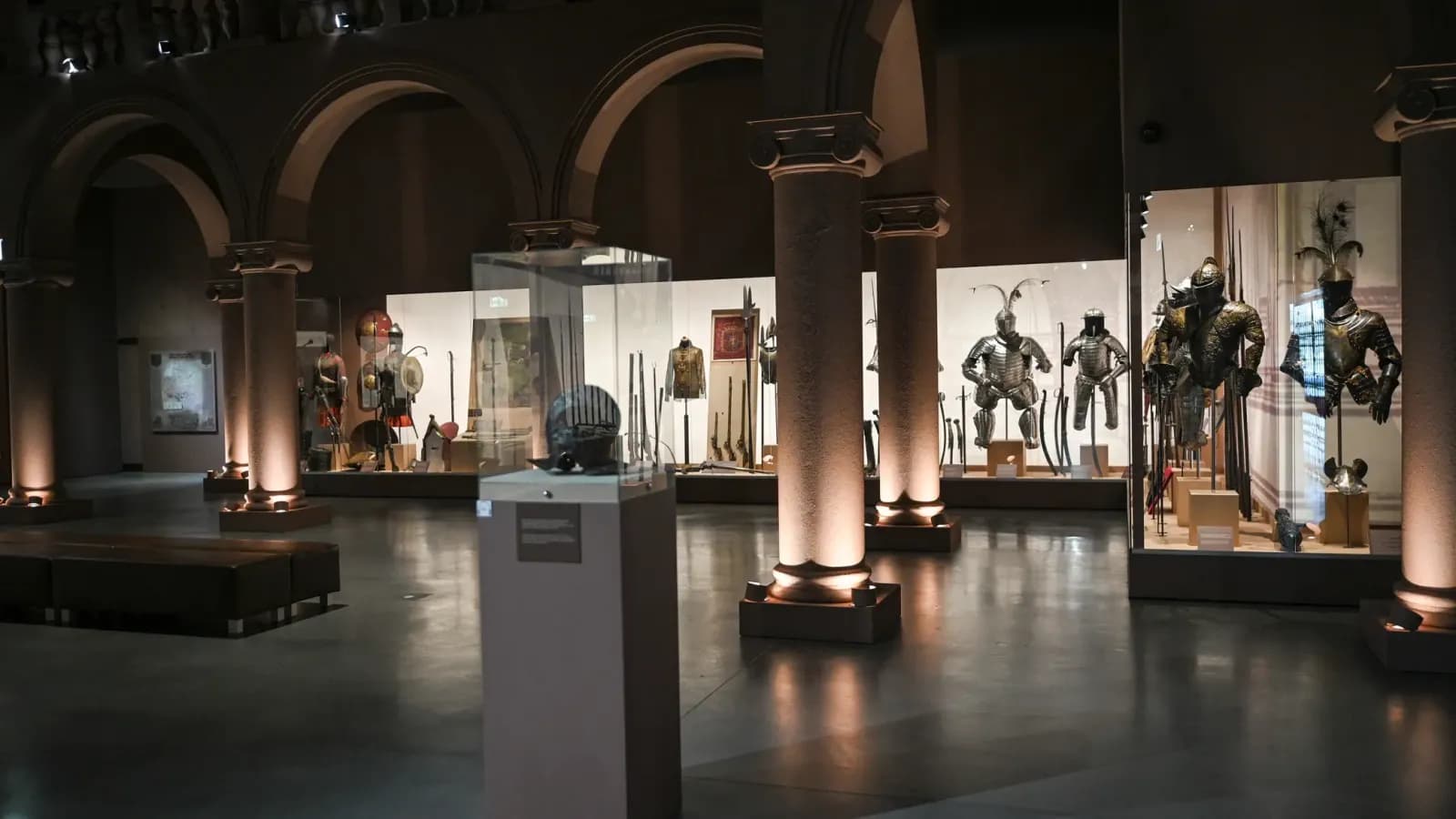
- Light. Very dark rooms and hard spotlights make photos harder. Take the reference photos in the real gallery light, not only from the catalogue.
- Glass and reflections. Works behind glass reflect the visitor and the windows. Photograph them from several angles, reflections included.
- Look-alikes. A series of prints or near-identical objects needs several photos per work and a test on exactly those works.
- Objects in 3D. Sculptures need photos from several sides.
- Effort and gaps. The visitor still points the camera, and between scans the app does not know where they are. A live dot on a map needs beacons.
- Running cost. The model runs on a GPU, a graphics processor that handles image work fast, rented in the cloud. One L4 GPU kept warm 10 hours a day, every day, costs up to about $2,900 a year at Modal's list price ($0.000222 a second), and less when it sleeps between visitors.
What it means for you: no hardware budget, no batteries and no stickers on the labels. The work moves to photographing your collection well once, and that is part of our project.
How much does indoor positioning cost for a 20-room museum?
In short: for a 20-room museum with 300 works on display, QR or NFC hardware costs a few hundred dollars, BLE beacons from about EUR 285 to $1,480 plus installation, and UWB tens of thousands. Camera recognition costs nothing in hardware. In every case the guide app itself comes on top.
Assumptions: 20 rooms, 300 works, 2 beacons per room for zone level (40 beacons), 4 UWB anchors per room (80 anchors), and museum Wi-Fi without RTT support. Prices as of November 2026, without VAT and shipping.
The guide app itself: on our Museo platform, a museum's own guide takes about 2 months and starts from about $20,000, with camera recognition included. Beacon, QR or NFC hardware, its installation and the app work to support it come on top, and we quote them after a walk through your rooms. Our other prices are on the pricing page, and what drives the cost of any app is explained in a separate guide.
Our recommendation: start with recognition, add beacons only where people get lost
In short: start with camera recognition for "what am I looking at" and add beacons only where you need "where am I" without effort, such as a live indoor map or room-by-room tours. Keep QR codes as a fallback. That way the hardware budget goes only to the rooms where it changes the visit.
- The guide is about the works. Camera recognition alone. Most art museums are here.
- A large building where people get lost. Camera recognition plus BLE beacons at entrances, stairs and junctions, not on every wall.
- A temporary exhibition or a pilot. QR codes or NFC tags first, then decide with real usage data.
- Outdoor parts. GPS in the park or courtyard, camera recognition at the objects.
- Visitor flow. Recognition scans already show which works people look at. Beacons add the path between them.
- Wi-Fi RTT or UWB. Only with devices you lend yourself, or for one special installation.
What Museo does today, and what we build on top
Live today in Museo: camera recognition in about 100 ms, and geolocation that shows visitors museums nearby, which covers outdoor and area context. Not in Museo today: beacons, QR codes, NFC or Wi-Fi positioning. In the Museo offer, BLE beacons are a more expensive option, and indoor maps and tours are planned, not live. If your museum needs them, we build them as a project on top of the base guide.
Your own guide on Museo in about 2 months: what you get and how it runs
In short: you get a guide app under your museum's own name, built on the Museo platform, in about 2 months from about $20,000, by Codigee, the senior team that built Museo. Recognition, narration, accessibility and the admin panel already work in a live product, so the project time goes into your collection, your content and your brand.
What is included
- Your app in both stores. iPhone and Android, with your museum's name, colors and icon, published in the App Store and Google Play.
- Recognition from a photo. Every work on display photographed in your rooms and indexed. No beacons, QR codes or NFC tags needed.
- AI narration in 20+ languages. AI drafts the text, your curator approves it, then it is translated and voiced. Narration modes for different visitors, such as Classic Guide, Expert, For Kids and Accessibility.
- Accessibility. Built to WCAG 2.1 AA, as Museo is.
- Admin panel and analytics. Curators edit works and texts themselves. Scan counts, most-viewed works and visit heatmaps show how people move through the exhibition.
- Hardware only if you need it. Beacons, QR codes or NFC tags as a quoted add-on, after a walk through your rooms.
How the 8 weeks run
- Weeks 1-2Scope and collection import. Works, rooms, languages and narration modes agreed and frozen. Collection data imported, brand brief agreed.
- Weeks 2-4Content and translation. AI drafts, your curator approves the source texts, then translation and narration in every language.
- Weeks 3-5Recognition. Photos of every work in the rooms, the index built and tested on real phone photos.
- Weeks 4-6Your app. Name, icon, colors, home screen, store listings and accessibility checks.
- Week 7Testing on site. Real phones, real light, every main language, a screen reader user. Fixes the same week.
- Week 8Store release. App Store and Google Play review, a short briefing for front-of-house staff, launch.
The museum supplies collection data, the right to photograph the works, one person who approves texts and time in the rooms. Projects like this rarely slip because of technology. They slip while someone waits for an export or an approval. How we run every project, from the first call to the stores, is on how we work.
Who builds it: seniors, with no layers in between
A small senior team is the reason this fits in 2 months. You talk directly to the engineers and designers who build your guide, with no account managers in between, and they are the people who built Museo from concept to live product in about 3 months. Its design was worked out in 49 home-screen variations of the Museo prototype. Bluetooth is familiar ground too: for HopX we built Unity games inside a Flutter app for a Bluetooth controller, and in a field sales app reps print sales documents on site on a Bluetooth thermal printer. We are rated 5.0 on Clutch from 19 reviews. More for organisations like yours is on app development for companies.
How to check any team before you sign, including us
Pick a team that has shipped a museum guide and real Bluetooth LE work, and that will test on your phones, in your rooms, before you sign. Datasheets and demo videos tell you nothing about your walls, your light and your visitors' phones.
- Live app. Ask for the App Store and Google Play links and try the app in front of a real work.
- A test on your site. Recognition on a sample of your works, or beacons in one room, before a full rollout.
- Bluetooth beyond the demo. Ask what happens when the connection drops and how they handle permissions on Android 12+ and iPhone.
- An upkeep plan. Ask who swaps batteries and who recalibrates after an exhibition changes.
- Fixed price. A fixed price per milestone, with hardware listed separately.
We pass this test the same way: Museo is live in both stores for you to try in front of a real work, and we show you recognition on photos of 10 of your own works before you commit to a project.
Common questions
01What is an indoor navigation app for a museum?
An app that knows where the visitor is in the building or which work they are looking at, and starts the right story or route. It uses beacons, Wi-Fi, NFC tags, QR codes or camera recognition, because GPS does not work reliably indoors.
02Do museum beacons work on iPhone and Android?
Yes. iPhone apps detect beacons through Apple's iBeacon support, and Android apps need the Bluetooth scan permission (Android 12 and later) and precise location if they work out the visitor's position. The visitor must have the app installed, Bluetooth on and the permissions granted.
03How much do beacons for a museum cost?
As of November 2026, from about EUR 7 per unit for a budget beacon on a coin cell (at 100 units) to about $24-37 at resellers for a long-life beacon on lithium cells. Two beacons per room in a 20-room museum cost about EUR 285 to $1,480 in hardware, plus a site survey, mounting and calibration.
04Can an iPhone read NFC tags in a museum?
Yes. iPhone XS and later read NFC tags in the background while the phone is in use. Apple still recommends a scan button in the app, because not every device supports background reading.
05Is Wi-Fi positioning enough for a museum app?
Not on its own. Wi-Fi RTT reaches 1-2 m, but only on Android 9 and later, with access points that support 802.11mc or 802.11az, and there is no public Wi-Fi RTT API for iPhone apps that we know of.
06Does artwork recognition need any hardware in the rooms?
No. The app recognizes the work from the visitor's photo. Museo does it in about 100 ms with no beacons, QR codes or NFC tags. The museum supplies photos of the works taken in the real gallery light.