Merchandising app development: ready-made or custom?
Reps say "I sent it" and the office sees nothing, photos from the back room never arrive, invoices are still written by hand. A good merchandising app fixes that, and for most teams the answer to ready-made or custom is: start with the ready-made SalesCompanion, and build your own only when your process, your client companies or your ERP need it. We show what the app must do and when a custom build pays off, from an app we have built and maintained for over 4 years.
 By Eryk Kruk, CEO
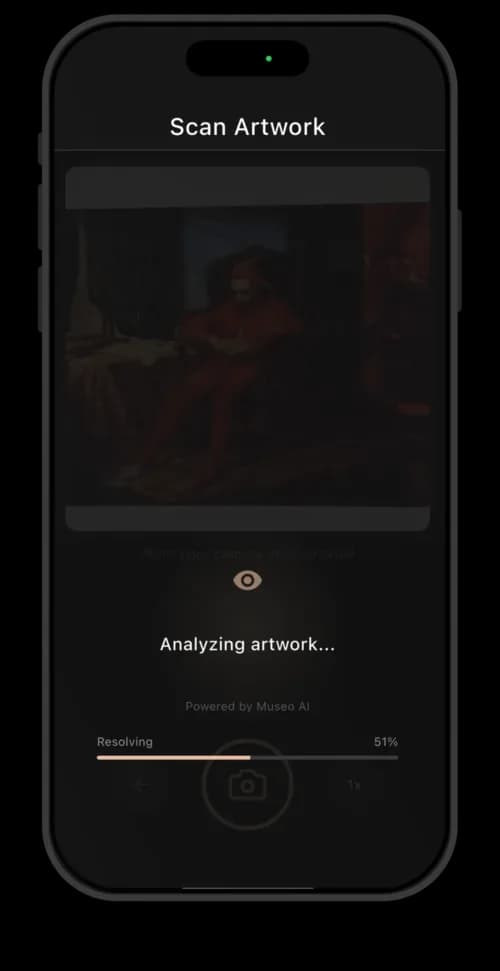
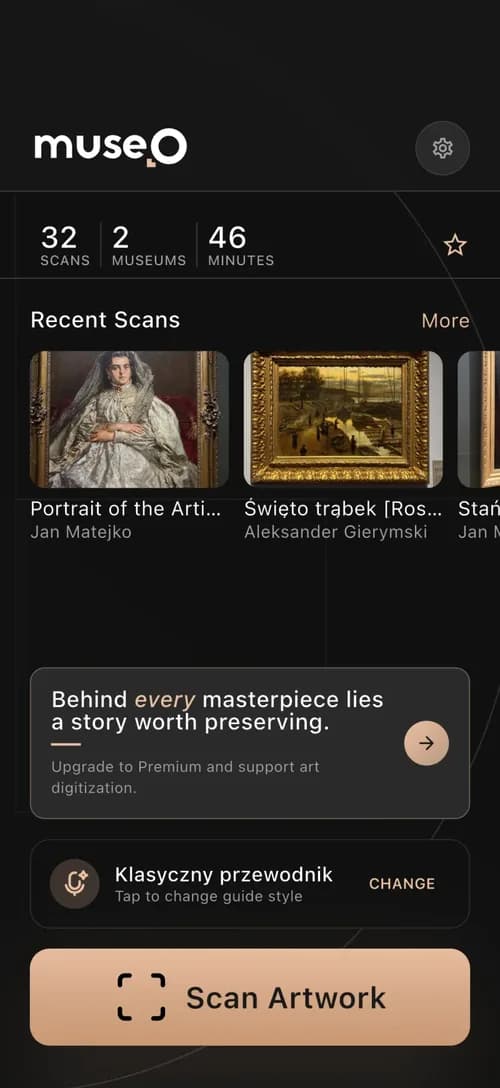
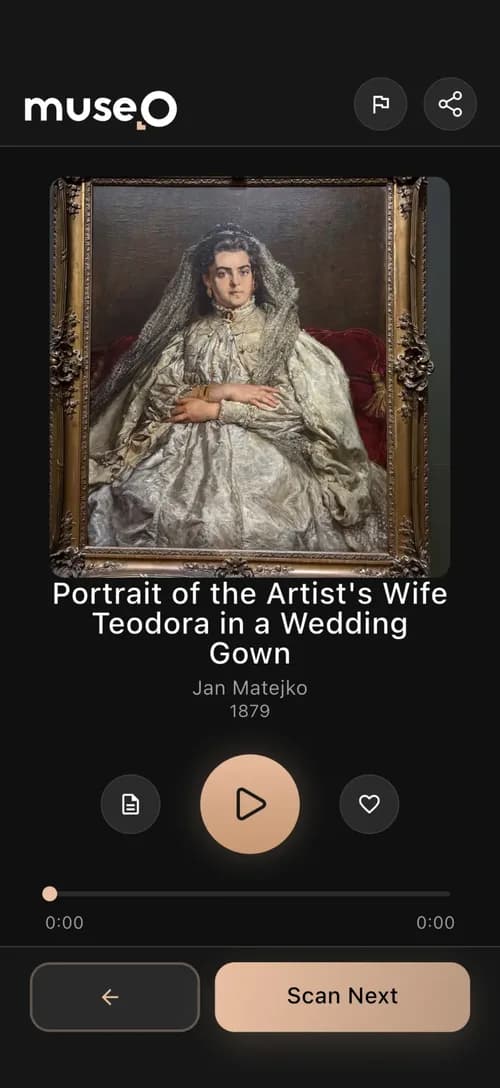
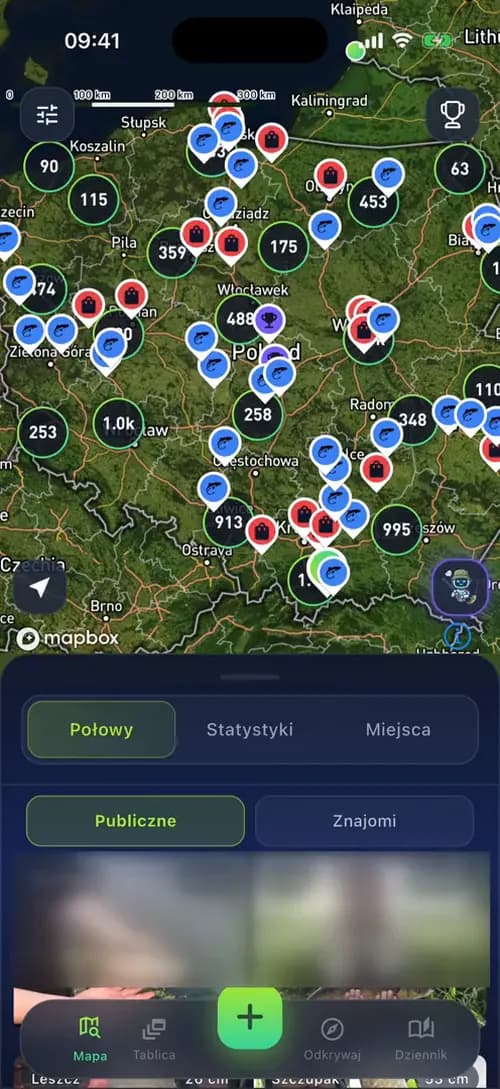
 Plan for the day
 Survey in the store
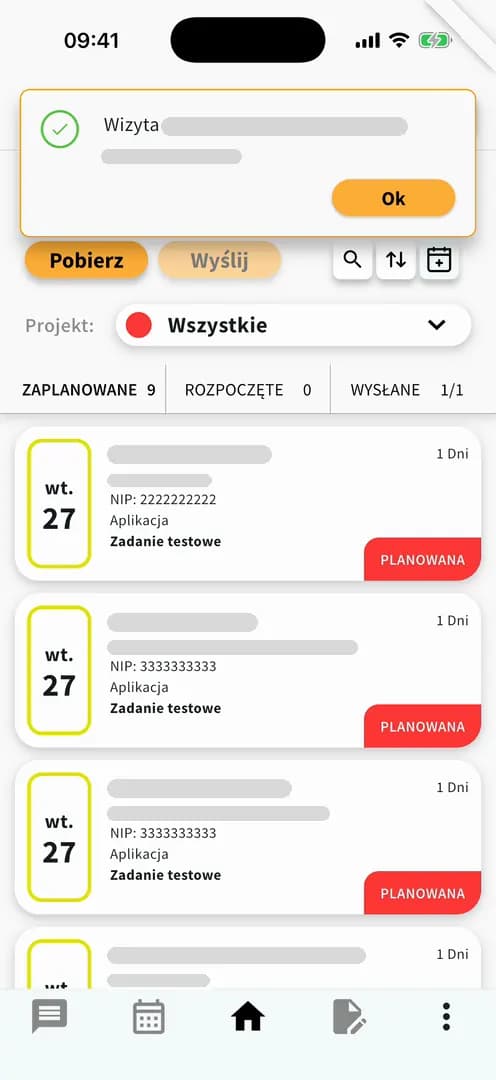 Visit sent
Short answer: start with a ready-made system. For field sales and merchandising reporting we recommend SalesCompanion, a ready-made product whose mobile app we have built and maintained for over 4 years. Build a custom merchandising app only when your process is your advantage, when you serve many client companies in your own way, or when orders and documents must flow straight into your own systems.
Your problem, in short: a rep says "I sent it", and the office sees nothing. Photos from the back room never arrive, a visit report shows up half empty, and invoices are still written by hand at the counter. This article helps you choose a merchandising app for your team, ready-made or your own, and shows what it must do so reps stop losing work.
This article is for sales directors, operations leads and IT managers at companies whose reps and merchandisers visit stores. Every example below comes from a live product: the SalesCompanion app we build and maintain. If you searched for the Survey.com merchandiser app, that is a gig app for independent merchandisers. Here we talk about an app for your own team.
What does a merchandising app do for your reps and your office?
In short: a merchandising app, or field sales app, puts the day's store visits on the rep's phone and lets them do the whole job on site: surveys, shelf photos, orders, invoices and notes. The office gets complete visits it can trust, with proof of where and when they happened, even when the store had no signal.
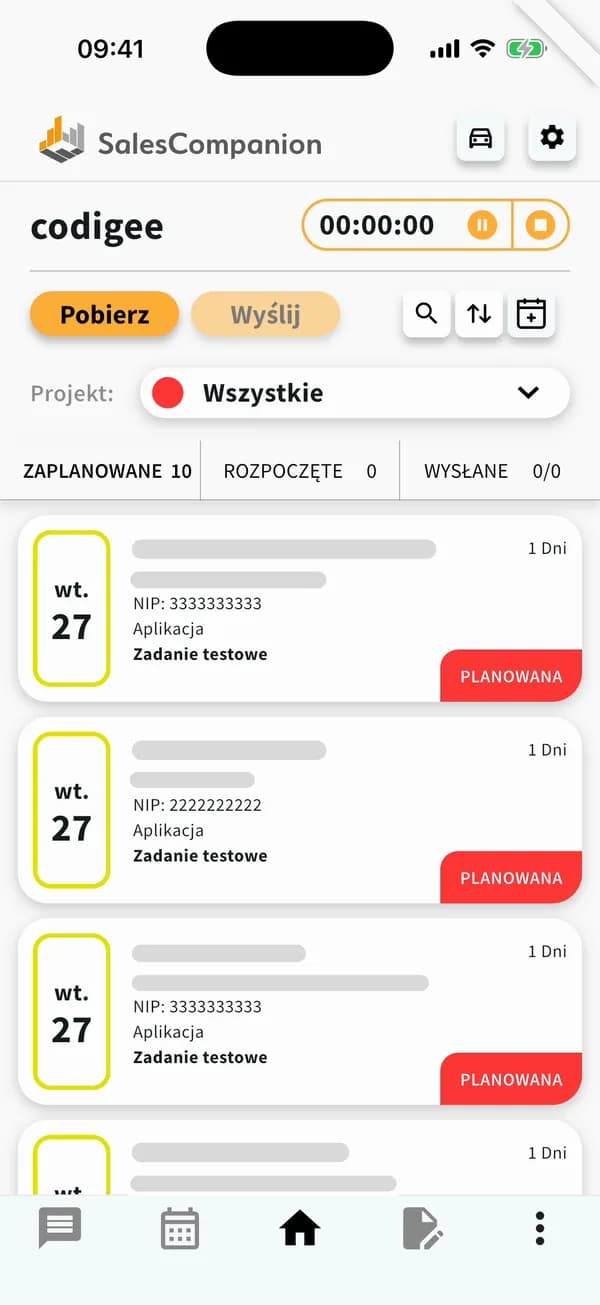
- The day is planned. Visits come from the office with due dates. A rep can add an off-plan visit and pick the store from a list or a map, nearest first.
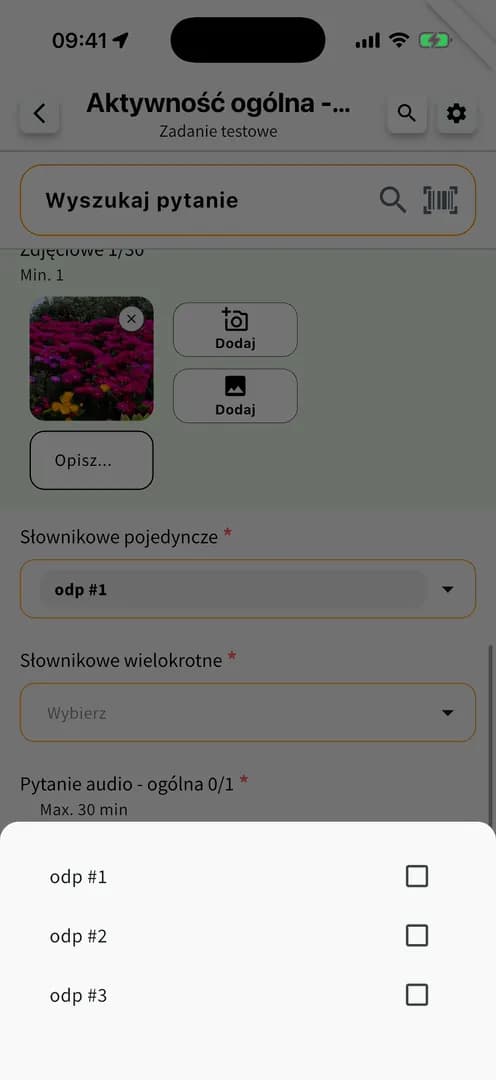
- The store visit is recorded. Surveys, shelf and display photos, voice notes and stock counts. SalesCompanion has 11 survey question types and voice notes up to 30 minutes.
- The sale is closed on the spot. Orders, invoices and receipts, printed at the counter on a small Bluetooth printer.
- The visit is proven. The office sees where and when each step happened, and gets a flag when a location looks fake.
- The office gets whole visits. A visit arrives complete, with every photo, or it waits safely on the phone until it can.
Two words you will meet. Merchandising is about the shelf: is the product there, is the price right, does the display match the planogram, the drawing of where each product should stand. Field sales is about orders and documents. Most companies need both in one app, with different features switched on for different teams.
What it means for you: every visit that arrives complete is a visit you do not pay for twice. No phone calls to reps asking for missing photos, no repeat trips to the same store, and reports you can read the same evening.
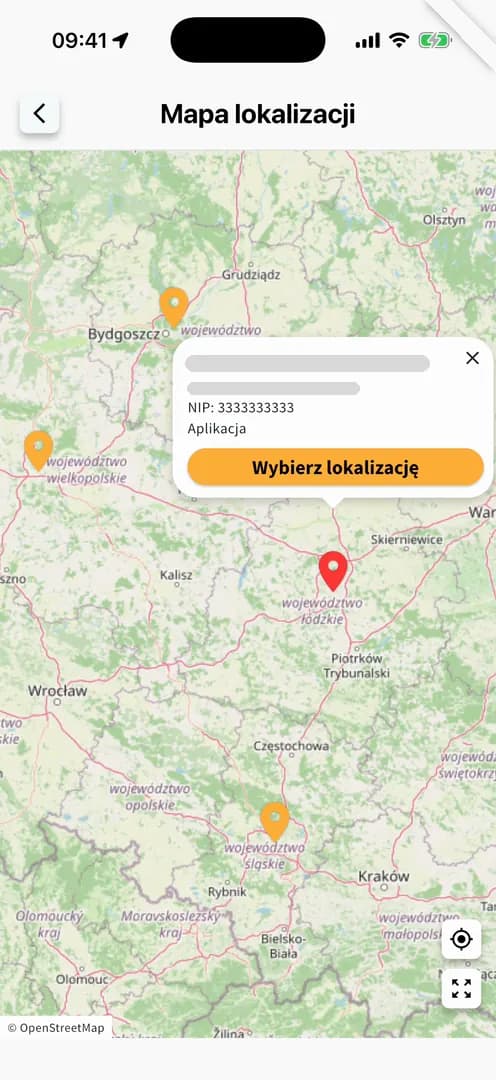
Ready-made or custom: try SalesCompanion first
In short: if your store visits look roughly like everyone else's, a ready-made system is faster to start and costs less up front, and our first recommendation is SalesCompanion. Choose a custom app only when the process is your advantage, when you run the app for several client companies your own way, or when orders must flow into your ERP, the system that runs your orders, stock and invoices.
Ready-made systems are usually sold as SaaS (software as a service): you rent the software, often per user, instead of owning it. Why SalesCompanion first: it is a ready-made SFA system, which stands for sales force automation, software that plans and records the work of a field team. It covers reps, merchandisers and auditors, with a mobile app and a web panel with reports. According to its website, 2,500 reps, merchandisers and auditors use it, and you can test it free for one month (as of November 2026).
We know it from the inside. Its mobile app is the one we have built and maintained for over 4 years, so the outcomes you read about below, from a full day offline to an invoice printed at the counter, come from that app. You do not have to wait for a custom project to get them.
Other ready-made options include Repsly, Pepperi and Salesforce Field Service. Salesforce Field Service lists its Technician plan at $175 per user per month, billed annually, with work orders that can be updated offline. Repsly shows no prices on its pricing page and requires a 12-month minimum commitment paid upfront. Pepperi does not publish prices either, so ask for a quote.
Do the maths for your team size. At 50 reps on a $175 plan, the licence alone is $105,000 a year, every year, before add-ons. A custom app costs more at the start and needs care afterwards, but the bill does not grow with each new rep. A ready-made system wins for a small team with a standard process, and it ships a web panel and reports that a custom project has to build or connect.
When your own app pays off
- Your process is your advantage. Your visit flow, checks or documents are why you win in stores, and no vendor's screens fit them.
- You serve many client companies. You are an agency or a distributor, and each client wants its own surveys, rules and features.
- Orders must land in your ERP. Directly, without a middle layer you do not control.
- The licence bill keeps growing. Many reps, many years, and a fee for each of them.
If you have tried the ready-made route and still want your own app, tell us about your process and your reps. We will say honestly whether SalesCompanion would do the job, and if not, what your own app would cost.
No signal in the store? Reps keep working and nothing gets lost
In short: a good field app lets the rep work all day without signal and sends each finished visit by itself when the phone is back online. The office sees a visit only when it is complete, and nothing a rep recorded disappears, even if the phone runs out of memory in the middle of a photo.
Developers call this offline-first: the app treats the phone as the place where work happens, and the internet only as the way to deliver it. Think of the email outbox on a plane. You write your messages in the air, they wait safely in the outbox, and they go out by themselves after landing. A field app should do the same with store visits.
This is what reps using the SalesCompanion app get:
- One tap in the morning. The rep downloads the day's visits, stores, products and surveys before leaving, and needs no signal in the store after that.
- Nothing lost in the back room. Answers, photos and voice notes stay on the phone until the office has them. If a low-memory Android phone closes the app in the middle of a photo, nothing is lost.
- Sending without babysitting. Finished visits go out in the background, even when the app is minimised, and the app checks that each one arrived.
- A clear status. Planned, started and sent visits are counted on the home screen, so the rep knows what is still waiting.
A web app or a PWA, a website that installs like an app, can store data too, but by default the browser may delete it when the phone runs low on space. A full day of photos and voice notes is a lot to trust to a browser. For reps who work all day without signal, a native app with its own storage is the safer choice. We build them in Flutter, Google's toolkit for one app that runs on both iPhone and Android, so you pay for one codebase, not two.
What it means for you: no repeat visits because data was lost, no rep standing in a store waiting for signal, and reports you can trust. The question for any vendor is simple: show me a full visit in airplane mode.
Proof of visit: managers see what happened, reps keep moving
In short: proof of visit means the office can see where and when each step of a visit happened, not just that a form was sent. A good app records this quietly, flags anything that looks wrong for a supervisor, and never stops an honest rep from finishing their work.
Fake GPS means an app that tells the phone it is somewhere it is not, so a visit can be "done" from home. It is a real temptation when pay depends on the number of visits. No check catches every trick, so a flag should send the visit to a person for review, not reject it automatically.
This is what supervisors get in SalesCompanion:
- A GPS point at every key step. Not one check-in at the door, but points across the visit, from start to end.
- Time on site. A visit timer and a work-day timer with pause, so the office sees how long the work took.
- A mileage log. The odometer at the start and the end of the day, for car costs.
- A flag, not a block. Locations that look fake are flagged for the supervisor. A rep in a mall basement with a weak signal can still finish the visit.
- Comments on the spot. A supervisor can comment on a visit or on a single answer, so a doubt is cleared the same day.
Tell reps what the app records and why. Location data is personal data under the GDPR (Article 4), so agree with your lawyer what you collect, how long you keep it and whether you record location only during working hours.
What it means for you: fewer arguments about whether a visit happened, fair pay for the reps who do the work, and a supervisor who checks only the flagged visits instead of all of them.
Invoices printed at the counter, even with no signal
In short: the rep creates an invoice, a receipt or an order in the app and prints it on the spot on a small thermal printer, a receipt-style printer that needs no ink, connected to the phone over Bluetooth. It works with no internet, because the printer talks to the phone, not to the web.
In SalesCompanion this was a real problem to solve: reps carry different printer models, and printing had to work without signal on both iPhone and Android. Today the app prints sales documents and orders on 58 and 80 mm printers without depending on any printer maker's software, and a client company can require a printout before a document is saved.
- Test your exact printer. Bring the model your reps carry to the first meeting, and ask for a test print of a real invoice with your local characters.
- Decide who owns the printer list. New models appear every year. Someone should check a new model before the company buys a fleet of them.
- Plan for local law. Invoices may also have to reach a tax system. In Poland, KSeF, the national e-invoicing system, lets you issue an invoice offline, but it must be sent to the system by the next working day, and a printout handed over before that carries two QR codes (KSeF, offline24 mode).
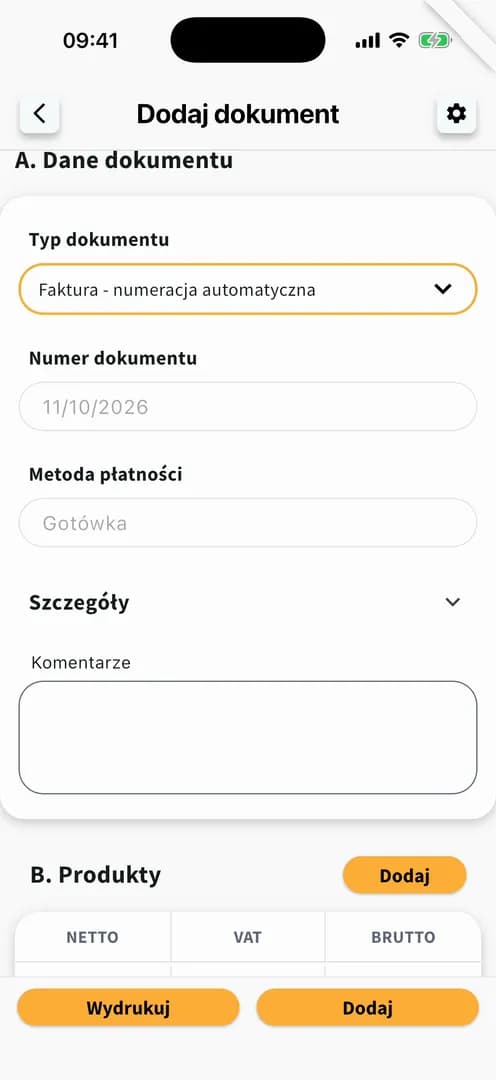
What it means for you: the customer gets a document at the counter, payment can be collected the same day, and nobody in the office retypes handwritten invoices.
One app for many client companies, a new client without a new release
In short: one app in the stores can serve many companies, each with its own data, screens and rules. Developers call it multi-tenant. Think of an office building where every company has its own key and its own floor, but they share one entrance. It suits merchandising agencies, distributors and software vendors whose clients use the same app but work in different ways.
In the SalesCompanion app, each client company signs in with its own company code and gets its own tabs and features: a mileage log, a visit timer, GPS route points, off-plan visits, photos from the gallery, printing before saving. A merchandising team and a van sales team get different apps from the same release. New survey questions are added in the office, with no app update.
- New client = setup, not a release. Nobody waits for App Store review to onboard a company.
- Data apart. Each client company sees only its own data.
- One app to maintain. A fix or a new feature reaches every client in the next version.
What it means for you: a new client takes a setup, not a project. Your margin grows with each client instead of your development bill.
How much does a custom field sales app cost, and how fast can you get it?
In short: a custom app starts from $15k on our MVP / App Launch plan, typically $15-50k, and the first release takes 8-12 weeks. You pay a fixed price per milestone, agreed before work starts (how we work). The plan covers an iOS and Android app, a backend, the server part, on your own cloud account, links to your systems such as an ERP, and offline mode where it matters. The exact price comes out of Prototype to Plan, which is included.
Where your app lands in that range depends on:
- How much works offline. How many visits, products and photos the phone must hold for a day.
- Integrations. An ERP or warehouse system with a documented API, a published way for other software to talk to it, is the easy case. One with only file exports, or no interface at all, takes much longer.
- Documents and printing. Invoice rules, numbering, printer models and tax-system integration.
- Your back office. Whether you already have a web panel and a server, or we build them too.
- Client companies. One company or many, each with its own settings.
An example plan for a first release in 12 weeks:
- Weeks 1-2Prototype to Plan. We ride along with a rep, map the visit, freeze the scope, design the key screens and fix a price per milestone.
- Weeks 3-6Visits that work offline. Visits, surveys and photos working on a phone in airplane mode, with a new build on your phone every week.
- Weeks 6-9Sales and your systems. Orders, documents, printing and the link to your ERP.
- Weeks 9-12Field test and release. A pilot with real reps in real stores, fixes, then release in the App Store and Google Play.
Then plan for the years after launch. A field app lives as long as your sales team: new iOS and Android versions every year, new printers, new client companies, new survey types. Our Care plan starts from $2k a month, and apps we build come with a 6-month guarantee. SalesCompanion is maintained under an SLA, a contract with agreed response times, by two of our Flutter developers. You can also add our engineers to your own team at $60/h. All prices are on the pricing page, and what drives any app budget is in How much does it cost to build an app in 2026?.
Compare it with the licence: at 50 reps on a $175-per-user plan, one year of licences ($105,000) costs more than a typical custom build. With 5 reps, a ready-made system wins easily.
Who should build your field app: the proof to ask for, and ours
In short: pick a team that has a field app live and maintained for years, can show it working in airplane mode, and lets you talk directly to the engineers who build it. A polished demo on office Wi-Fi tells you nothing about a warehouse with no signal.
- Airplane mode demo. Ask for a full visit offline, then close the app in the middle of a photo, then send. Nothing should be lost.
- Your printer. Bring the printer model your reps use and ask for a test print.
- Years, not launches. Ask how long they have maintained a field app and how often they ship updates.
- Who you will talk to. Ask whether you get the engineers or a chain of account managers.
- Ownership. The code in your repository and the app in your own store accounts from day one.
SalesCompanion: the problem, what we did, the result
- The problemAn app that had to grow. The first app, live since 2022, was written for an older version of Flutter and carried old bugs. Reps lost signal in warehouses, and each client company wanted different features.
- What we didA rewrite without stopping the field. We rewrote the app from scratch in 2024 and moved every client company to the new version. Since version 2.0, settings come from the office, so each client gets its own features in the same app.
- The resultA full day offline, every week a new version. Reps work without signal, print at the counter and send complete visits. Over 100 versions have shipped since 2.0, almost one a week, backed by 398 test files.
Why this matters for you: SalesCompanion is maintained by two of our senior Flutter developers. The people you talk to are the people who write and release the code, with no layers of account managers in between, so a question from the field gets an answer from someone who knows the app. That is how a small senior team ships almost every week, for years. The full story is in our SalesCompanion case study.
We are rated 5.0 on Clutch from 19 reviews, and Clutch named us among the Top Flutter Developers in Poland in 2026. If you already have a field app that someone else built and it is stuck, start with a mobile app audit before a takeover.
Our advice in one minute: try SalesCompanion, build only what it cannot do
In short: start with a ready-made system and test it with real reps for a month. We recommend SalesCompanion: its app already works offline, proves visits, prints at the counter and serves many client companies, because Codigee built those outcomes into it.
- Write down one real visit. Every step a rep takes, from the car to the counter, and where data gets lost today.
- Test SalesCompanion in the field. Use the free month with a few reps in stores with poor signal.
- List what is missing. If the gaps are small, stay with the ready-made system.
- Build only for real gaps. Your own process, many client companies your way, or a direct link to your ERP.
If you still want your own app after that, talk to us about a custom field sales app, or use the form below. You will talk directly to the engineers who have kept the SalesCompanion app running for over 4 years, and get a fixed price per milestone before any work starts.
Common questions
01What is a merchandising app?
A mobile app for merchandisers and reps who visit stores. It gives them planned visits and lets them run shelf surveys, take photos, check displays and send the results to the office. A good one works offline and gives the office proof that the visit happened.
02What is the difference between a field sales app and a merchandising app?
A field sales app focuses on orders, invoices and customer visits. A merchandising app focuses on shelves, displays, photos and surveys. Many companies need both, so one app with features switched on per team is common.
03Should I buy a ready-made field sales app or build my own?
Start with a ready-made one. We recommend SalesCompanion (salescompanion.pl), whose mobile app we have built and maintained for over 4 years, and which offers a free first month. Build your own only when your process is your advantage, you serve many client companies your own way or orders must flow into your ERP.
04Can a field sales app work completely offline?
Yes, if it is designed for it from day one. The SalesCompanion app downloads the day in the morning, then works without signal and sends each finished visit by itself when the phone is back online, so nothing the rep recorded is lost.
05Can the app tell if a rep fakes their location?
A good app flags locations that look fake and records GPS points across the whole visit. SalesCompanion flags them for a supervisor instead of blocking the rep, because no check catches every trick and honest reps with a weak signal must still be able to work.
06How much does a custom field sales app cost?
Our MVP / App Launch plan starts from $15k, typically $15-50k, with a first release in 8-12 weeks, as of November 2026. Offline scope, ERP integrations, printing and the number of client companies move the price. Care after launch starts from $2k a month.
Was this article useful?
4.9 / 5 · 13 ratings