
Flutter 3D in 2027: every engine option compared
Flutter 3D in 2027 has five real routes: a WebView model viewer, flutter_scene on Flutter GPU, the Filament renderer, a three.js port and a full engine such as Unity. Here they are in one comparison matrix, in plain words, with versions from pub.dev, the 2027 deadlines that touch each route, what each one costs you in time and risk, and what we used in a collectible digital toys app built with Flutter and Unity, and in FishPRO.
 By Eryk Kruk, CEO
This Flutter 3D guide shows the five ways to add 3D to a Flutter app in 2027, what each one costs you in build time, app size and risk, which 2027 deadlines touch each route, and how to pick one with a short test before you commit your budget. It is for the moment your designer has sent a 3D model, or your brief says "the product should turn in 3D", and Flutter has no 3D widget to drop it into.
Short answer: Flutter 3D in 2027 means picking one of five routes. A WebView viewer (model_viewer_plus) for a single product model. flutter_scene, a 3D engine written in Dart that draws with Flutter's own graphics layer, for 3D inside your widgets. thermion_flutter for Google's Filament renderer. three_js if your team thinks in three.js. Unity as a Library for games, AR and existing Unity content. Flutter has no built-in 3D widget, so the choice is yours, and it is hard to undo: switching engines after the 3D screens are built means building those screens again. Every version below comes from pub.dev, Flutter's official package site, as of November 2026.
Start here: which of the 5 kinds of 3D does your app need?
In short: the kind of 3D your Flutter app needs follows from the job the 3D does, so write that job down in one sentence first. A product that turns on a detail screen, an interactive scene, a game, AR and a "3D feel" are five different jobs, and each has a different best tool. Starting from the engine instead of the job is the most expensive mistake in this area.
Two words come up in every section, so here they are first. A 3D model usually arrives as a glTF or GLB file, the standard file format for 3D, a bit like JPEG is for photos (GLB is the single-file version). An engine is the software that turns that file into moving pixels on the screen, with light, a camera and animation. Now the five jobs:
- Viewer. One glTF or GLB model the user can turn, zoom and maybe place in the room. A shoe, a machine part, a piece of furniture. This is the most common request and the easiest.
- Interactive scene. Several models, a camera that moves with the app's state, taps that select parts, animations tied to your data. A product configurator or a 3D dashboard. Here the 3D must sit inside Flutter, with buttons and text on top.
- Game. Physics, levels, audio, many animated objects and a steady frame rate on low-end phones. You need a game engine, not just a renderer, the part that only draws.
- AR. Augmented reality puts a 3D object into the live camera view, so a sofa appears in your real living room. Simple placement can hand off to the phone's own viewer. Anything richer needs an engine with AR support.
- Depth, not 3D. Cards that tilt, a mascot that reacts, water that ripples. Many "3D" briefs end up here, and it needs no 3D engine at all.
The so what: the simpler the job, the less the route costs you. A viewer or a depth effect fits into a normal app budget. A game or rich AR brings a second engine, a second build pipeline and the skills to run both, and that shows in the price and the timeline.
8 Flutter 3D packages side by side: versions, platforms and maturity
In short: eight packages cover almost every Flutter 3D project in 2027, and only three of them are past version 1.0 or backed by a production engine. The matrix lists the renderer, the platforms the package declares, the latest version and date on pub.dev, and how mature it is.
A note on "pre-1.0": a version number below 1.0 is the author's way of saying the code is still allowed to change in ways that break your app. It is not a verdict on quality. It means you pin the exact version in your project and plan time for each upgrade.
A few words from the table in plain terms. Impeller is Flutter's own drawing engine, explained in the next section. WebGL2 is the browser's built-in way to draw 3D. ANGLE is a Google layer that translates 3D drawing commands into whatever the device supports. LTS (long-term support) marks a Unity version that gets fixes for longer, which is what you want in a shipped app.
Four more names show up in search. flutter_3d_controller (2.3.0, September 2025) uses the same model-viewer core as model_viewer_plus and adds animation control from Dart. flutter_sceneview (4.68.0, November 2026) wraps SceneView, with Filament on Android and RealityKit on iOS, and marks both platforms as alpha. flame_3d (0.3.2) adds 3D to the Flame game engine on Flutter GPU, and its own page says: "Please do not use this for production environments." three_dart, the older three.js port that many tutorials still show, was last published in November 2022.
What changes for Flutter 3D in 2027?
In short: three dates matter for a Flutter 3D app in 2027. Google Play stops releasing app updates that do not support 16 KB memory pages on February 1, 2027, Unity 7 is targeted for the first quarter of 2027, and Unity 6.3 LTS support runs until December 2027. Flutter 3.50, released on November 11, 2026, is the version most new 3D work starts on. The table lists each date with the routes it touches, as checked on November 19, 2026.
Sources: Android's 16 KB page size guide, Unity's support page, Apple's news post of September 9, 2026 and technote TN3187, and the Flutter 3.50 release post. Google has not announced Play's 2027 target API level yet; it usually moves up one level at the end of August.
Which Flutter 3D routes does the 16 KB rule affect?
The 16 KB rule affects every route that adds native libraries to the Android app, which is most 3D routes. A memory page is the block in which Android hands memory to an app. Newer phones use 16 KB pages instead of 4 KB, and every native library (a .so file of compiled C, C++ or Rust code) must be built for that. Code written only in Java or Kotlin is fine, but a 3D engine is native code.
A Flutter app also contains native libraries of its own: the Flutter engine and your compiled Dart code. So check the finished app, not the package list. In Android Studio, Build > Analyze APK lists every .so file and warns about the unaligned ones. Google's tip: Android Gradle Plugin 8.5.1+ and NDK r28+ build 16 KB aligned by default, as long as every prebuilt library is aligned too.
flutter_scene: 3D that lives inside your Flutter screens
In short: flutter_scene is the route for 3D that is part of the interface, such as a product that turns as you scroll, with Flutter buttons and text on top. It is a 3D engine for Flutter built on Flutter GPU. Version 0.24.3 (October 9, 2026) needs Flutter 3.47 or newer, and it is pre-1.0.
Two terms explain why it matters. Impeller is the part of Flutter that draws every pixel of your app. Flutter GPU is a new, low-level door into Impeller that lets a package draw its own 3D shapes. So the 3D scene is painted on the same canvas as your widgets: no WebView, no separate native view, and Flutter UI on top without tricks.
Flutter GPU is still opt-in in Flutter 3.50, the stable release of November 11, 2026, and Flutter's own design document calls it an early preview without API stability. So you switch it on per platform. Each step below is one line that tells Flutter to open that door on one platform. The package's page lists them:
- While developing: flutter run --enable-flutter-gpu, a flag that turns it on for one run.
- iOS and macOS: the FLTEnableFlutterGPU key set to true in Info.plist, the app's settings file on Apple platforms.
- Android: a meta-data entry io.flutter.embedding.android.EnableFlutterGPU set to true in AndroidManifest.xml, the Android settings file.
- Windows and Linux: a switch on the DartProject in the runner code. Release builds need Flutter 3.47.1, because 3.47.0 has no such setting.
- Web: nothing. The web has no Impeller, so flutter_scene ships its own WebGL2 backend, and it works with both CanvasKit and Skwasm, Flutter's two ways of drawing on the web.
The feature list is already serious. It imports .glb and multi-buffer .gltf files while the app runs, and converts models at build time into its own .fsceneb format, which the page recommends for assets you ship. Materials are physically based, which means they react to light the way real metal, plastic or fabric does, with clearcoat, sheen, anisotropy and transmission under image-based lighting (light taken from a photo of a real environment). Skinned meshes (a model with a skeleton that bends), morph targets (shapes that blend into each other, like a face changing expression), blended animation and shadows are in the core. Physics and audio are separate packages: flutter_scene_rapier or flutter_scene_box3d, and flutter_scene_soloud or flutter_scene_fmod.
The catch is maturity. The page says it plainly: "Flutter Scene is pre-1.0 and evolving quickly", and minor releases can break your code. Pin the version and read the changelog before every upgrade. Also test on your lowest-end Android phone. Impeller is the default on iOS and on Android API 29 and newer since Flutter 3.27, and on macOS, Windows and Linux since Flutter 3.47. On older Android versions or phones without Vulkan, the modern graphics interface, Flutter falls back to the legacy OpenGL renderer (Flutter's Impeller docs). Since Flutter 3.50, the same fallback also happens on phones with B-series PowerVR graphics chips. Check how your scene behaves there before you promise it to every user.
For your budget, this is the lightest native route: one language (Dart), one team, no second build pipeline. The price is upgrade work while the package moves toward 1.0. Our take: flutter_scene is the right default when 3D is part of the interface, such as a product that turns as you scroll or a 3D object behind Flutter controls. Source: the flutter_scene page on pub.dev.
thermion_flutter: when materials and light must look real
In short: choose thermion_flutter when the 3D has to look like the real product, with true reflections and light, on mobile, desktop and the web from one codebase. It brings Google's Filament, an open-source renderer built for realistic materials, into Flutter apps. Version 0.7.0 (November 13, 2026, Apache-2.0) uses Filament 1.77.2 and needs Flutter 3.44 or newer.
Think of a car configurator: the paint has to shine, the chrome has to reflect the room, and the customer decides on the colour from the screen. That is the job Filament was made for. It runs on iOS and Android (arm64), macOS, Windows and the web through WASM, a format that lets compiled C++ code run inside the browser.
- What you get: glTF models, KTX, PNG and JPEG textures (the images painted onto a model), skinning and morph animations, and camera control with the mouse on desktop and gestures on mobile.
- Setup: native assets must be on (flutter config --enable-native-assets, a one-time command that lets Flutter bundle compiled C++ libraries). The first build downloads prebuilt Filament binaries, which the page warns may take a few minutes.
- New in 0.6 and 0.7: version 0.6.0 (November 2, 2026) moved to Filament 1.77.2 and renamed or removed several APIs, so custom materials must be compiled again. Version 0.7.0 adds optional material compilation while the app runs, and the page warns that this adds roughly 8 to 45 MB to the native library, depending on the platform.
- Web: the app needs thermion_dart.js and thermion_dart.wasm next to web/index.html, which the build hook normally fetches. The page notes that web tests need COOP and COEP headers, two server settings the browser requires before it allows multithreaded WASM.
- Watch out: mobile builds are arm64 only (64-bit phones, which covers current devices), the version is below 1.0, and fewer people maintain it than flutter_scene.
Compared with flutter_scene, Filament is a mature C++ renderer, and thermion_flutter is the young part that connects it to Dart. flutter_scene is Dart all the way down and moves with Flutter itself. For your project, the trade-off is quality of light against a smaller group of maintainers: if that group stops, your team inherits the bridge code. If you need the look of Filament on mobile, desktop and web from one codebase, thermion_flutter is the only maintained route we know of. Source: the thermion_flutter page on pub.dev.
model_viewer_plus: the quickest way to show one 3D product
In short: if you need one model on one screen that the user can turn, zoom and place in AR on Android, model_viewer_plus is the fastest route. It embeds Google's model-viewer web component in a WebView, a small browser inside your app. You pass a GLB file and get rotation, zoom, lighting and AR. Version 1.10.0 (November 26, 2025) runs on Android, iOS and the web.
It handles glTF and GLB, and USDZ, Apple's 3D format, on iOS 12 and newer. On Android, AR opens Google's Scene Viewer and falls back to 3D when ARCore, Google's AR service, is missing. On iOS, the page warns that the AR view may not be available on iOS 16 and newer, so test AR on the iPhones your users have. The setup steps people miss:
- Android 9 and newer must allow cleartext traffic to localhost, because the widget serves the model from a small local server inside the app.
- Android minSdkVersion, the oldest Android version the app supports, must be 24 (Android 7.0).
- iOS needs the io.flutter.embedded_views_preview key in Info.plist.
- Remote models must be served with an Access-Control-Allow-Origin header, the server setting that lets another site load the file.
- On the web, add the model-viewer script to web/index.html.
The package bundles its own copy of model-viewer and says it may not keep up with the latest version. Upstream, @google/model-viewer is at 4.4.0 on npm (October 2026). The bigger limit is the WebView itself. Picture a small TV set built into your screen: it has its own power cord, which is its own memory, and you cannot draw on its picture with Flutter. One viewer on a detail screen is fine. A list of 30 live 3D cards is the wrong job for it. For your budget, this route costs the least by far, as long as the job stays "one model, one screen". Source: the model_viewer_plus page on pub.dev.
three.js in Flutter: the Dart port or the real thing in a WebView
In short: if your team or your existing product already uses three.js, the most popular 3D library for the web, you can bring it to Flutter in two ways. three_js is a Dart port, a rewrite of three.js in Dart. Version 0.3.0 (May 2, 2026) renders through Google's ANGLE on mobile and desktop and through WebGL2 on the web, with GLTF, OBJ and FBX loaders. It is a port, with a list of known issues.
Read that list before you commit. It includes tonemapping (the step that adjusts brightness and colour) that turns the screen black on Windows and Linux, morph targets failing on some Android devices, and Linux support only for Flutter below 3.27. Impeller is not supported yet: the README says ANGLE will be removed later and this version moved to a three_js_angle package, "which currently does not exist" (three_js on pub.dev). The uploader is not a verified publisher, the pub.dev badge that confirms who owns a package.
The other route is real three.js in a WebView. three.js itself is at r187 (0.187.0 on npm, October 30, 2026), and webview_flutter (4.14.1) can host it, with a JavaScript channel that passes messages between the web page and Dart. You keep the full, current three.js ecosystem, but you maintain two languages, and each WebView carries its own memory. We would pick it when a web 3D experience already exists and has to reach the app quickly, because it reuses work you have already paid for.
Unity as a Library: a real game engine inside the app, as in our collectible toys app
In short: Unity as a Library is one of the options, not the default. Use it when you need a real game engine: physics, large scenes, AR Foundation (Unity's toolkit for AR on iPhone and Android), or a Unity project and a Unity team you already have. Unity then runs inside the Flutter app on Android and iOS, and Flutter builds everything around it: menus, accounts, shop and settings.
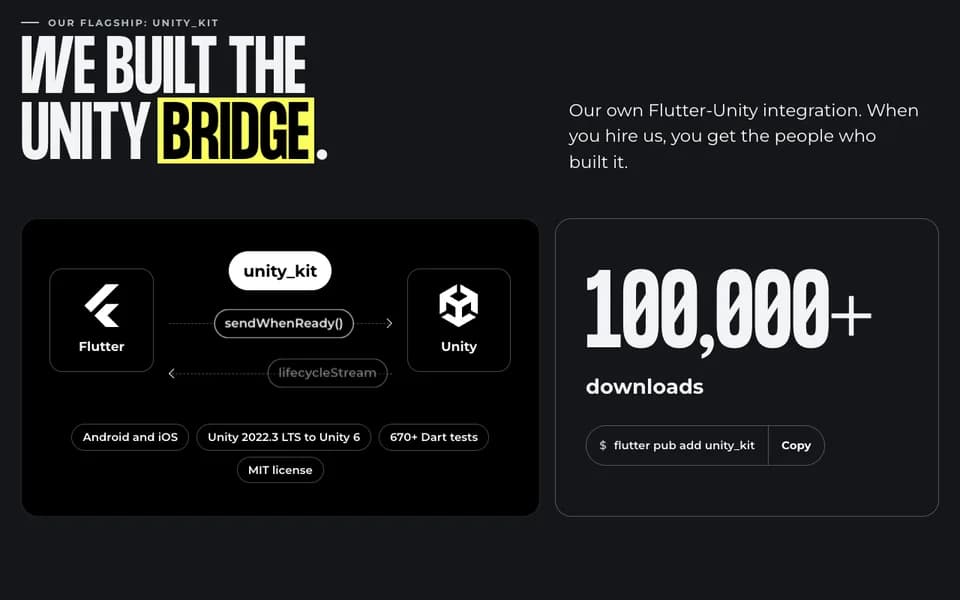
It is also the heaviest option. Think of it as a second app living inside your app. The Unity runtime ships inside your app and makes it bigger, only one Unity instance can run at a time, and every Unity export has to pass through the iOS and Android builds. For your budget, that means more setup and more testing per release, so it pays off when the 3D is the product, not a decoration. For new work, pick unity_kit (2.2.0, ours) or flutter_embed_unity (2.0.0, which supports Unity 6000.0 and 6000.3 LTS). flutter_unity_widget is marked discontinued on pub.dev, and its last version is from January 2024. If your app still runs on it, our guide to migrating off flutter_unity_widget shows the way out.
Pick the Unity version by its support window, because the app will live longer than its first release. Unity's support page lists Unity 6.3 LTS as supported until December 2027, and Unity 6.0 LTS support ended in October 2026, apart from paid Enterprise and Industry extensions. The Unity 7 Preview launches in December 2026 and the full release is targeted for Q1 2027 (Unite Seoul keynote, July 2026). Unity calls Unity 7 a direct continuation of Unity 6 with no breaking changes, and also says features may change. Our take: a Flutter app that adds Unity now starts on Unity 6.3 LTS and moves to Unity 7 after its release, once the Flutter bridge you use has been tested on it. Our Flutter and Unity guide covers the set-up step by step, from the Unity export to the message bridge.
A collectible digital toys app: Unity 6 content from a web app to both stores
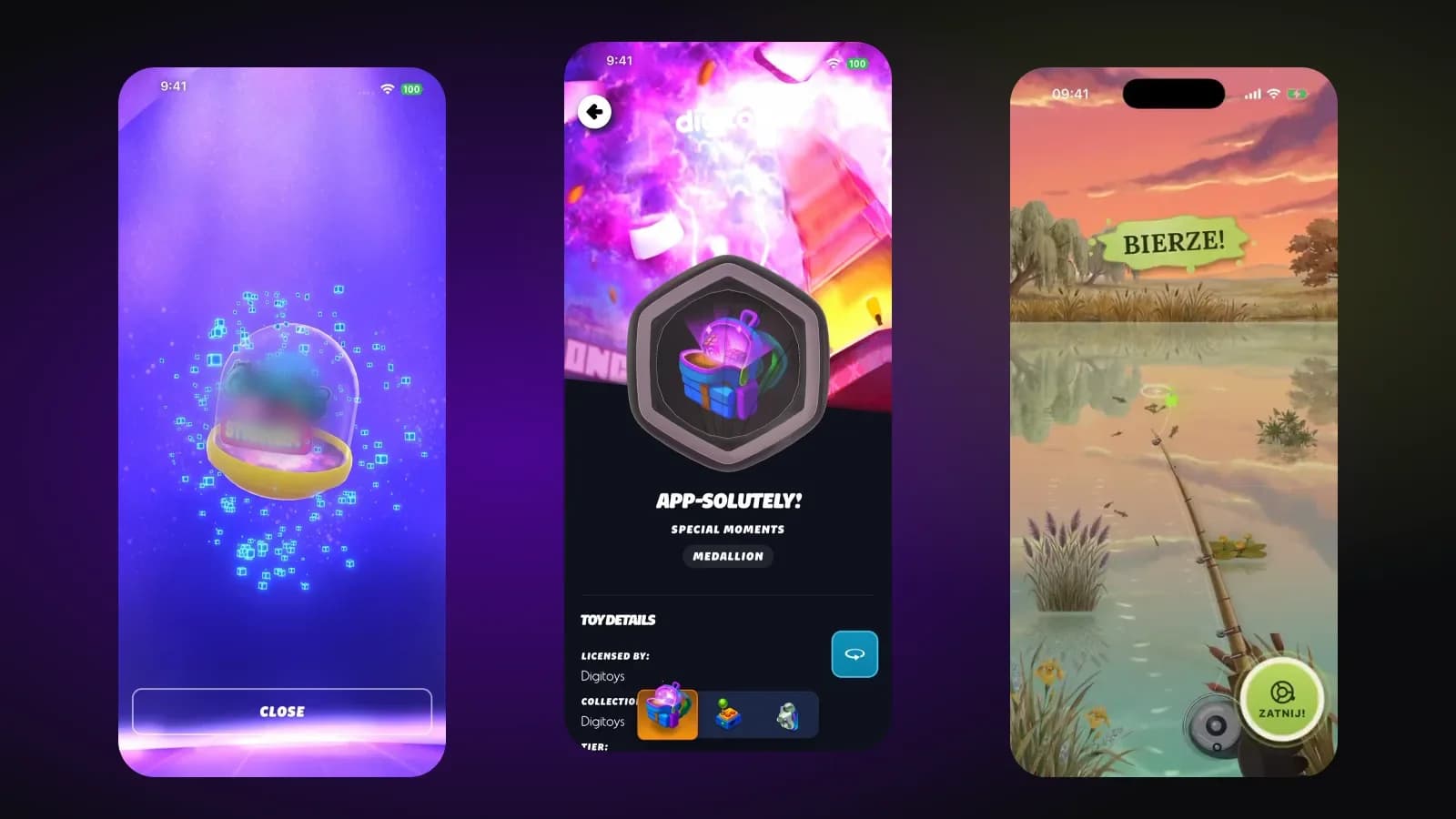
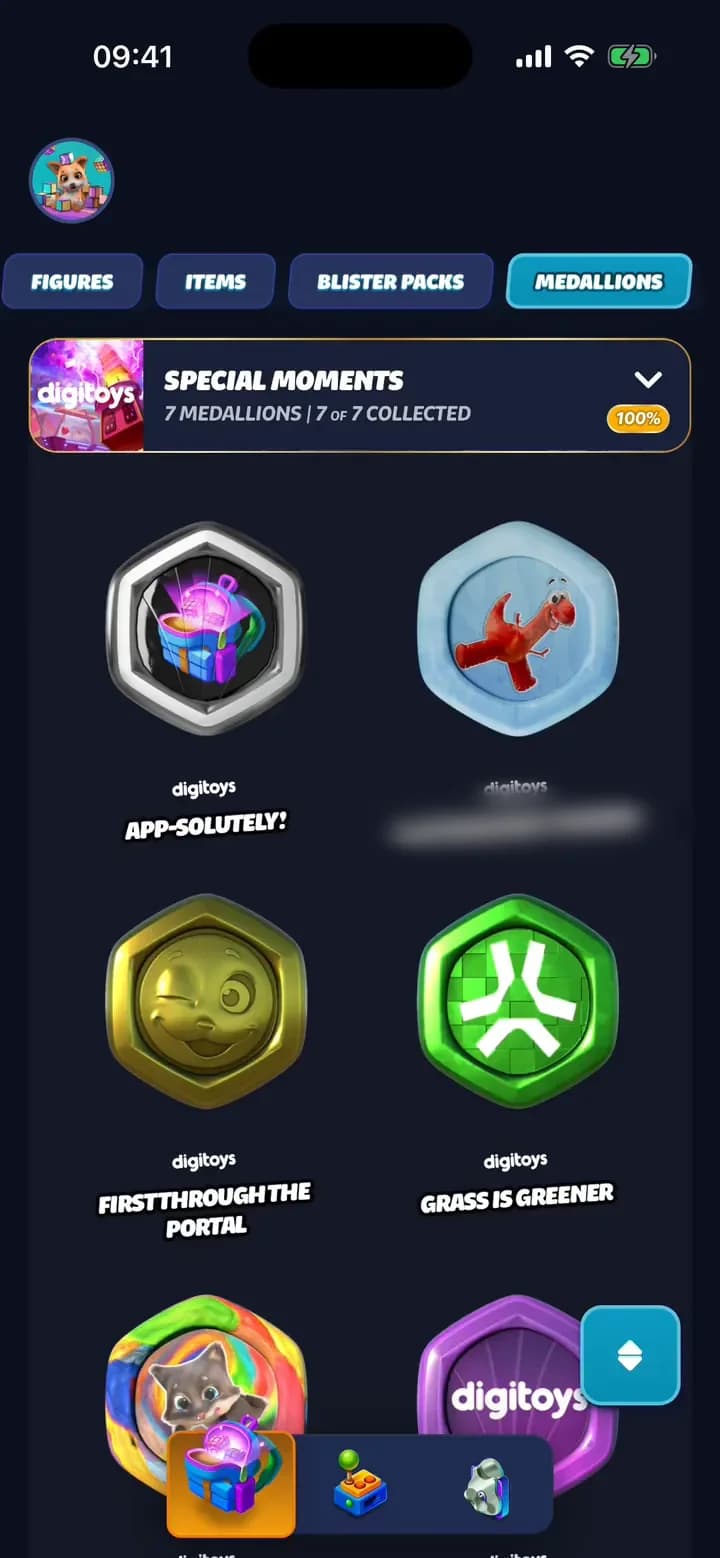
The problem: The client had Unity content for collecting digital toys, hosted in a React web app, and wanted it in a native app for iOS and Android. What we did: we built the Flutter app around their Unity 6 scenes. Unity 6 runs as a library in one view that stays behind every Flutter screen, and medallions and selected toys appear in live 3D instead of a flat picture. The two sides talk through 18 typed message types, 8 into Unity and 10 back, and messages wait in a queue until Unity is ready, so none get lost. The result: first commit in June 2026, on the App Store in July 2026 and on Google Play, and we still work on it with the client. If your company has an app that needs Unity inside, see how we add Unity to an existing company app.
We maintain unity_kit, our open-source Flutter Unity plugin, the same plugin that carries the bridge in that toys app, so you can read the code before you talk to us.
Depth without a 3D engine: Rive, shaders and the FishPRO mini-game
In short: if the brief says "3D" but means "it should feel deep and alive", you can often skip 3D entirely. Rive and shaders give tilt, motion and light for much less work, with no 3D models to make. Rive is not a 3D engine, and that is often the point. It animates 2D vector graphics with state machines (rules that say which animation plays after which tap), so a card can tilt, a mascot can react and a button can feel physical. Version 0.14.11 (August 3, 2026) runs on all six Flutter platforms, with the Rive renderer or Flutter's own.
A shader is a small program that runs on the phone's graphics chip and decides the colour of every pixel, many times a second. That is how you get water, glass or light without a single 3D model. Our open-source flutter_shaders_ui package has ten ready shader widgets, including water, glass, ripple and waves, each a GLSL fragment shader on the GPU.
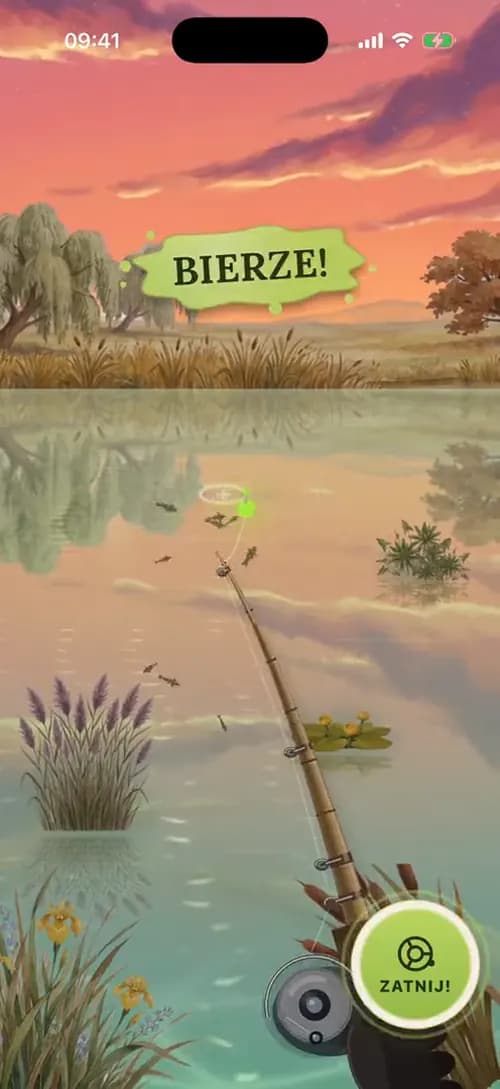
A real case: anglers go quiet in winter, and FishPRO, the app for anglers we build, needed a reason for them to open it. We built a free mini-game with Flame, a 2D game engine for Flutter, inside the Flutter app, with custom water shaders. It has 12 kinds of water, a fish atlas, daily tasks and 30 achievements, and its logic and economy live on the server, so nobody can cheat the record book. It feels deep and alive, and it needed no 3D engine, no 3D models and no second build pipeline.
Godot and flame_3d: worth watching, not shipping yet
Godot is the engine to watch. libgodot (0.0.1, August 2025) embeds Godot games in Flutter, but pub.dev lists only macOS, and its getting-started section says "Will add more information soon". It is not ready for a production app. The same goes for flame_3d, which its authors call experimental. Building a paid product on either today means paying for the risk yourself.
How to choose in 5 steps, before you spend the budget
In short: choose a Flutter 3D route by three things: where the 3D renders, what it adds to your app, and who will maintain it in two years. Then confirm the choice with a short test on real phones. A WebView, Flutter GPU, a native C++ engine and a Unity runtime differ more in these three than in how pretty the first demo looks.
FFI in the table means Dart calling code written in C or C++ directly. Before you pick, run a spike: a short, throwaway build that answers one question with facts instead of opinions. It takes a few days, while switching engines halfway through a project costs every 3D screen you have built. Here are the steps:
- Step 1Write the 3D job in one sentence. Viewer, scene, game, AR or depth. If you cannot, the brief is not ready.
- Step 2Get one real asset. A production GLB from your designer, with its real polygon count and textures, not a sample cube.
- Step 3Build it twice. The same screen with two candidates, on the lowest-end Android phone and the oldest iPhone you support.
- Step 4Measure. Frame times in Flutter DevTools (how long each frame takes to draw), memory after five minutes, and app size with flutter build apk --analyze-size.
- Step 5Pin and plan. Pin the version, note who maintains the package, and plan how you will move if it stops.
What should a 3D model have before development starts?
In short: a 3D model is ready for development when a developer can load it, measure it and judge it without asking the designer anything. Problems in the model show up late, on real phones, so check these points before the spike, not after the screens are built.
- Format. glTF 2.0 as one .glb file for model_viewer_plus, flutter_scene and thermion_flutter. Add a USDZ file if iPhones must open AR in Apple's viewer. For Unity, the source file goes into the Unity project.
- Real-world scale. glTF measures in metres, so a chair 45 cm tall must be 0.45 units tall. AR places the model at exactly that size.
- A budget for polygons and textures. Agree the numbers before modelling and confirm them in the spike on your lowest-end phone. flutter_scene reads KTX2 compressed textures and thermion_flutter reads KTX, both lighter on graphics memory than PNG or JPEG.
- Physically based materials. Metallic-roughness, the material model glTF uses. Effects built with one modelling tool's own shaders do not survive the export.
- Variants in one file. Colours and finishes as material variants, not ten copies of the model. flutter_scene supports the glTF variants extension (KHR_materials_variants) with instant switching.
- Named animations. Each animation named, with the skeleton and morph targets exported and the first and last frame agreed.
- Rights and sources. The source files belong to you, and the licence of any bought model allows use in a commercial app.
- A reference render. A picture of what "looks right" means, so sign-off is a comparison, not an opinion.
What are the most common mistakes with 3D in Flutter apps?
In short: the expensive 3D mistakes in Flutter apps are decisions made too early and checks made too late. Each one has a cheap fix before the build. Two more are covered above: one WebView per list item, and a model without a reference render.
- Testing on a flagship only. A new iPhone hides what a three-year-old Android phone shows. Below Android API 29, on phones without Vulkan, and since Flutter 3.50 on B-series PowerVR chips, Flutter draws with OpenGL. The fix: run the spike on the lowest-end phone you support.
- Upgrading a pre-1.0 package without reading the changelog. thermion_flutter 0.6.0 (November 2026) renamed and removed APIs and asked for custom materials to be compiled again. The fix: pin exact versions and upgrade on purpose.
- Leaving the 16 KB check to the last release. From February 1, 2027 Google Play will not release an update with unaligned native libraries. The fix: run APK Analyzer on the current build and update the libraries it flags.
- Staying on an old bridge or Unity version. flutter_unity_widget is discontinued, and Unity 6.0 LTS support ended in October 2026. After Unity's September 2025 security advisory, the flutter_embed_unity docs require Unity 6000.0.58f2 or 6000.3.0f1 and newer on Android. The fix: plan the move to Unity 6.3 LTS and a maintained bridge.
Who should build 3D into your Flutter app, and what does it cost?
In short: hire a team that has shipped 3D inside a Flutter app to both stores, not only a demo, and that will show you the app and the code. Flutter 3D sits between app development, graphics and native builds. Most problems show up on real phones and in release builds, not in the editor, so experience with shipped apps is what saves your timeline. At Codigee, a 3D feature in a new app is part of an MVP / App Launch project from $15k, and a new Unity integration starts from $8k.
Five questions show quickly whether a team has done it before. You do not need to judge the technical details: a team that has done it answers each one with a specific example, a team that has not answers in general terms. Here are the questions with our own answers.
Why teams bring their 3D work to us
We are a small team of senior engineers, and for 3D in a Flutter app that is the point. The people you talk to are the people who build your app. Here is what that means in practice, with the proof for each point.
- Both kinds of 3D, shipped. A full Unity 6 engine inside Flutter in a collectible digital toys app, and depth without a 3D engine in the FishPRO mini-game. So we can recommend the lighter route when it is enough, because we have built both.
- The people who wrote the tools build your app. unity_kit (100,000+ downloads) and flutter_shaders_ui are ours and public. The engineers who wrote them work on your project, and you can read their code before you sign.
- Senior engineers on every project, no layers in between. You talk directly to the engineers who write and review the code, not to an account manager who passes messages on. When a release build breaks on one phone, the answer comes from the person who knows that build.
- Fast from start to store. The collectible toys app went from its first commit in June 2026 to the App Store in July 2026. We usually start about 2 weeks after signing.
- A known price. Every milestone has a fixed price agreed before work starts, so you know the cost of each step up front.
What each Flutter 3D route costs with Codigee
In short: the price follows the route, not the number of models. Depth effects and a viewer fit inside a normal app build, Unity adds a fixed-price integration, and a game is its own project. Starting prices from Codigee pricing, November 2026:
A new Unity integration starts from $8k and a migration off flutter_unity_widget from $5k. A 3D feature inside a new app is part of an MVP / App Launch project, from $15k, each at a fixed price per milestone. Unity in your Flutter app shows how a Unity project runs with us, how much it costs to build an app breaks down the rest of the budget, and Codigee pricing has the full list.
Common questions
01Does Flutter support 3D out of the box?
No. Flutter has no built-in 3D widget. Flutter GPU, a low-level rendering API you enable per platform, makes engines like flutter_scene possible. Everything else comes from packages: a WebView viewer, Filament, a three.js port or Unity as a Library.
02What is the best Flutter 3D engine in 2027?
There is no single best engine in 2027: it depends on the job. For one product model, model_viewer_plus. For 3D inside the Flutter UI, flutter_scene or thermion_flutter. For a real game, AR Foundation or existing Unity content, Unity as a Library. For depth effects, Rive and shaders.
03How do I show a 3D model in Flutter?
Export the model as GLB and load it with model_viewer_plus, which wraps Google's model-viewer in a WebView on Android, iOS and the web. If the model must sit inside your Flutter widgets, load the same GLB with flutter_scene instead.
04Can you build a 3D game in Flutter?
A light one, yes: flutter_scene has animation, and physics comes from flutter_scene_rapier or flutter_scene_box3d, but it is pre-1.0. For a commercial 3D game, Unity is the safer engine. Flame is a strong choice for 2D and 2.5D games inside a Flutter app, as in the FishPRO mini-game.
05Does flutter_scene work on the web?
Yes. The web has no Impeller, so flutter_scene ships its own WebGL2 backend. It needs no flags there and works with both the CanvasKit and Skwasm renderers (as of version 0.24.3, November 2026).
06Can a Flutter app do AR?
Simple placement, yes: model_viewer_plus opens Google's Scene Viewer on Android. flutter_sceneview adds AR on ARCore and ARKit, but marks it alpha. For AR with lighting, physics and complex scenes, Unity's AR Foundation inside a Flutter app is the practical route.
07Does Google Play's 16 KB rule affect Flutter 3D apps?
Yes. Every Flutter Android app ships native libraries, and Unity, thermion_flutter, three_js and Rive add more. From February 1, 2027, Google Play will not release updates of apps targeting Android 15 or newer that do not support 16 KB memory pages. APK Analyzer in Android Studio shows which libraries are not aligned.
08Should I wait for Unity 7 before adding Unity to a Flutter app?
No. Unity 7 is targeted for Q1 2027, and Unity calls it a direct continuation of Unity 6 without breaking changes, though features may still change. Unity 6.3 LTS is supported until December 2027, so start there and move to Unity 7 once your Flutter bridge has been tested on it.
Was this article useful?
4.7 / 5 · 11 ratings