
Flutter + Unity in 2026: embedding Unity 6 in a Flutter app
Flutter Unity integration works in 2026, but Unity sets the rules: one Unity at a time, full-screen rendering on phones, and memory that stays used after you unload it. Here is how Unity as a Library works with Unity 6, a fair comparison of the four plugins, and the architecture, build fixes and prices from Digitoys, the Unity 6 app we shipped with unity_kit, the plugin we wrote.
 By Eryk Kruk, CEO
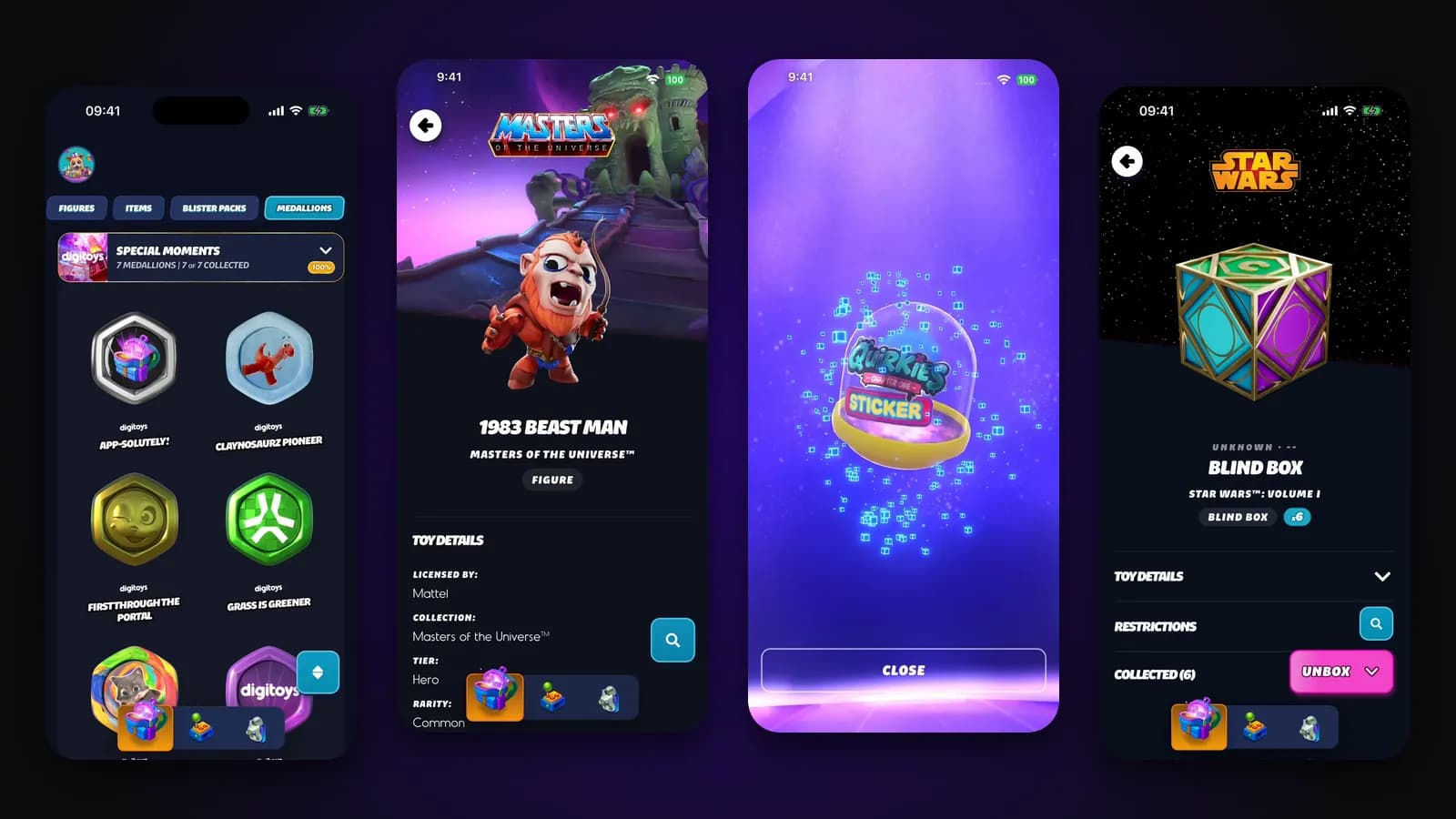
"Our Unity scenes work in the editor. Now they have to live inside a real app, with sign-in, payments and a page in the App Store." Or: "Our app runs on flutter_unity_widget, it stopped getting updates, and every new Xcode version breaks the build." If one of these sounds like your team, this Flutter Unity guide is for you. It explains, in plain words, how to put Unity inside a Flutter app, where these projects go wrong, and what they cost.
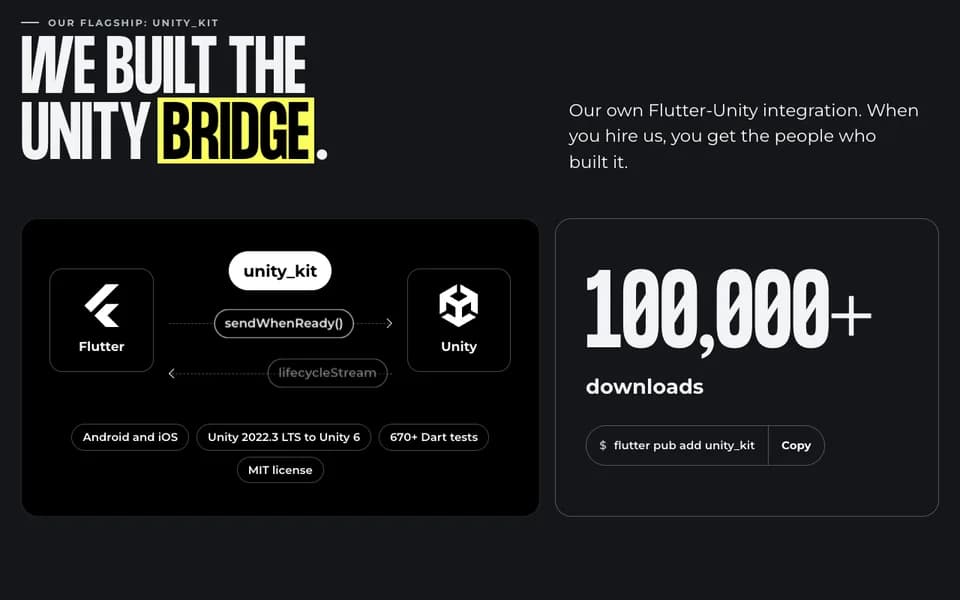
Short answer: Unity is a game engine: software that draws interactive 3D scenes many times per second. Flutter is Google's toolkit for building one app for iOS and Android from one codebase. Flutter Unity integration in 2026 means running Unity 6 as a Library inside your Flutter app. It works in production: we built the Digitoys app on it, live on iOS and Android, with unity_kit, the open-source plugin we wrote and maintain. But Unity's own rules decide the architecture: one Unity at a time per app, full-screen rendering on phones, and memory that stays used after you unload it. This guide covers when it is worth it, the four plugins you can pick from, the architecture and build fixes we use, and what it costs. It replaces our four Unity posts from 2023.
Why this matters for your budget: in these projects, the risk sits in the architecture and the build, not in the 3D. Get those two right at the start, and new scenes and app updates become routine work. Get them wrong, and every Unity, Xcode or Android update turns into a repair job.
When does Unity inside a Flutter app pay off, and when is it overkill?
In short: Unity inside a Flutter app makes sense when one part of the product needs a real-time engine, such as interactive 3D, AR or a mini-game, and the rest is a normal app: sign-in, lists, payments, settings. Flutter builds the app around it, and Unity renders only the scenes. A real-time engine draws a new picture for every moment the user moves, like a video game does. AR (augmented reality) places 3D objects over the camera view of the real world.
This split was the main point of our 2023 posts, and it still holds. Most of the work in such a product is not game physics. It is screens, flows, purchases and the backend. After launch, most changes land in the Flutter part too: onboarding, pricing, new screens. The Unity scenes change less often. So you need a Unity specialist for the scenes and Flutter engineers for everything else, not a Unity team for the whole app. For your budget, that means you pay for engine work only where the product really needs an engine.
- Good fit: 3D or AR content that needs an engine. Collectibles in live 3D, product configurators, AR placement with lighting and physics.
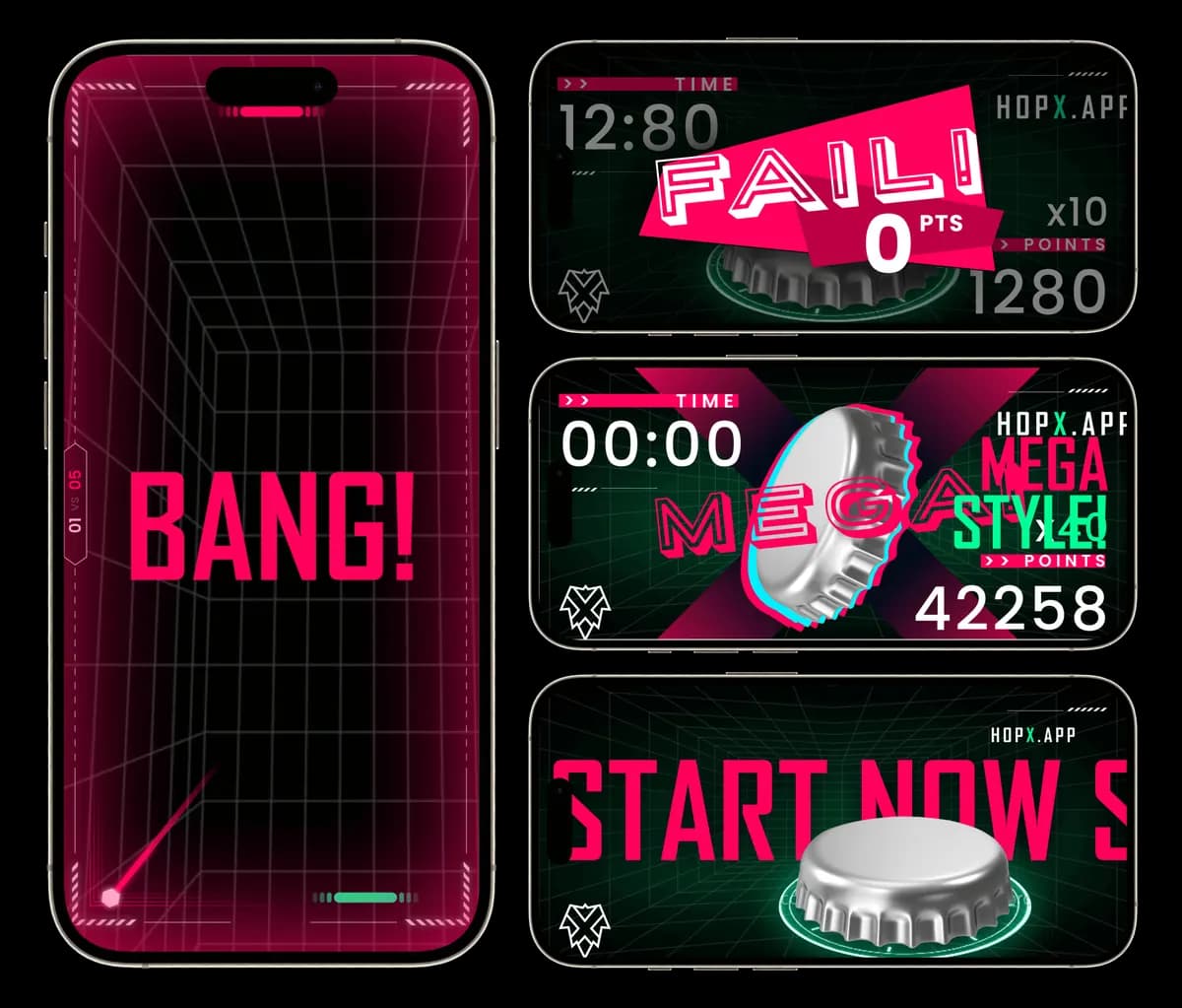
- Good fit: game scenes inside an app. HopX, our 2023 project, runs Unity games inside a Flutter app, while Flutter handles the account and a Bluetooth controller.
- Good fit: an existing Unity project that needs a real app. Digitoys first ran its Unity content in a React web app. We brought it to phones in a native Flutter app.
- Not a fit: a simple 3D model viewer. glTF and GLB are standard file formats for 3D models. For one model you can turn and zoom, a Flutter package such as model_viewer_plus or flutter_scene (a 3D engine built on Flutter GPU, Flutter's own low-level graphics layer) is far lighter than a whole Unity runtime.
- Not a fit: the whole product is a game. Then build it in Unity alone. A Flutter shell adds a second build system for little gain.
How does Unity as a Library work? 5 limits that shape your app
In short: Unity as a Library turns your Unity project into a building block that a normal app can load and show. Unity sets hard limits on how that block behaves, and no plugin can remove them. Those limits shape every decision later in this guide.
Here is what happens under the hood. Unity exports your project as a native library: a package of compiled code that another app can load. On Android it is a unityLibrary module, on iOS a UnityFramework. A Flutter plugin, which is a small package that connects Flutter to the phone's own code, starts the Unity player inside your app. The player is the Unity runtime: the part of Unity that runs your scenes on the phone. The plugin shows the player's view among your Flutter screens and passes messages between Dart, the language of Flutter apps, and C#, the language of Unity scripts. Unity's manual lists these limits:
The source is Unity's own Unity as a Library page for Unity 6.3. It lists Android, iOS, Windows and UWP as supported platforms. Everything below, from the plugin you choose to the way you route screens, follows from these five lines.
What this means for the business: these limits are where budgets get lost. A design with two Unity views on one screen, or a small Unity window that grows and shrinks, costs extra work and stays fragile after launch. Check your designs against this table before anyone estimates the project.
Which Flutter Unity plugin should you use in 2026? 4 packages compared
In short: for new work in 2026, choose between unity_kit and flutter_embed_unity. Both support Unity 6 and still get updates. gameframework is promising but pre-1.0, which means its authors still treat it as an early version. flutter_unity_widget is discontinued: it gets no more fixes. The table compares their pages on pub.dev, the official package directory for Flutter, as of November 2026.
A few words from the table in plain language. MIT is an open-source license that lets you use the code in a commercial app. A bridge is the channel that carries messages between Flutter and Unity. A typed bridge checks the shape of every message when the app is built, so a mistake shows up on the developer's computer, not on a user's phone. A lifecycle is the fixed order of states Unity goes through: loading, ready, paused, unloaded. A readiness queue holds messages until Unity says it is ready. Batching groups many small messages into one.
To be fair to the others: flutter_embed_unity documents its limits better than most packages, and its author is clear that it supports one Unity instance at a time. gameframework is the package the flutter_unity_widget author suggests as a replacement. We built unity_kit, our open-source Flutter Unity plugin because client apps needed more than a view: typed messages that fail at build time, a lifecycle that cannot skip states, and messages that wait until Unity is ready. If your app still runs on flutter_unity_widget, our guide to migrating off flutter_unity_widget explains what changes and what stays.
For the business, the plugin choice decides how much code your team writes and maintains on its own. A lean plugin is cheaper to start with, but your team then builds the messaging and the error handling. A fuller plugin costs less over the years, because that code is already written and tested.
React Native and Unity: the same 5 limits apply
React Native, Meta's framework for building mobile apps in JavaScript, can embed Unity the same way. The community package @azesmway/react-native-unity (version 1.1.1 on npm, the JavaScript package directory, August 2026) wraps Unity as a Library, so every limit in the table above applies there too. unity_kit is Flutter only. If you are choosing a framework for a new app with Unity inside, the Unity side is the same in both. Choose based on the rest of the app and the team that will maintain it. Our comparison of React Native and Flutter walks through that choice.
The architecture that works in production: one Unity view behind every screen
In short: the architecture that works in production is one Unity view that starts once and stays behind every Flutter screen. Unity stays mounted, which means loaded and attached to the app, for the whole session. The Flutter screens on top decide when the scene shows and which touches reach it. This is how the Digitoys app is built.
Think of a theatre. The stage is built once and stays in the building. Between acts, the scenery on it changes. The curtain opens where the audience should see the stage and closes where it should not. Unity is the stage, the Unity scenes are the scenery, and the Flutter screens are the curtain. Nobody rebuilds the stage for every act. Rebuilding Unity for every screen is just as slow, and on iOS it is not even possible once Unity has quit.
Digitoys: from a React web app to Unity 6 in the App Store
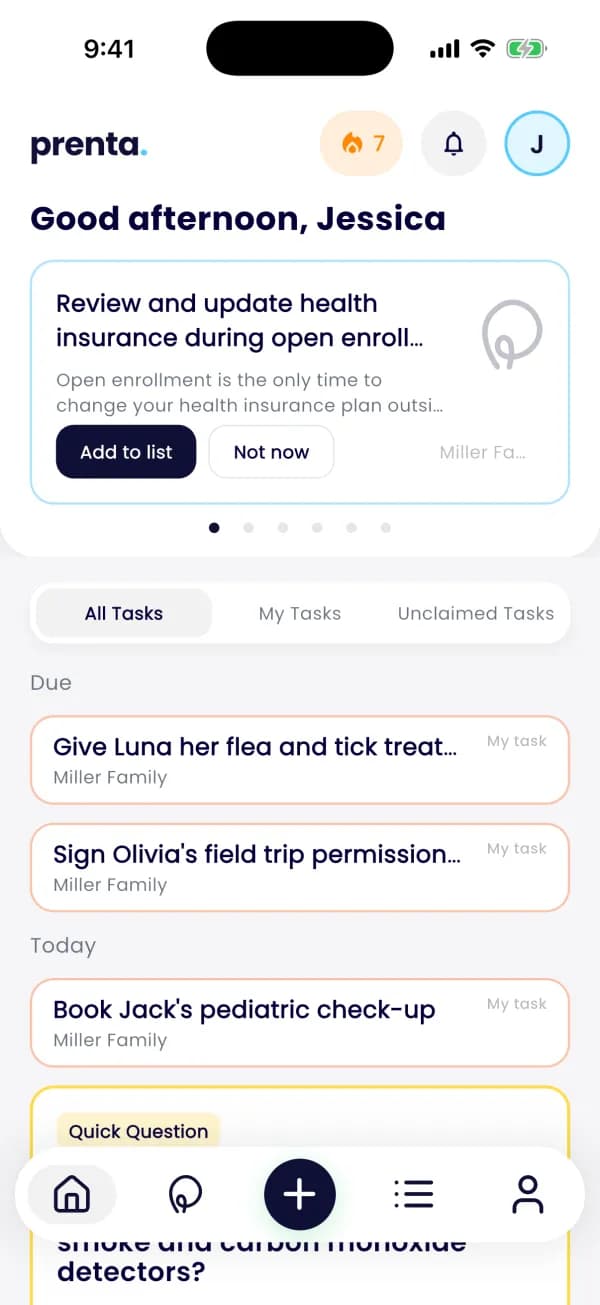
The problem. Digitoys, formerly Cryptoys, is a free app for collecting licensed digital toys and stickers, with blind boxes and toys in live 3D. Its Unity content first ran in a React web app. The next step was a native app for iOS and Android. The production Unity scenes come from a separate Unity team, so the app also had to take in each new export from that team without rework. An export is the package Unity produces for each platform.
What we did. We built the Flutter app around Unity 6 (6000.3), running as a library through unity_kit. Our job was everything around the scenes: the app, the integration, the bridge and the export pipeline. Five decisions made it stable:
- One view, mounted once. Unity sits at the bottom of the screen stack, under all routes (a route is one screen in the app's navigation). It never gets rebuilt when you navigate, which also avoids the iOS rule that Unity cannot load again after it quits.
- Moved, not resized. A screen that shows the scene moves the Unity view into place. Changing the size of a renderer that expects the full screen is where problems start, so we never do it.
- A hit mask for touches. A hit mask is a map of the screen that says which areas belong to Unity. With it, some touches go to Unity and others stay with the Flutter buttons drawn on top. In 2023 we wrote that only one side can receive touches at a time. The mask removes that limit.
- Pause through a ref-counted suppressor. A ref-counted suppressor is a counter of pause requests. Any part of the app that needs Unity quiet adds a pause, for example the unboxing video, so 1080p playback does not stutter on Android. Unity resumes only when the last pause is released, so two screens cannot wake it up too early.
- Two scenes, one build. Two Unity scenes ship in one export. Flutter switches between them with a LOAD_SCENE message instead of starting a second runtime.
The bridge is typed: 18 message types, 8 into Unity and 10 back. A message type is one kind of instruction, such as "load this scene" or "the toy was tapped". Messages to Unity wait in a queue until the scene reports that it is ready, so none get lost during start-up. The platform's web client uses the same logical message types, so both clients speak one protocol.
The result. The first commit is from June 2026, and Digitoys launched on the App Store in July 2026. It is on Google Play as well, and we still work on it together. Each new export from the Unity team lands in the app through the same documented steps. The Digitoys case study: Unity 6 in a Flutter app shows the screens and the full scope.
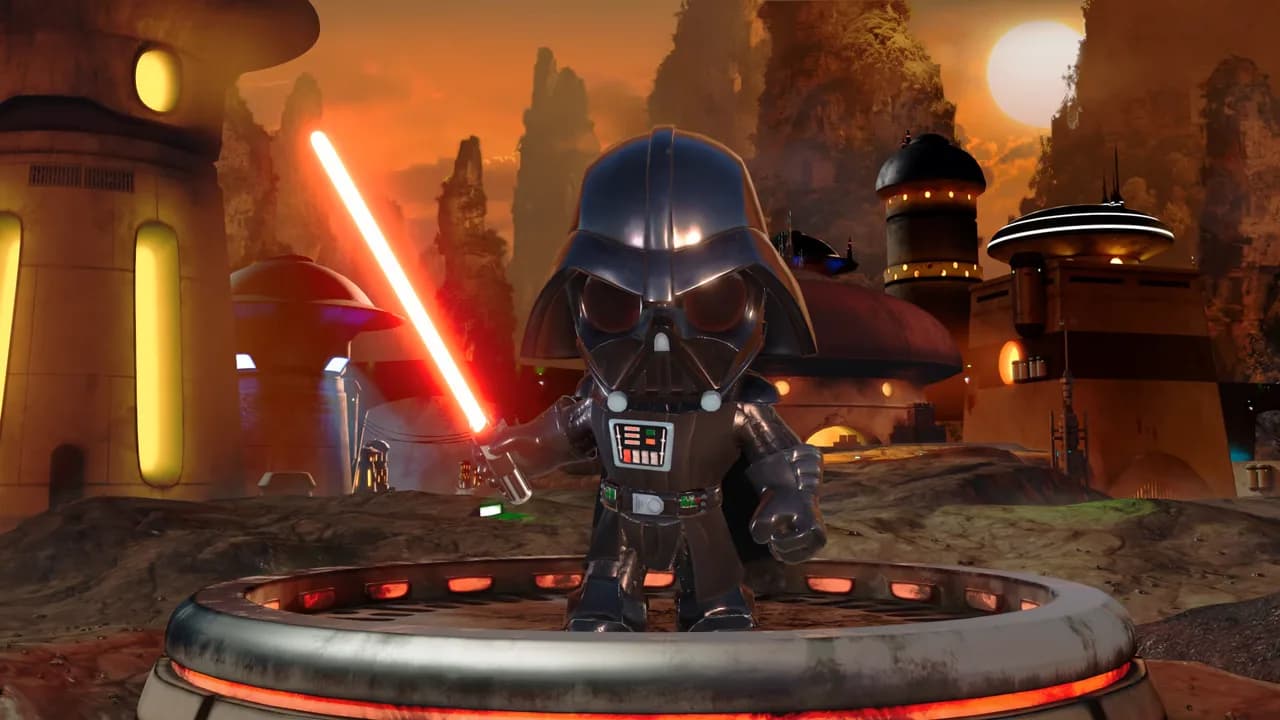
For the business, this setup means fewer surprises after launch. New scenes ship the same way every time, moving between screens never restarts Unity, and the app keeps one clear owner for each side: the Unity team for the scenes, the app team for everything around them.
9 Unity 6 build errors in a Flutter app, and the fix for each
In short: most of the time on a Flutter Unity project goes into the build, not the code. Each Unity export produces native projects that the Flutter build must link, which means join into one app. Unity, Xcode, Gradle and Flutter all change every year, and each change can break that join. Xcode is Apple's tool for building iOS apps, and Gradle is the build tool for Android apps.
Two more terms appear in the table. IL2CPP is the Unity step that turns C# scripts into C++ code and then into machine code for the phone. .NET 8 is Microsoft's toolkit that Unity 6 uses during that step. These are the problems we hit on Unity 6 projects, with the fixes we use.
The 16 KB check is not optional. A memory page is the block size in which the phone's system hands out memory. Android has used 4 KB pages, and newer devices can use 16 KB pages. Google says apps targeting Android 15 or higher must support 16 KB memory pages, and from February 1, 2027 updates without it cannot be released (Android developer docs, as of November 2026). Unity's manual says 16 KB support starts at Unity 6000.0.38f1 (Unity Android requirements), and Unity staff on the Unity forum name 2022.3.56f1 as the minimum on 2022.3. Any native library in the export, such as an AR or ads SDK, must support it too. For the business, this is a deadline: miss it, and you cannot ship any update on Google Play, bug fixes included.
Two habits from 2023 still save weeks. First, keep the Unity project in its own repository, the shared home of its code and history. Use Git LFS (an add-on for large files in Git, the standard code history tool) or Unity Version Control, formerly Plastic SCM. Treat each export as a build artifact: a finished package the app picks up, like a printed book, not a manuscript it edits. Second, script the whole chain, so a new export from the Unity team lands in the app through the same documented steps every time:
- Step 1Export. Android and iOS from the Unity project, from the command line.
- Step 2Patch. Re-apply the scripted native changes to both exports.
- Step 3Build. The Flutter app for both platforms, on a machine strong enough for IL2CPP.
- Step 4Test on devices. A physical iPhone and the lowest-end Android phone you support.
A scripted chain turns each new export into routine work instead of a day of guesswork. It also means the app does not depend on one person's memory. Inherited an app with Unity inside, and nobody can say how the last export was made? Start with a mobile app audit before you take over the app. It shows what the build needs and where it breaks, before anyone changes the code.
6 rules that keep a Flutter Unity app fast and small
In short: Unity renders as fast inside a Flutter app as it does on its own. What costs you is memory, the bridge and app size. Keep the bridge quiet, keep Unity paused when it is hidden, stream heavy assets, and measure on real phones instead of guessing. Memory problems show up as the app closing itself on cheaper phones, which users see as a crash. A big download means a longer wait before the first use.
- Batch messages. unity_kit coalesces bursts of messages into one native call per frame window, about 16 ms at 60 fps (frames per second), instead of one call per message.
- Throttle chatty updates. For a slider or a camera position, keep only the latest value. For noisy events, drop the extras.
- Start Unity early. As we did for HopX in 2023, start Unity at app launch, so the first scene shows without a cold start, the slow first load from zero.
- Park it when hidden. Load an empty scene to free scene memory while the user is in Flutter screens, instead of unloading or quitting.
- Stream heavy assets. Assets are the files a scene uses, such as models, textures and sounds. unity_kit downloads them from a CDN, a network of servers that delivers files fast, by a manifest, a list of files. It checks each file with SHA-256, a digital fingerprint that proves the file is complete and unchanged, and caches it. It supports Unity Addressables, Unity's system for loading content on demand. The store download stays small, and content can change without an app update.
- Measure memory. Watch FPS, frame time and memory on the lowest-end Android phone you support. Remember that Unity keeps 80-180 MB even after an unload.
AR on phones and Apple Vision Pro: what works in 2026
In short: for AR on phones, Unity's AR Foundation inside a Flutter app is now the practical route when you need lighting, physics or complex scenes. For Apple Vision Pro, Unity supports visionOS, Apple's system for that headset, but Unity as a Library and Flutter do not target it. So a Vision Pro app is a Unity app.
In 2023 we compared Flutter plugins for ARCore and ARKit with Unity. ARCore and ARKit are Google's and Apple's own AR systems. Simple placement can still use native plugins. For anything richer, AR Foundation, Unity's AR toolkit, gives one API over ARCore and ARKit. An API is the set of commands a developer uses. unity_kit 2.x adds a setting for running AR inside a Flutter screen, UnityConfig.ar(). In its passthrough mode Unity draws the camera image itself. In its overlay mode Unity's background is transparent, so the camera image or Flutter content shows through. Test AR on physical devices: simulators do not run it.
Our 2023 post about Vision Pro was speculation before launch. Today Unity builds for visionOS through its PolySpatial packages: version 3.x works with Unity 6.3, development needs an Apple Silicon Mac (a Mac with Apple's own chip), and apps can be fully immersive, windowed or hybrid (Unity visionOS requirements). But Unity as a Library lists only Android, iOS, Windows and UWP, and Flutter's supported platforms list for Flutter 3.47 has no visionOS. If you need both, share the Unity scenes between a phone app in Flutter and a separate Unity app for Vision Pro (as of November 2026).
For planning and budget: treat Vision Pro as a second app that reuses your scenes, not as a feature you add to the phone app later.
Unity 6.3 LTS and Unity licenses: what to pick and what it costs
In short: start new Flutter Unity work on Unity 6.3 LTS, which Unity supports until December 2027. LTS means long-term support: a version Unity keeps fixing for a fixed period, so it is the safe choice for apps. Unity 6.0 LTS support ended in October 2026, so 6.0 projects should plan the move. Licensing is simpler than in 2023: the Runtime Fee, a charge per install that Unity announced in 2023, is gone, and seat prices are public.
Sources: Unity's Unity 6 support page and pricing updates. Unity cancelled the Runtime Fee on September 12, 2024. Unity Personal is free for up to $200,000 in revenue and funding. Unity Pro costs $2,310 per seat per year after a 5% increase on January 12, 2026, and companies with $25 million or more in annual revenue and funding get a custom Enterprise package. A seat is a license for one person. Budget seats for the people who work in the Unity editor, not for your app's users: the license cost does not grow with installs.
Who should build your Flutter Unity app, and what does it cost?
In short: hire a team that has already shipped Unity as a Library to both stores and knows Flutter, native iOS and Android builds, and the Unity export. When you search for Unity developers for hire, most results are game developers. A great game developer may have never linked UnityFramework into a Flutter app, and that is where these projects slip.
Five questions show quickly whether a team has done it before. You do not need to judge the technical details. A team that has done it answers each one with a specific example, a team that has not answers in general terms. Here are the questions, what a good answer looks like, and our own answers.
Why teams bring their Unity scenes to us
We are a small team of senior engineers, and for a Flutter Unity project that is the point. The people you talk to are the people who build your app. Here is what that means in practice, with the proof for each point.
- The people who wrote the plugin build your integration. unity_kit is ours. Hire us, and the engineers who built its bridge, lifecycle and readiness queue work on your app. You can read the code before you sign anything.
- Senior engineers on every project, no layers in between. You talk directly to the engineers who write and review the code, not to an account manager who passes messages on. When an Xcode or Gradle update breaks the build, the answer comes from the person who knows that build.
- Shipped, not only prototyped. Digitoys went from its first commit in June 2026 to the App Store in July 2026, and is on Google Play too. We still work on it together with the client.
- Your Unity team or ours. In Digitoys, a separate Unity team makes the scenes, and we own the app, the bridge and the export pipeline. We can also staff the Unity side.
- A fast start and a known price. We can start in about 2 weeks, and every milestone has a fixed price agreed before work starts.
A new Unity integration starts from $8k, and a migration off flutter_unity_widget starts from $5k, each at a fixed price per milestone. A milestone is a defined piece of work with its own price, agreed before it starts, so you know the cost of each step up front. How we work, from the first call to launch shows the milestones step by step. See Unity in your Flutter app for how a Unity project runs with us, and Codigee pricing for the full list.
Common questions
01Can you embed Unity in a Flutter app in 2026?
Yes. Unity as a Library runs Unity 2022.3 LTS up to Unity 6.3 inside a Flutter app on Android and iOS, through a plugin such as unity_kit or flutter_embed_unity. Unity's limits apply: one Unity at a time per app, full-screen rendering on phones, and no restart after it quits on iOS.
02Is flutter_unity_widget still safe to use?
It still runs in many apps, but pub.dev marks it as discontinued, and its last version, 2022.2.1, is from January 2024. It gets no fixes for Unity 6, new Xcode versions or Google Play's 16 KB rule. Plan a migration before your next required platform update.
03Can Unity run in only part of a Flutter screen?
Plugins can show Unity inside a widget, but Unity's manual supports only full-screen rendering on Android and iOS. In production we keep the Unity view full-size behind the Flutter screens, move it into place, and draw Flutter UI on top.
04Does Unity make a Flutter app much bigger?
Yes. The Unity runtime and your scenes add to the download. Keep big assets out of the build and stream them from a CDN with a verified cache, so the store download stays small and content can change without an app update.
05Do I need a paid Unity license?
Unity Personal is free for up to $200,000 in revenue and funding. Above that, Unity Pro costs $2,310 per seat per year (as of November 2026). The Runtime Fee was cancelled in September 2024, so there is no fee per install.
06Can our own Unity team keep working on the scenes?
Yes, and it is a common setup. The Unity team keeps its own repository and exports. A scripted pipeline brings each new export into the Flutter app the same way every time, which is how a separate Unity team ships scenes into Digitoys.