RunPod Serverless for CLIP embeddings: cold starts, real costs and alternatives
RunPod Serverless bills a worker from the second it starts until it fully stops, idle timeout included. That one rule kills the popular keep-alive ping trick and decides how you should serve CLIP image embeddings. Here is the math in plain words, the setup we run in production for Museo, and what the alternatives cost per 1,000 embeddings.
 By Eryk Kruk, CEO
You want your app to recognize a photo the moment a user takes it, and you do not want to pay for a graphics card that sits idle all night. This article solves that problem for CLIP image embeddings on RunPod Serverless. You get the one billing rule that decides your costs, the setup we run in production for Museo, and what the alternatives cost per 1,000 images (as of November 2026).
Short answer: RunPod Serverless is a good fit for CLIP image embeddings when traffic comes in sessions with gaps between them. Set min workers to 0, keep the idle timeout at 5 seconds, turn on FlashBoot and warm a worker up only while someone is actually using the app. Do not ping workers to keep them warm: RunPod bills the idle wait, so a pinged worker is billed 24/7. For a venue open 8 hours a day, that is about $180 a month instead of $547.50 for one worker kept warm around the clock.
Instant image recognition without paying for idle GPUs: what is the real problem?
In short: a GPU that waits for the next photo costs the same as a GPU that works. Real-time image recognition needs a warm model the moment a user points the camera, but most apps see traffic in bursts: a visitor scans ten objects in twenty minutes, then nothing for an hour. Being instant at the first scan without paying for the hour in between is the whole problem.
The rest of the article uses five terms. Here they are in plain words:
- GPU: the graphics chip that runs AI models fast. In the cloud you rent it by the second.
- CLIP: an open AI model that looks at an image and turns it into a list of numbers that describes what is in it.
- Embedding (or vector): that list of numbers. Think of it as an address on a map of how things look. Two photos of the same painting get addresses close to each other, so finding a match means finding the nearest address.
- Serverless: you do not rent a machine for the month. The platform starts a copy of your model, called a worker, when requests come in, and stops it when they end.
- Cold start: the wait while a stopped worker starts and loads the model. A visitor standing in front of a painting feels every second of it.
Museo: the real project behind every number in this article
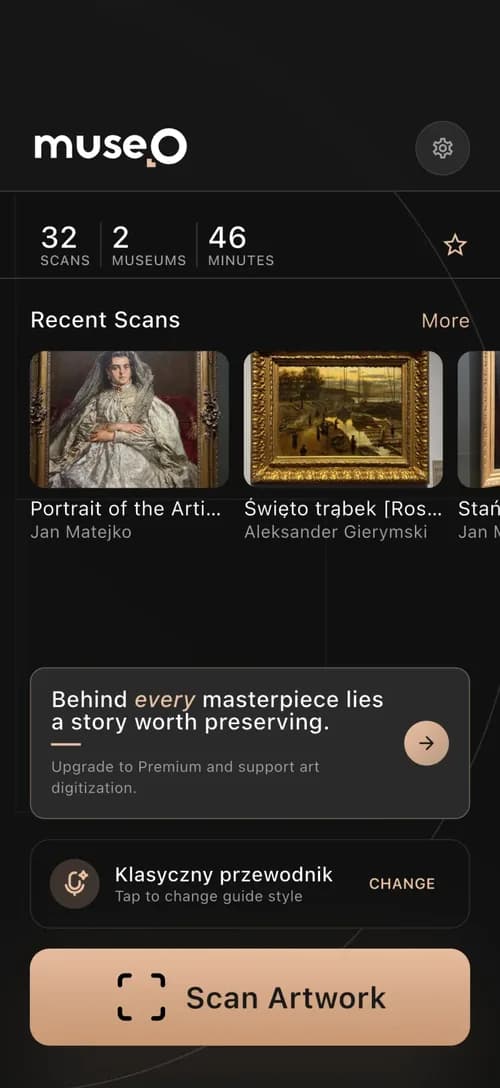
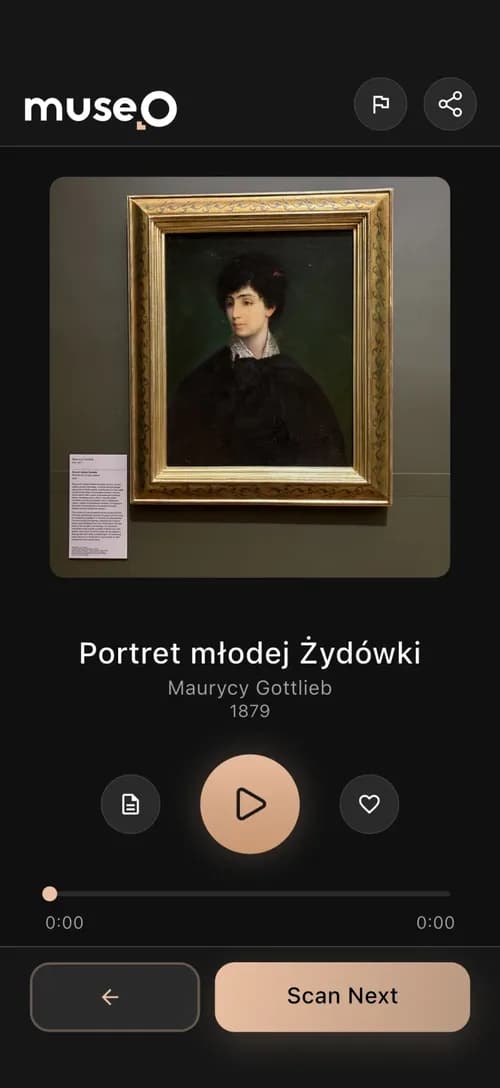
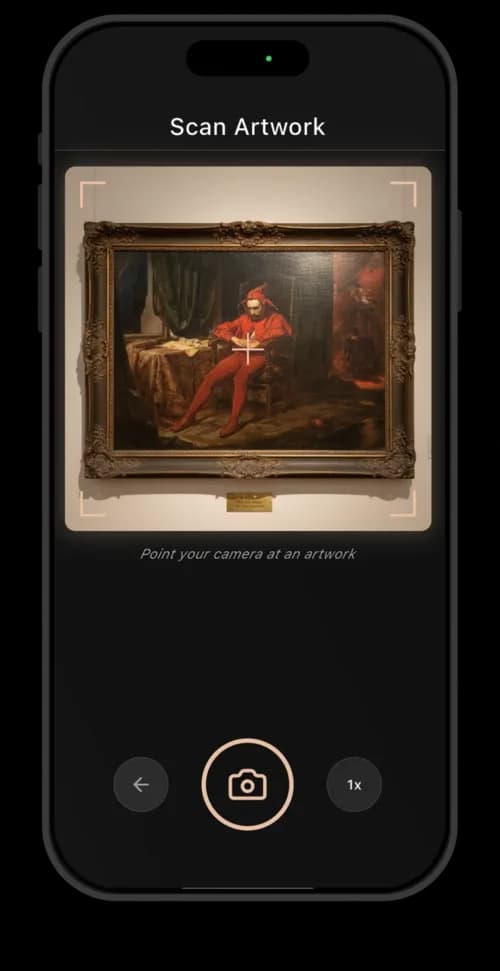
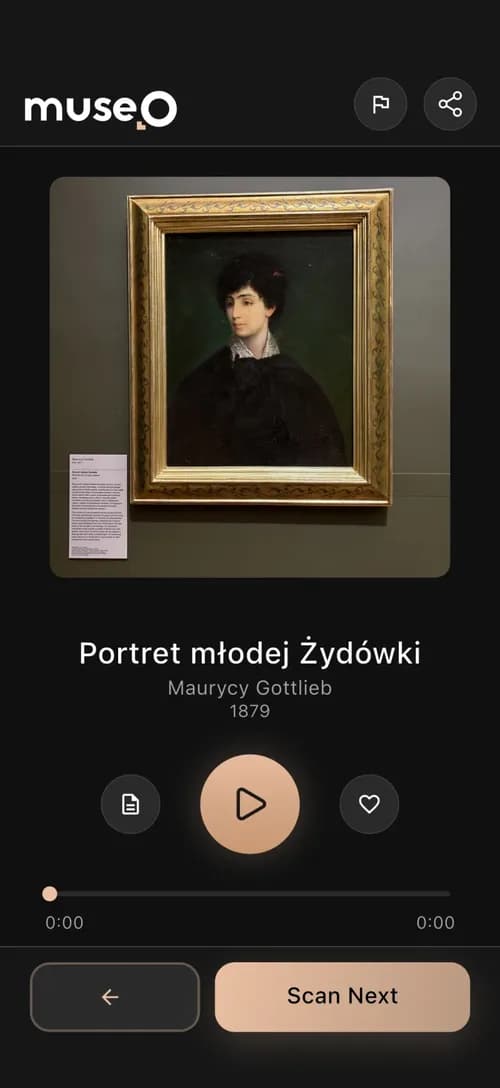
The problem. Museo is a museum guide app: a visitor photographs an artwork, the app recognizes it and plays its story. Recognition has to feel instant, but museums are busy in waves and empty at night, so a GPU switched on 24/7 would bill mostly for empty halls.
What we did. One team built the whole ecosystem of 6 components: Flutter apps for iOS and Android, a Next.js admin panel and the AI pipeline. For recognition we serve CLIP on RunPod Serverless with scale to zero and a warm-up that starts when a visitor opens the scanner.
The result. Museo went from concept to a live product in about 3 months. Once a worker is warm, it recognizes an artwork in about 100 ms. When the museum is closed, the GPU bill is zero.
Here is the recognition path step by step. The phone crops the photo to 224x224 pixels, the size the model expects, and sends it to a GPU worker running OpenCLIP ViT-L-14 with the OpenAI weights in FP16 (half-precision numbers: half the memory, practically the same result). The worker returns a vector of 768 numbers, scaled to the same length (L2-normalised) so that vectors compare fairly. Qdrant, a vector database that finds the stored vectors nearest to a new one, then returns the closest artworks in that museum's catalogue. One request can carry up to 50 images.
Why this matters for your budget: the GPU work itself takes a fraction of a second and costs a fraction of a cent. What you really pay for is the time a GPU is switched on around that work. The rest of this article is about controlling that time.
How does RunPod Serverless billing work? The meter runs until the worker fully stops
In short: RunPod bills a serverless worker from the moment it starts until it fully stops, rounded up to the nearest second. That window includes loading your handler (the function RunPod calls for every job) and the model into GPU memory, running jobs, and the idle timeout after the last job. Only a worker that has already scaled down, shown as Idle in the console, costs nothing.
A simple picture: think of a taxi with the meter on. The meter starts when the taxi arrives, keeps running while you ride, and keeps running while the driver waits at the curb for your next trip. It stops only when the taxi drives away. RunPod's idle timeout is that wait at the curb, and you pay for it every time.
Both rules come from RunPod's own docs: the Serverless pricing page (billing runs until the worker fully stops, the idle wait is billed, pulling the image while scaled down is not) and the endpoint configuration reference ("The worker is billed while it waits"). There are two kinds of workers. Flex workers start and stop with requests and bill at the standard per-second rate. Active workers, set with min workers of 1 or more, never scale down and bill continuously, jobs or not. RunPod offers discounts on active workers only through its sales team, with no public number.
ViT-L-14 has about 428 million parameters, so its FP16 weights take under 1 GB. Every tier above fits it with room for a batch of 50 images. The math in this article uses the 24 GB tier at $0.75 an hour. Prices change, so check RunPod's pricing page before you plan a budget.
Four settings decide your bill. This is what each one does and what it defaults to:
- Idle timeout: how long a worker waits for the next job before it stops. 5 seconds by default in the console, 10 seconds by default through the REST v2 API. Billed in full every time.
- FlashBoot: keeps a worker's state after it stops, so it revives faster than a fresh boot. On by default in the console, off by default in REST v2.
- Max workers: the most copies RunPod may run at once. 3 by default. This default comes back to bite you later in this article.
- Cold start: the image pull while scaled down is free. Loading the model into GPU memory is billed, so bake the weights into the image and load them once, outside the handler.
What this means for you: every request that wakes a stopped worker pays for the model load and the idle wait, not only for the fraction of a second of real work. Keep both short and the bill follows.
Does a keep-alive ping keep a worker warm for cheap? No: $2 on paper, $1,095 on the invoice
In short: no. A worker pinged every 50 seconds with a 60-second idle timeout never reaches the end of its timeout, so it never stops and RunPod bills it every second of the month at the flex rate. For two 24 GB workers that is about $1,095 a month, not the $2 the trick promises.
The idea is to send a tiny job every 50 seconds so the worker never cools down. In the taxi picture, it is phoning the driver every 50 seconds to say "wait a bit longer". The taxi never leaves and the meter runs all night. The idea looks right on paper because the $2 figure counts only the time each ping runs, about 0.1 seconds:
So the ping is never cheaper than active workers. At best it costs the same, and if sales gives you an active discount, the ping costs more. It has two more problems. One ping lands on one worker, so the second worker scales down unless you send concurrent pings. And every ping is a job in your queue and your logs. If you really need a worker warm around the clock, set min workers to 1 and own that cost openly.
The business risk: a GPU line of $1,095 where the plan said $2 is the kind of surprise that makes an owner stop trusting the whole estimate. Ask whoever builds your app how their warm-up is billed before it ships, not after the first invoice.
What works in production: scale to zero, then warm up when a visitor opens the scanner
In short: pay for warm GPUs only while a user can actually send an image. Museo's endpoint has min 0 workers (none kept running when nobody is there), max 5 (at most five copies at peak), a 5-second idle timeout and FlashBoot on. When someone logs in or opens the scanner, the backend raises min workers to 1. When nobody has been active for 120 seconds, a scheduled job sets it back to 0.
The GPU worker: five rules that keep cold starts short and cheap
The worker is the small program on the GPU that receives images and returns vectors. These five rules decide how fast it starts and how little each request costs:
- Bake the model into the image. The OpenCLIP weights ship inside the container. Nothing downloads at start, and the billed part of a cold start is only loading under 1 GB into GPU memory.
- Load once, at import time. Create the model, cast it to FP16, call eval() and move it to the GPU in module scope, outside the handler function, so warm jobs never pay for it.
- Answer {"ping": true} first. If the job input is a ping, return at once without touching the model. The backend uses it as a health check that a worker is up.
- Encode in batches. Decode up to 50 images that the phone has already cropped to 224x224, run encode_image under no_grad (inference only, no training overhead), L2-normalise each vector and return 768 numbers per image.
- Search outside the GPU. The backend sends the vector to Qdrant, takes the top 5 by cosine similarity (how closely two vectors point the same way), and accepts a match only above a threshold (0.60 in our test run below).
The warm-up: four steps from the first scan back to zero
The warm-up is a few lines of backend logic plus a cron job, a task that runs on a schedule, here every 5 minutes. Together they do this:
- Login or scannerThe backend stores the user's last activity time. If the endpoint is at min 0 workers, it calls RunPod's saveEndpoint with workersMin: 1 and the rest of the current config.
- During scansEvery request updates the last activity time. The warm worker answers without a cold start; extra load scales up to 5 workers.
- Every 5 minutesA cron job checks the last activity time. If nobody has been active for 120 seconds and min workers is 1, it calls saveEndpoint with workersMin: 0.
- 5 s laterWith no jobs and min workers at 0, the worker reaches its 5-second idle timeout and stops. Billing stops with it.
The gotcha we hit: RunPod's saveEndpoint GraphQL mutation (an API call that changes the endpoint's settings) creates and updates endpoints, and in our experience an update resets every field you leave out to its default. Send only workersMin, and workersMax silently drops from 5 to the default 3, so peak traffic queues with no error anywhere. RunPod's GraphQL endpoint docs do not say what happens to omitted fields. Read the current config first, change one field, send everything back, and log what the API returns.
What does a session cost? While min workers is 1, the worker bills every second. After the last scan you pay for 120 seconds of grace plus up to 5 minutes until the next cron run: 2 to 7 minutes, or about $0.03-0.09 on the 24 GB tier. A venue with visitors 8 hours a day keeps a worker warm for about 240 hours a month, which is about $180. The same worker kept warm around the clock costs $547.50. At night, the bill is zero.
Requests that arrive outside a session still work: RunPod starts a worker on demand. Each isolated request bills roughly 6 to 10 seconds: model load, the job and the 5-second idle tail. At $0.000208 a second that is about $0.0013-0.002 per request.
What you get: an instant first scan for every visitor, a GPU bill that follows your opening hours, and no hidden queue at peak. That is time, money and risk handled in one small piece of backend logic.
Is a pretrained CLIP model accurate enough? 93.5% precision in our Museo test run
In short: for recognizing known objects against a catalogue, often yes, without fine-tuning. Pretrained means we used the public model as it is, without training it further on paintings. In one test run of Museo's setup, with a 0.60 similarity threshold and the top 5 results, we measured 93.5% precision, 85.8% recall, an F1 score of 89.5% and a 1.8% false positive rate.
What those numbers mean in plain words. Precision: when the app named an artwork, it was right 93.5 times out of 100. Recall: of the artworks it should have recognized, it found 85.8 out of 100. F1 is one score that balances the two. The false positive rate counts confident wrong matches, the answers a visitor should never get.
- The threshold is a product decision. A higher one lowers false positives and raises "not recognized" answers. In a museum, a wrong artwork with confident narration is worse than asking the visitor to try again.
- Measure on your own objects. One test run on one collection is not a benchmark. Build a labelled set of real phone photos at real angles and in real light, and rerun it after every model or threshold change.
- Keep the catalogue and the queries on one model. Vectors from different models live in different spaces. Swap the model and you re-embed the whole catalogue.
In production, Museo recognizes an artwork in about 100 ms once a worker is warm. That number is why the warm-up matters: a cold start in front of a painting is the moment a visitor gives up. For your business, accuracy and speed are the same thing: they decide whether people keep using the feature you paid for.
What do 1,000 CLIP image embeddings cost? Nine options from $0 to about $20
In short: per call, hosted APIs are the lowest: about $0.22 per 1,000 runs for Replicate's public CLIP model and $0.12 for Gemini Embedding 2. Your own serverless GPU costs more per isolated request, about $1.30-2.00 per 1,000 on RunPod, but gives you control over the model, latency and data. Here is the full picture.
Two terms from the table: ONNX is a format that lets a model run on an ordinary processor (CPU) instead of a GPU, and a 503 is the error a server returns while it is still starting.
Sources, all checked in November 2026: Modal pricing and its cold start guide (idle containers in the scaledown window are billed; the window runs from 2 seconds to 20 minutes, 60 by default), the clip-features model page and Replicate billing, Gemini API pricing, Inference Endpoints pricing and autoscaling, the MobileCLIP2 model card and the Workers AI model catalogue.
Modal vs RunPod: the same model, a similar bill
In short: the per-second rates are close, so the idle window decides the bill. We also ran the same model on Modal: a T4, one buffer container and a 120-second scaledown window (Modal's name for the idle wait). Per second, a T4 on Modal ($0.000164) costs about the same as RunPod's 16 GB tier ($0.000161). Modal bills the scaledown window like RunPod bills the idle timeout, and a buffer container is one more warm container billed while the function is active. With the same windows, the two bills come out close. Choose on developer experience and GPU availability, not on the per-second rate.
MobileCLIP2 on the phone: no GPU bill, but different trade-offs
In short: on-device embeddings remove the GPU bill completely, but you pay in other ways. Apple's model card lists 1.5 ms for the MobileCLIP2-S0 image encoder and 71.5% ImageNet zero-shot accuracy, against 57.9 ms and 81.9% for MobileCLIP2-L/14. The card does not say which device those timings come from, so measure on the cheapest phone you support. The price is a re-embedded catalogue (each model draws its own map of looks, so addresses from one map mean nothing on another), a bigger app and a model update with every app release.
Which setup fits your traffic? Six traffic patterns and the right pick for each
In short: pick by the shape of your traffic, not by the per-second rate. Bursty sessions with long gaps favour scale to zero with warm-up. Steady all-day traffic favours an always-on worker. A one-off catalogue import favours batch pricing on the same model you will query with.
Before you choose, check the break-even, the point where two options cost the same. One 24 GB worker always on at the flex rate costs $547.50 a month. Session warm-up wins as long as your warm hours stay well below 730 a month. If the app is busy from morning to midnight every day, you are close to always-on anyway, and a negotiated active rate is the better deal.
Who should build image recognition into your app? Senior engineers who already run it live
In short: pick a team that can show a live product with image recognition and explain its GPU bill line by line. We can show both: Museo recognizes an artwork in about 100 ms in production, and every number in this article comes from its setup. A demo that recognizes ten objects on a laptop says little about cold starts, idle billing, thresholds or a catalogue of thousands of items.
Six questions to ask any team, with our answers
- Production proof. Can they show a live app, not a notebook? Ours is Museo: one ecosystem of 6 components, from concept to a live product in about 3 months, artwork recognition in about 100 ms.
- Billing literacy. Ask them when a serverless worker stops billing. If the answer is "when the job ends", expect the ping trick in your invoice. Our answer is the session warm-up above: zero at night, about $180 a month for a venue open 8 hours a day.
- Measured accuracy. Ask for precision, recall and the false positive rate on your own photos, with the threshold that produced them. Ours: 93.5% precision at a 0.60 threshold in one Museo test run.
- AI in more than one live app. In Assuranci, a car insurance app we built, a vision model reads the car details from one photo of the registration card. Below 50% confidence the app asks for a new photo instead of guessing. The app went from first commit to the App Store in 4 months.
- Product thinking around the model. The scanner is only one screen. For Museo we tested 49 home-screen variations and 30+ screens before building, described in the Museo prototyping case study.
- A fixed price. We price per milestone, agreed before it starts: an App Audit with a fixed plan is $5-8k, an MVP or app launch starts at $15k. Every number is on our pricing page.
Why a small senior team is the safer choice for a GPU feature
A GPU feature fails in the details: an idle timeout of 60 seconds instead of 5, a settings call that quietly drops max workers to 3, a threshold nobody tested on real photos. On our team, the senior engineers who make those decisions are the people on your calls. There are no layers of account managers passing messages along, so a question about your bill is answered by someone who has read the code, usually on the same day.
We also work on the phone side of image recognition. Our open-source Flutter packages include camera_extended and flutter_bicubic_resize, which resizes, crops and compresses images on the device in native C. Both are on our open source page. Our clients describe working with us on Clutch, where we are rated 5.0 from 19 reviews and won the 2026 Top Flutter Developers Poland award. Fishpro wrote about the MVP we built for them: "They immediately knew which mistakes to avoid, and their product suggestions were accurate and insightful."

If you only need a second opinion on your endpoint config or your bill, ask us on Build with AI: questions are free and we publish the answers. If you are budgeting the whole app, not only the GPU, read how much it costs to build an app in 2026.
Common questions
01Does RunPod Serverless bill the idle timeout?
Yes. RunPod bills a worker from start until it fully stops, rounded up to the second, and the idle timeout after the last job is part of that time. Only a worker that has already scaled down is free (as of November 2026).
02Can I keep a RunPod worker warm by pinging it?
You can, but it is not cheap. A worker pinged more often than its idle timeout never stops, so it is billed 24/7: about $547.50 a month for one 24 GB worker. Setting min workers to 1 costs the same or less, and you can ask RunPod sales for an active discount.
03How long is a RunPod cold start for CLIP?
It depends on the GPU, the image and whether FlashBoot can revive the worker. Only loading the model into GPU memory is billed, not the image pull. Bake the weights into the image and load them outside the handler. For user-facing scans, warm a worker up when the session starts instead of hoping the cold start is short.
04Is Modal cheaper than RunPod for CLIP embeddings?
Per second they are close: a T4 on Modal costs $0.000164 and RunPod's 16 GB tier $0.000161 (as of November 2026). The bill depends on the window after the last request. Modal's scaledown window defaults to 60 seconds and RunPod's console idle timeout to 5 seconds, and both are billed.
05Can I mix CLIP vectors from different providers in one index?
Only if both use the same weights and the same preprocessing, and even then test it before you trust it. Gemini Embedding 2 and MobileCLIP2 produce different vector spaces, so switching to them means re-embedding the whole catalogue.
06What does it cost to have Codigee build image recognition into an app?
We price per milestone, fixed before work starts. An App Audit with a fixed plan costs $5-8k and an MVP or app launch starts at $15k. You also get a monthly GPU estimate for your traffic before we build, from the senior engineers who would build it, so the bill holds no surprises.